Reasonable Time Distribution: Guide to Balancing Deadlines, Priorities, and Resources
Learn how time distribution helps teams balance deadlines, priorities, and resources with practical steps, clear examples, and smarter time management.
Teams often start projects with good intentions, clear goals, and a timeline that seems achievable. Yet somewhere along the way, time begins to slip. Tasks stretch longer than expected. Priorities change suddenly. People become overloaded while others wait for work to unblock. By the time the deadline arrives, everyone is stressed and unsure how the project drifted off track.
Most of these problems come back to one issue: time distribution. When teams do not distribute their time wisely across tasks, people, and phases, the entire project becomes unpredictable. This guide explains how time distribution works, why teams mismanage it, and how a more conscious approach leads to better time optimization and smoother project outcomes.
What Is Time Distribution
Time distribution is the practice of deciding how much time each part of a project should receive. It includes tasks, milestones, team members, and even unexpected work that may appear along the way. Instead of guessing or giving every task the same amount of attention, time distribution requires matching available hours with real priorities, dependencies, and capacities.
Time distribution sits at the center of time management because it affects everything else. It influences time allocation, shapes time estimation, and determines whether a team can complete meaningful work without burnout. When done correctly, time distribution ensures the right tasks receive attention at the right moment.
Key elements of effective time distribution
- Priority awareness: Time should match the actual importance of tasks rather than the order they appear in a backlog. High impact work deserves more consistent attention.
- Real capacity checks: Instead of assuming full availability, teams need to consider meetings, existing commitments, skill levels, and unexpected requests.
- Dependencies and sequencing: Some tasks must be completed before others can begin. Time distribution should reflect this chain.
- Milestones and check-ins: Breaking the timeline into phases allows the team to course correct early.
- Adaptability: Time distribution is not fixed. It should adjust when priorities shift or when a task takes longer than predicted.
Why time distribution matters
- It reduces last minute scrambling.
- It prevents uneven workloads across the team.
- It gives leaders clearer visibility into bottlenecks.
- It creates more accurate time estimation for future projects.
- It improves overall time optimization across the team.
The Principles of Reasonable Time Distribution
Good time distribution is built on a few practical principles. These principles help teams divide time more intelligently and handle both expected and unexpected work.
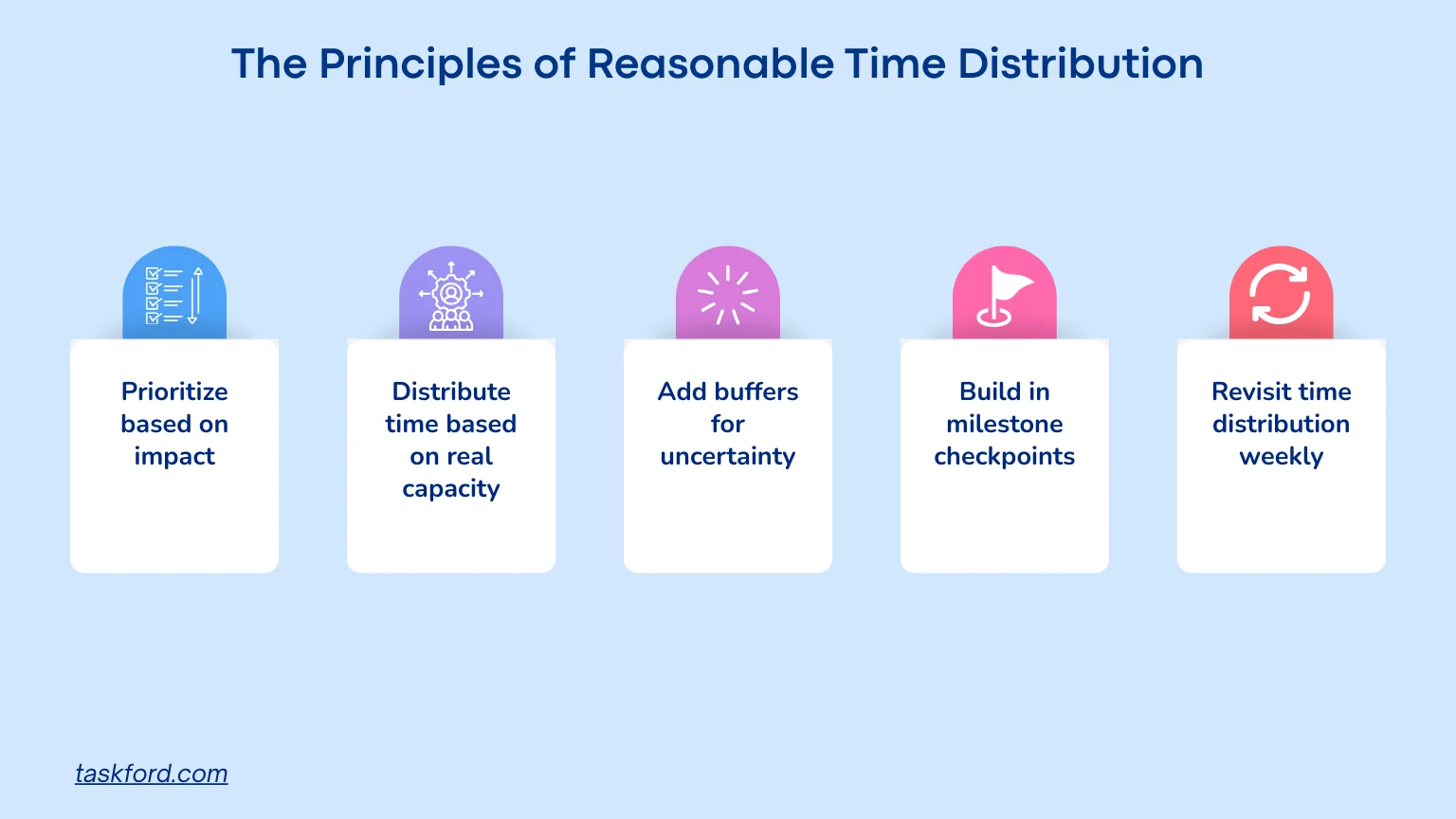
1. Prioritize based on impact
Every project has tasks that matter more than others. Start with impact, not convenience.
Questions to ask:
- Which tasks unlock other tasks?
- Which ones affect customer outcomes?
- Which ones reduce risk or prevent delays?
2. Distribute time based on real capacity
Capacity is more than the number of working hours. It includes energy, focus levels, skill sets, and workload variety.
Ways to check capacity:
- Look at meeting loads.
- Consider the complexity of upcoming work.
- Balance creative tasks and routine tasks.
3. Add buffers for uncertainty
No estimate is perfect. Adding buffers protects the timeline from unexpected issues.
Types of buffers:
- Small buffers for routine work
- Larger buffers for complex or unfamiliar tasks
- Teamwide buffer for emergencies
4. Build in milestone checkpoints
Milestones allow the team to evaluate progress early and redistribute time if needed.
Milestones should:
- Be spaced at predictable intervals
- Include clear criteria
- Provide room for course correction
5. Revisit time distribution weekly
Time distribution changes as the project evolves. A weekly review allows the team to observe trends and adjust the plan.
What to review:
- Upcoming deadlines
- Completed work
- New risks
- Time spent vs time expected
How to Apply Time Distribution to Any Project
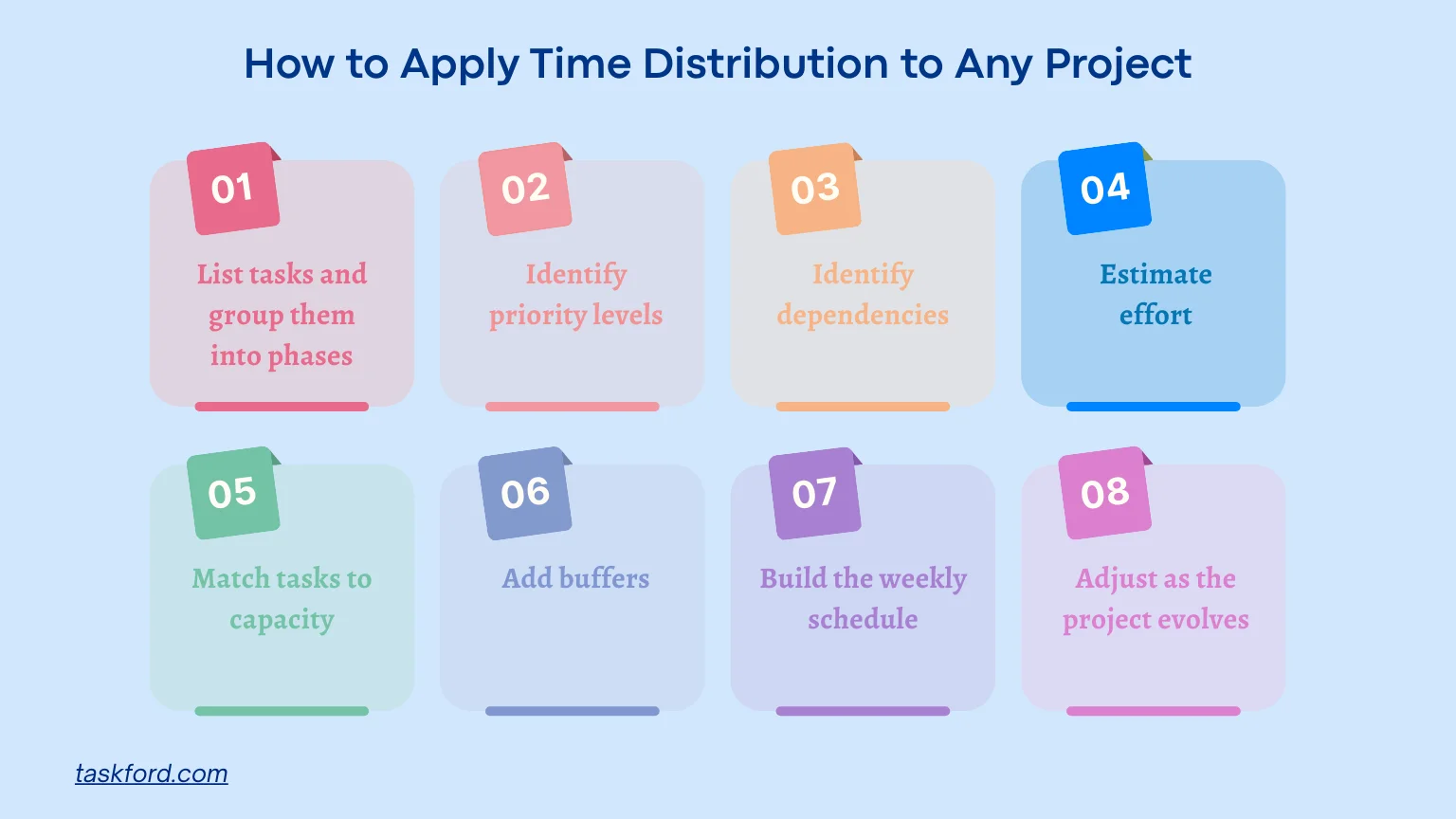
This section walks through a practical workflow your team can use for time optimization in any project. It blends time estimation, priority sorting, and resource checks into a repeatable process.
Step 1: List tasks and group them into phases
Before assigning time, you need a clear view of the entire workload. Listing out tasks gives you visibility into what actually needs to be done, and grouping them into phases helps the team understand the bigger picture before diving into details.
Examples of phases:
- Discovery
- Development
- Review
- Launch
This prevents confusion and keeps everyone aligned on what comes first, what comes next, and why the work is structured that way.
Step 2: Identify priority levels
Once you have all tasks laid out, the next step is understanding their relative importance. Without clear priorities, teams often give too much attention to low impact tasks and not enough time to the work that truly moves the project forward. Setting priority levels creates the foundation for realistic time distribution.
Step 3: Identify dependencies
Knowing how tasks connect to one another is essential for proper sequencing. Dependencies tell you which tasks must be finished before others can begin, which helps avoid bottlenecks and ensures that time distribution supports a smooth workflow rather than causing delays later on.
Dependency examples:
- Copywriting before design
- Backend work before UI integration
- Research before strategy
Step 4: Estimate effort
Use effort ranges, not exact numbers, to keep estimates realistic.
Effort ranges:
- Small work: under 2 hours
- Medium work: 2 to 6 hours
- Large work: more than 6 hours
Step 5: Match tasks to capacity
This is where time allocation becomes practical. Distribute work based on real availability, not hope.
Things to consider:
- Skill fit
- Meeting load
- Existing commitments
- Personal working style
Step 6: Add buffers
No project goes exactly as planned. Instead of reacting to surprises, build protection into your time distribution from the start. Buffers give the team room to handle uncertainties, unexpected requests, and moments when tasks naturally take longer than estimated.
Examples:
- 10 percent buffer for routine work
- Up to 25 percent buffer for new or complex tasks
Step 7: Build the weekly schedule
Weekly planning is easier to manage and adjust than long term planning.
A typical weekly time distribution:
- Monday: Kickoff and heavy tasks
- Tuesday to Thursday: Core work
- Friday: Review and adjustments
Step 8: Adjust as the project evolves
A project rarely follows the original plan perfectly. As new information comes in, the team needs to redistribute time so the plan stays realistic. Regularly adjusting your time distribution ensures the project never drifts too far off track.
Examples of Reasonable Time Distribution
Example 1: Marketing project
A marketing team preparing a new campaign could distribute time like this:
- Research: Two days for market trends, audience analysis, and competitor review.
- Creative development: Three days for writing, design, and campaign storyboard.
- Review and editing: One day for revisions and team alignment.
- Launch preparation: One day for scheduling, asset uploads, and final checks.
Example 2: Software sprint
A development team working on a new feature might structure time like this:
- Planning: Half day for requirements and technical alignment.
- Development: Three to four days focused on core coding work.
- Integration and testing: One to two days for QA and bug fixes.
- Sprint review: Half day for documentation and demonstration.
How TaskFord Helps You Maintain Better Time Distribution
TaskFord, an integrated work delivery platform, gives teams the tools they need to plan time intelligently and keep projects moving smoothly even when priorities shift. With a focus on visibility and clarity, it helps teams balance deadlines, priorities, and resources throughout every project stage.
Key features that support time distribution
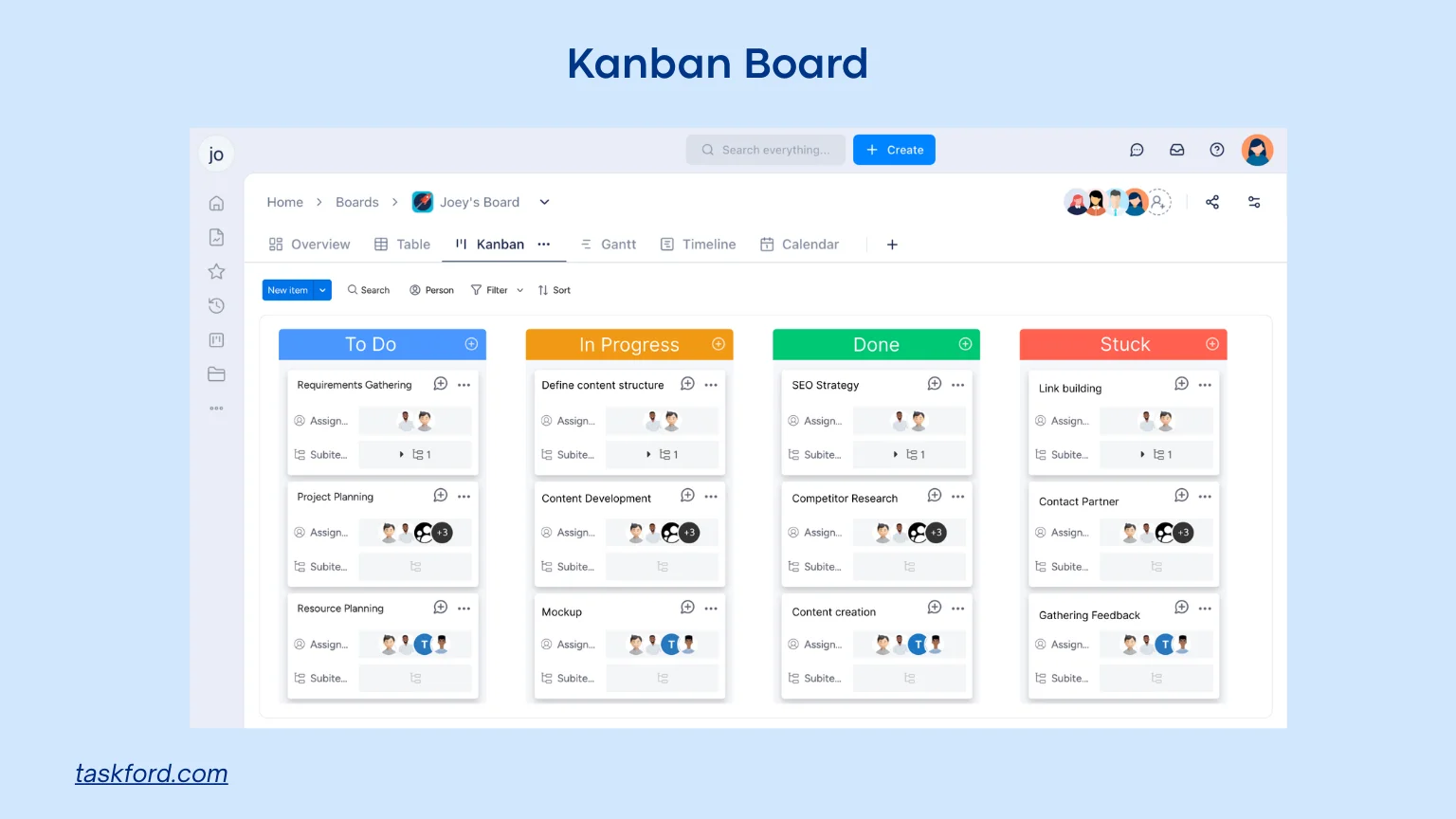
- Kanban boards: Teams can see work in progress, identify overloads, and redistribute tasks quickly.
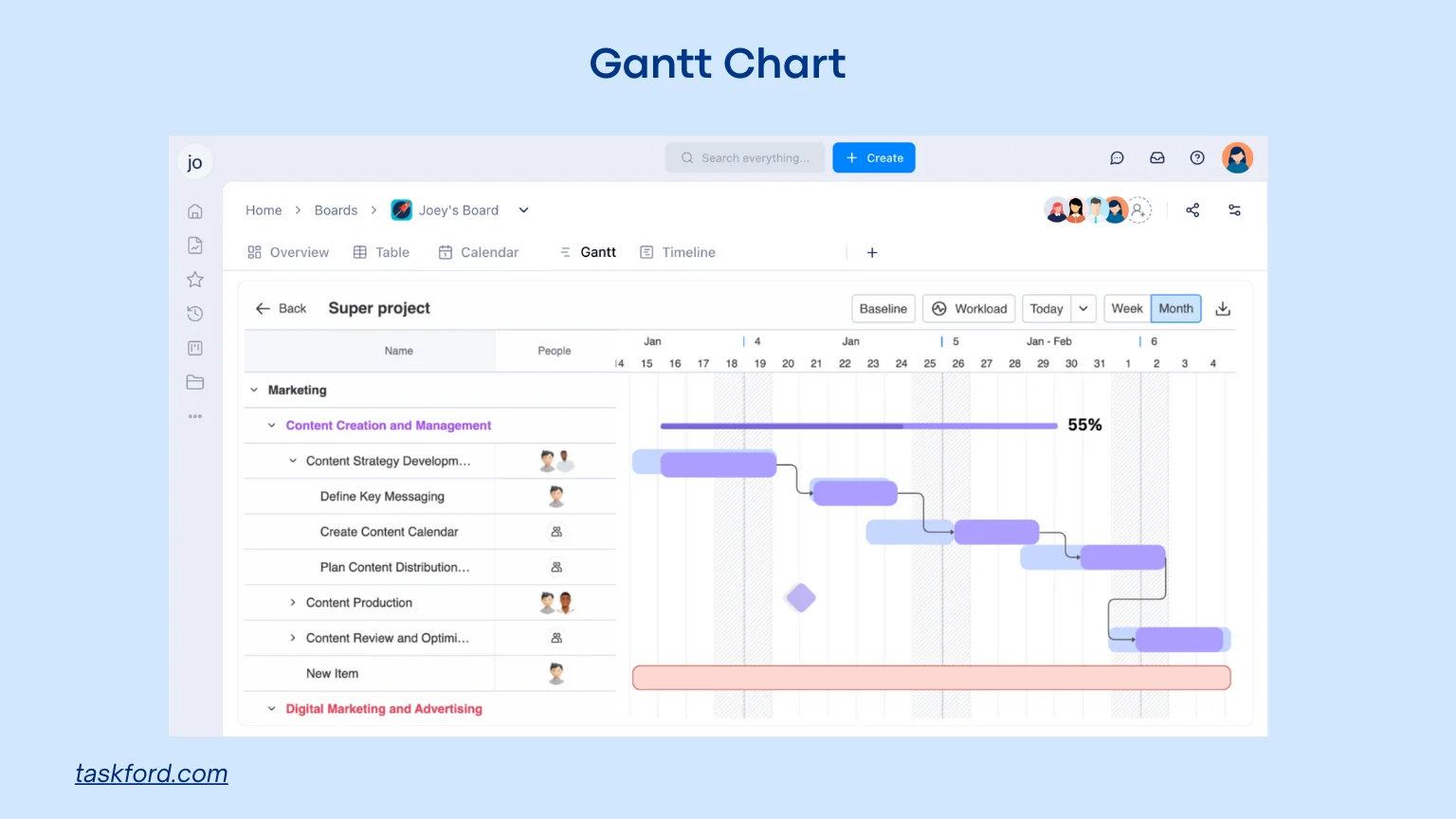
- Gantt charts: Dependencies and sequencing become clear, making it easier to assign time correctly.
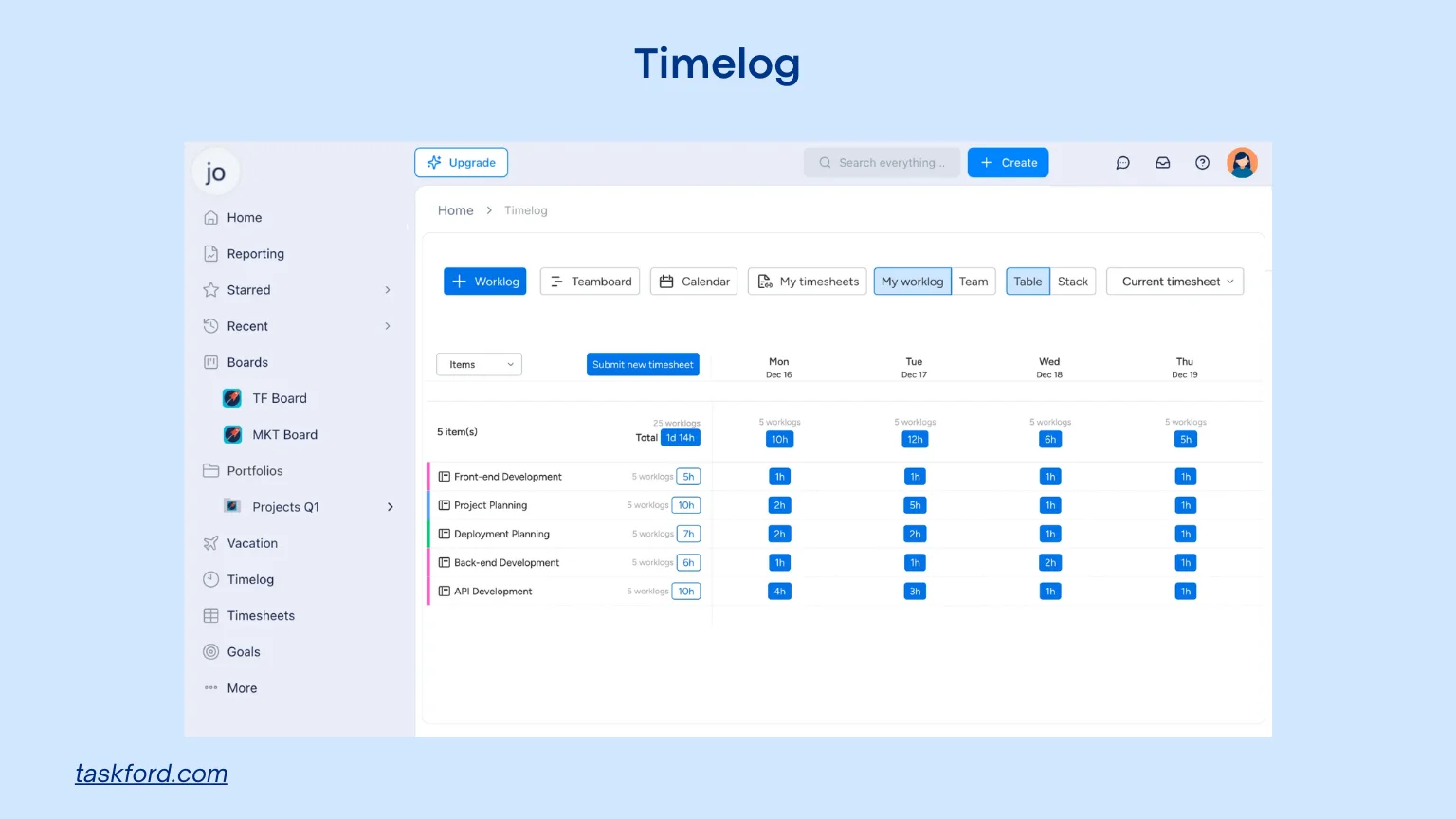
- Time tracking: Teams understand how much time tasks actually require from the timelogs and use that knowledge to improve future time allocation.
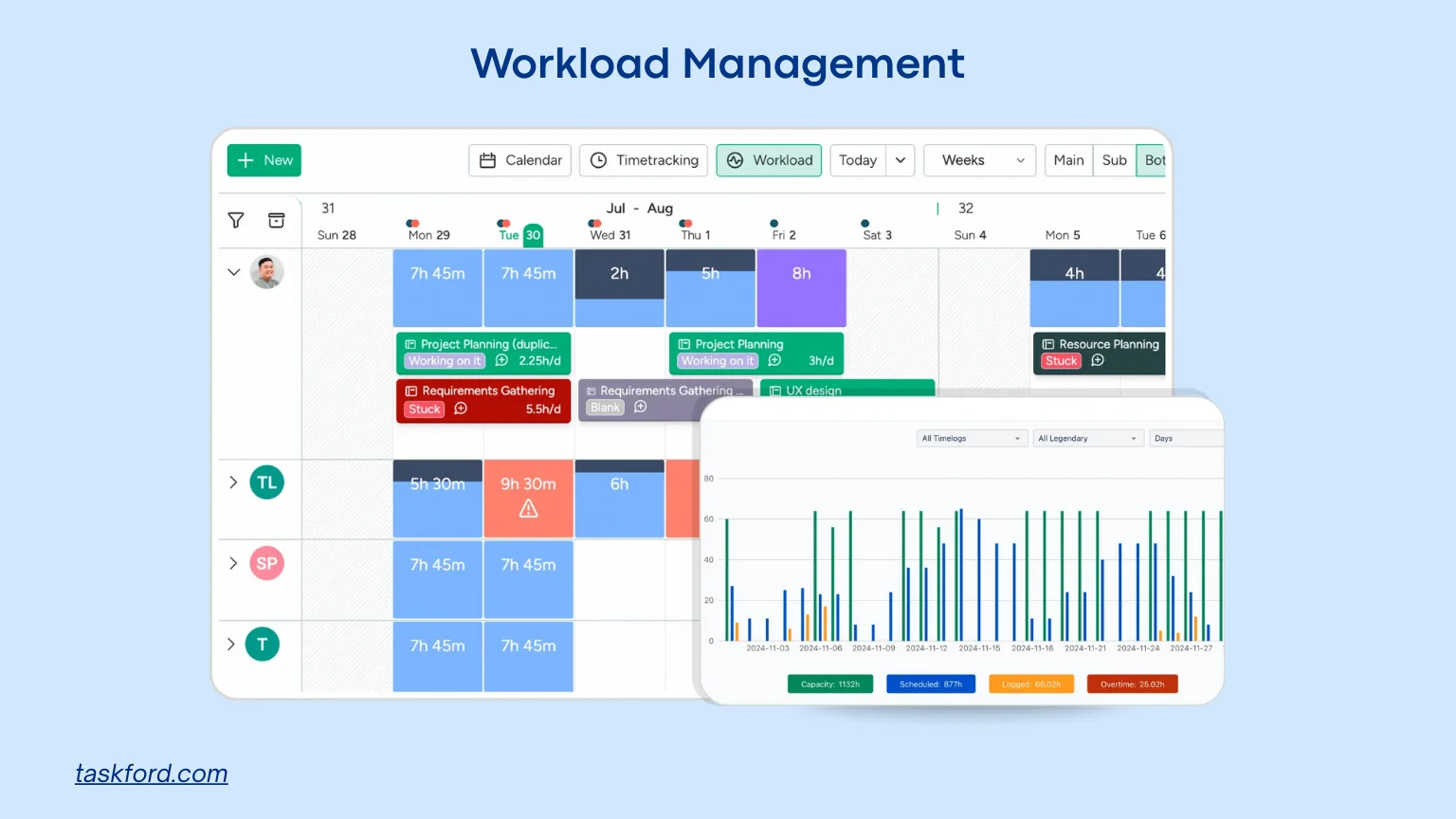
- Capacity insights: Leaders can check workloads across the team and avoid giving too much work to any one person.
- Milestone tracking: Built in checkpoints created on Gantt charts make it easier to adjust time distribution early, not after delays appear.
Common Mistakes When Distributing Time
Mistakes in time distribution rarely show themselves immediately. They reveal themselves through delays, stress, and confusion. Below are the most common mistakes teams make and how to avoid them.
Mistake 1: Using guesswork instead of real estimates
Many teams estimate tasks quickly without checking complexity. They rely on intuition or past experiences that no longer match current conditions. This creates unrealistic expectations that the team struggles to meet.
How to avoid it: Use ranges instead of fixed numbers and compare estimates with actual time spent on similar past tasks. This makes time estimation more grounded and prevents schedules from becoming overly optimistic.
Mistake 2: Distributing time evenly across tasks
Some teams spread time equally because it feels fair. But equal time does not mean effective time management. High priority tasks might need multiple days while less important tasks need just one or two hours.
How to avoid it: Rank tasks by impact and assign time based on importance, not equality.
Mistake 3: Ignoring real capacity
Teams often act as if everyone has eight hours of deep work per day. In reality, meetings, context switches, breaks, and communication reduce real working hours significantly. This leads to overcommitment.
How to avoid it: Plan for six hours of productive time per person each day and keep two hours free for coordination and unexpected work.
Mistake 4: Forgetting dependencies
When tasks are planned without considering dependencies, team members end up blocked. They wait for work that should have been finished earlier. This causes unnecessary idle time and forces rushed work later.
How to avoid it: Map dependencies clearly during planning and assign earlier deadlines for tasks that unlock others.
Mistake 5: Sticking to the plan even when it no longer works
A rigid plan becomes outdated quickly. When teams fail to review their time distribution weekly, problems grow quietly until they become serious.
How to avoid it: Hold brief weekly check-ins. Adjust time distribution based on new information, recent progress, and upcoming risks.
Conclusion
Time distribution is at the heart of smooth and predictable project execution. When teams divide time based on priorities, capacity, and dependencies, they experience fewer delays and more consistency in results. A strong time distribution process also improves time optimization and leads to better long term performance.
The goal is not perfection. The goal is awareness. With clearer visibility, realistic expectations, and regular adjustments, any team can achieve a balanced and manageable timeline. Tools like TaskFord help bring that balance to life by giving teams structure, insights, and the ability to adapt quickly.
Learn more
- 10 Practical Time Management Tools & Techniques That Actually Work
- Proper Time Tracking On Tasks Project Management Lead Better Results.
- Manual vs. Automated Time Tracking: Which Method Saves You More Time?
Subscribe for Expert Tips
Unlock expert insights and stay ahead with TaskFord. Sign up now to receive valuable tips, strategies, and updates directly in your inbox.