Ranking the Best Free Task Management Tools for Teams of 2026
Compare the best task management tools for teams in 2026. See free and paid options, key features, and how to choose the right tool as your team grows.
Managing work in 2026 is not just about keeping a to-do list. Teams are working on many tasks at the same time, often across different locations and time zones.
Problems start when tasks are spread across emails, chat messages, spreadsheets, and personal notes. It becomes hard to see who is working on what, what is blocked, and what is due next. Missed deadlines and last-minute rushes become common.
Task management tools help teams keep all work in one place. They make it easier to assign tasks, track progress, and stay aligned without constant follow-ups. Instead of guessing what’s happening, teams can see the status of work at a glance.
This article ranks the best task management tools for teams in 2026. It covers free tools and options that support growing teams, explaining what each tool is good at and how to choose the right one for your team.
What are Task Management Tools?
Task management tool is a software application that help individuals and teams plan, organize and keep track of their work. They allow users to create tasks, assign them to the right people, set deadlines, and see progress clearly from start to completion.
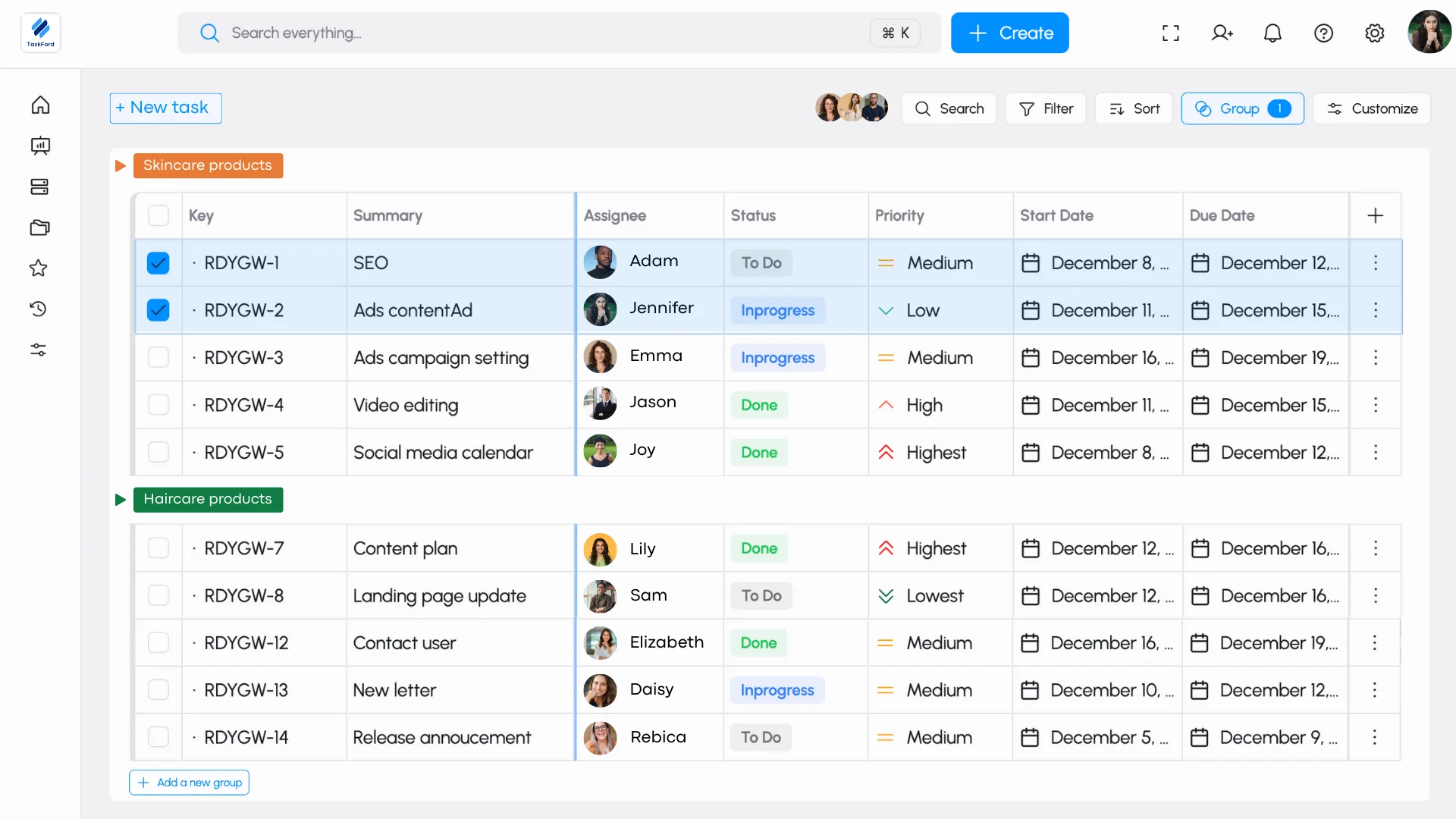
Instead of tracking tasks through emails, chat messages, or personal notes, everything is kept together and easy to find. This makes it clearer who is working on what, what is coming up next, and helps teams stay organized without missing tasks or deadlines.
Why Teams Rely on Task Management Tools in 2026
The modern workplace moves quickly and often feels complex. Teams often handle several projects at the same time, work across different time zones, and switch between remote and in-office setups. With around 60% of employees now working in hybrid environments, staying organized is essential to avoid miscommunication, missed deadlines, and burnout.
Task management softwares help teams bring order to this complexity. They do more than list tasks by providing a clear way to assign work, track progress, and keep everyone aligned on shared goals. Built for distributed teams and fast project cycles, these tools centralize work and improve accountability, helping teams stay productive without relying on long email threads or scattered notes.
What Makes the Best Task Management Apps
The best task management tools in 2026 are designed to tackle real-world challenges. Here’s what to prioritize to ensure your tool is future-ready:
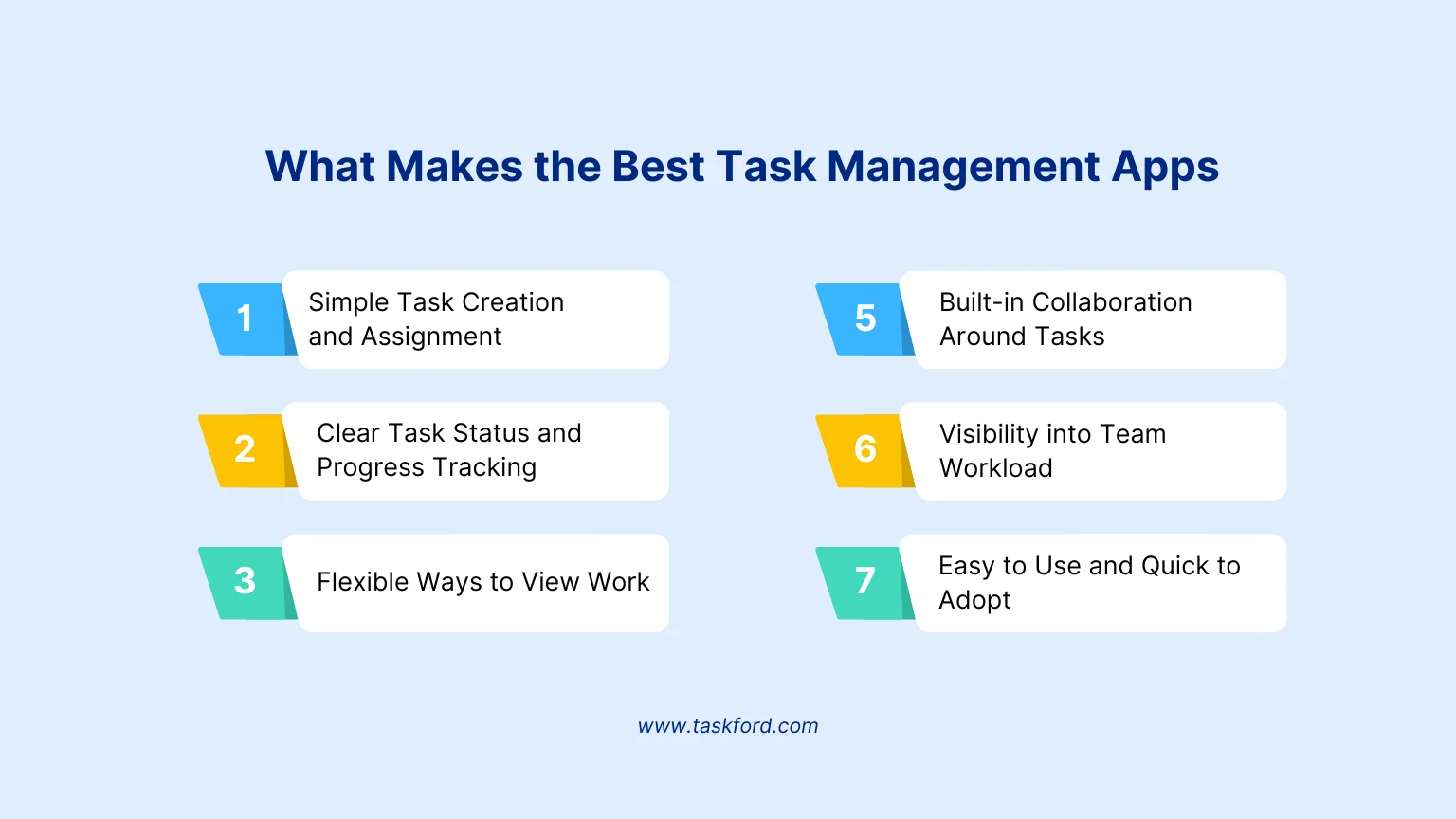
1. Simple Task Creation and Assignment
Creating a task should take only a few seconds. A good app makes it easy to add details like due dates and descriptions, but most importantly, each task should have a clear owner. When responsibility is clear, teams spend less time clarifying and more time getting work done.
2. Clear Task Status and Progress Tracking
Teams shouldn’t need meetings just to understand progress. Clear statuses such as to do, in progress and done help everyone see what’s moving forward and what may be blocked. This visibility makes it easier to spot delays early and keep work on track.
3. Flexible Ways to View Work
Not everyone likes to work the same way. Some prefer simple lists, while others need visual boards or timelines. The best task management apps offer multiple views so teams can organize work in a way that feels natural without changing how they plan or execute tasks.
4. Built-in Collaboration Around Tasks
Work moves faster when conversations stay close to the task. Comments, mentions, and file attachments inside tasks help teams share updates, ask questions, and keep context in one place. This reduces the need to search through emails or chat history.
5. Visibility into Team Workload
Knowing who is busy and who has available time helps teams plan better. Workload views make it easier to distribute tasks fairly, avoid overloading team members, and adjust plans when priorities change or someone is unavailable.
6. Easy to Use and Quick to Adopt
Even powerful tools fail if they are hard to use. The best task management apps feel simple from the start and don’t require long training sessions. When a tool is easy to understand, teams are more likely to use it consistently and get real value from it.
How We Ranked These Task Management Tools
To rank these task management tools, we focused on how well they support real team work, not just how many features they offer. Each tool was reviewed based on everyday use, how easy it is to get started, and how well it can grow with a team over time.
We used the following criteria in our evaluation:
- Features: How well the tool supports core task management needs such as creating tasks, assigning work, tracking status, and organizing tasks in different ways.
- Ease of use: How simple the tool is to learn and use, especially for teams adopting it for the first time.
- Free plan limitations: What teams can realistically do on the free plan, including limits on users, tasks, storage, or features.
- Suitability for teams: How well the tool supports collaboration, shared visibility, and coordination between team members.
- Scalability: Whether the tool can continue to support teams as they grow, take on more projects, or adopt more structured workflows.
We also considered the difference between free and paid plans, focusing on when a team might outgrow the free version and what added value paid plans provide.
This approach helps ensure the rankings reflect practical use and real team needs, not just feature lists.
The Best Task Management Software Shortlist
Below is a shortlist of the best task management software in 2026, highlighting where each tool fits best and which teams they are most suitable for.
- TaskFord – Best for teams managing real workloads Designed for teams that need more than task lists, with clear visibility into capacity, workload, time, and costs as work grows more complex.
- Microsoft To Do – Best for simple personal and shared tasks Works well for individuals or small teams using Microsoft tools who need basic task tracking.
- Todoist – Best for personal productivity and small teams Good for daily task organization and light collaboration, but limited for team planning.
- Google Tasks – Best for basic task reminders Useful for simple personal tasks in Google Workspace, with minimal team features.
- ClickUp – Best for customizable workflows Offers flexibility and many features, but may feel complex for teams that want simpler task management.
Ranking Best Task Management Tools for Teams in 2026
Here are the 5 standout tools tailored to different needs, with key features, best use cases, pricing, and why they shine:
1. TaskFord
TaskFord is an Integrated Work Delivery Platform that helps teams plan work around real people, capacity, and resources—so projects can be delivered predictably.
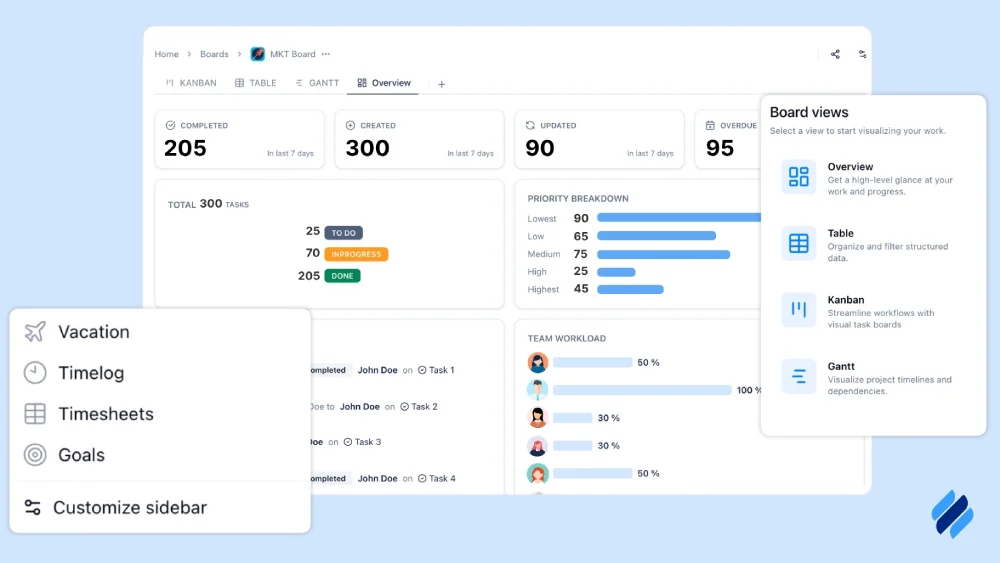
It goes beyond basic task management by combining resource planning, workload visibility, time tracking, and cost control in one system. Teams can see who is available, what skills they have, how much capacity exists, and how work, time, and costs connect before committing to projects.
By linking planning, execution, and financial visibility, TaskFord helps organizations allocate resources realistically, avoid overload, and keep work moving forward with clarity.
Why We Picked TaskFord:
We picked TaskFord because it supports task management in a more realistic way for teams. Instead of focusing only on tasks and deadlines, it helps teams plan work based on real people, available capacity, and resources. With clear visibility into workloads, time, and costs, teams can assign work more thoughtfully, avoid overload, and keep tasks moving forward as projects become more complex.
Key Features:
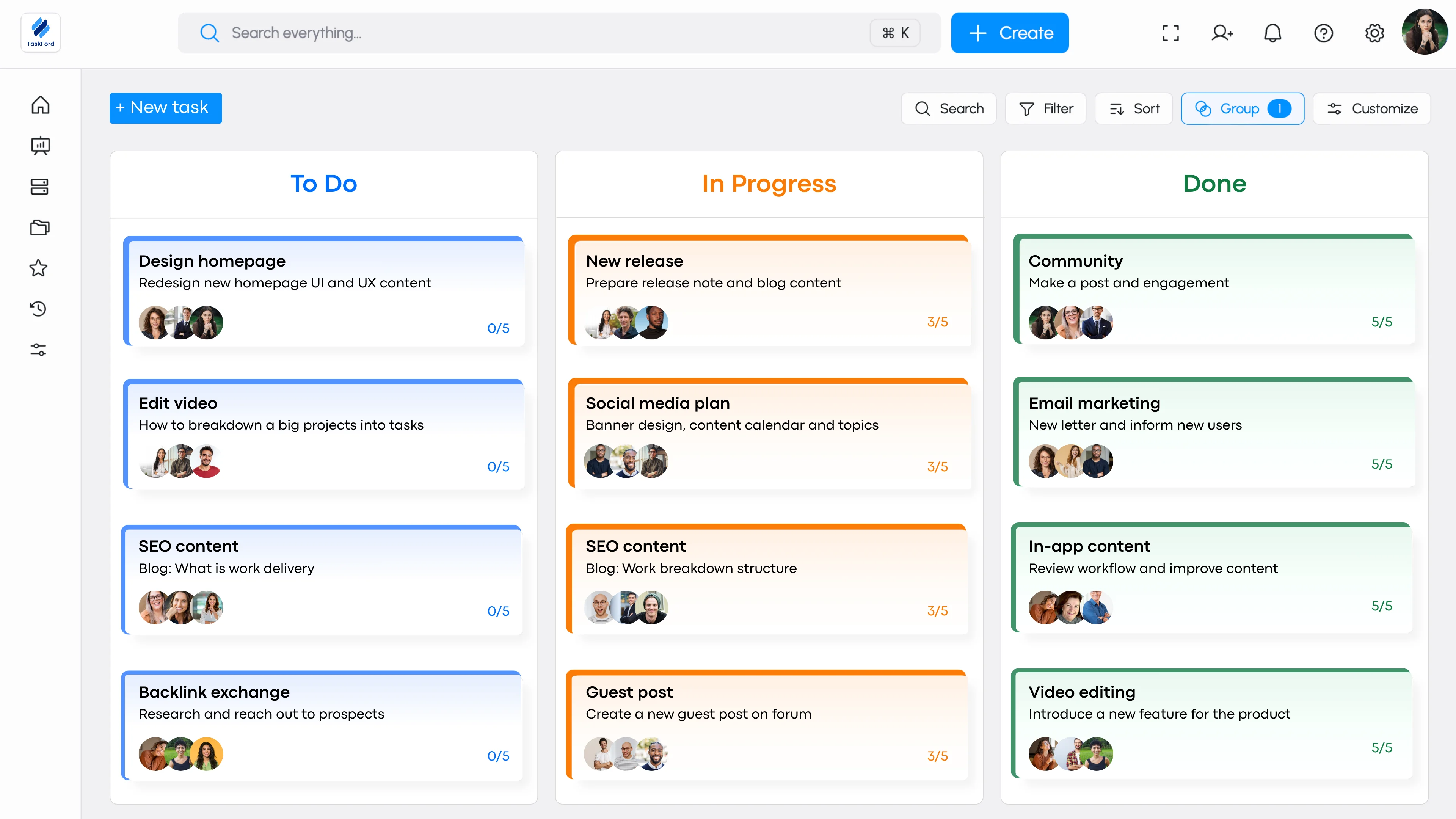
1. Kanban board for flexible task organization
Tasks are shown on visual kanban boards and move through defined stages of work. Teams can adjust columns and task statuses such as To Do, In Progress, Review, and Done to match their workflow. This helps make progress visible and makes it easier to identify blocked or stalled work.
2. Gantt chart support for clear task dependencies
Gantt charts show tasks, deadlines, and dependencies on a timeline. This helps teams understand how work fits together, what needs to happen first, and how delays in one task might affect the rest of the project.
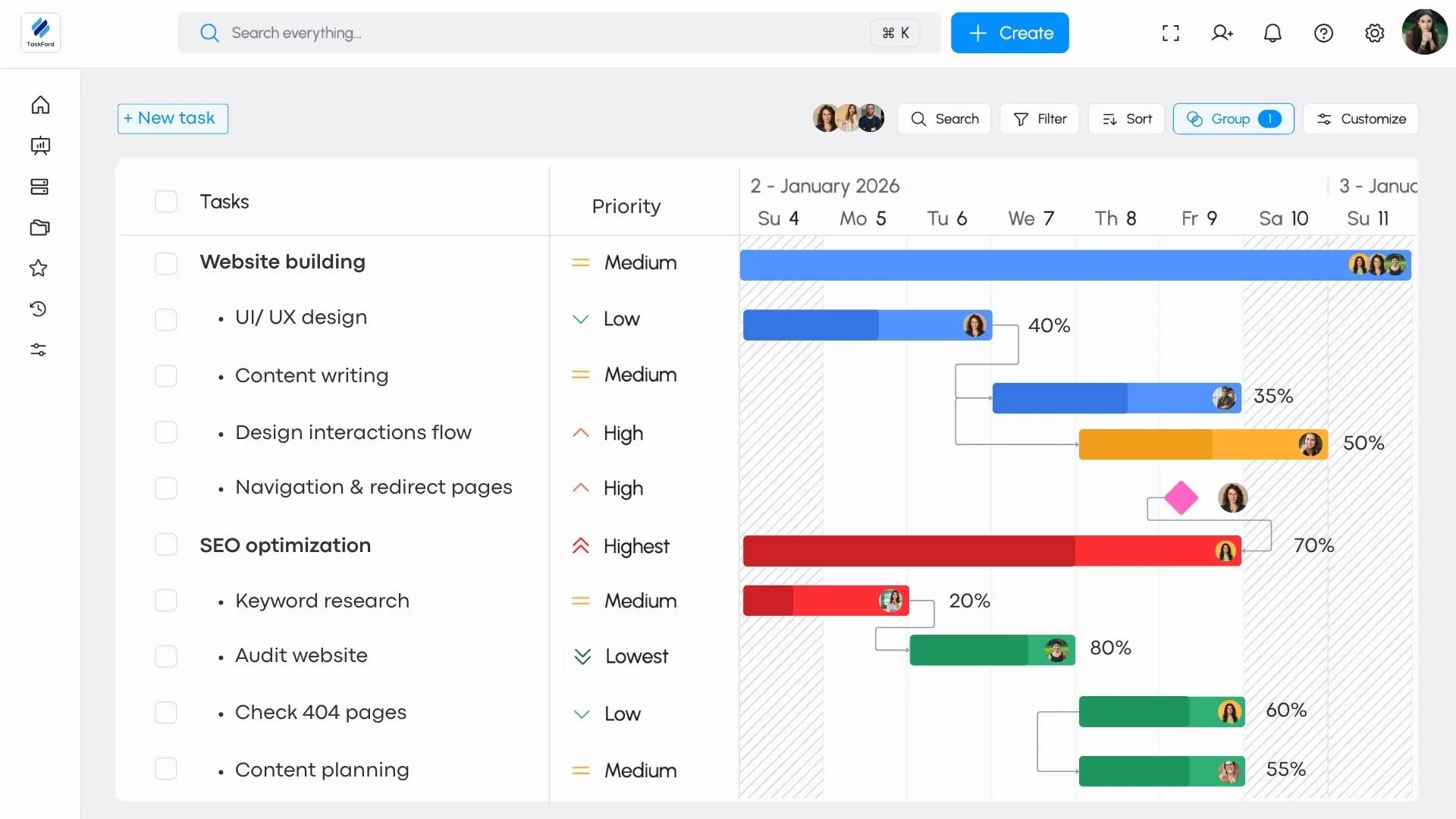
3. Workload view to balance team capacity and avoid burnout
Tasks are planned around team availability and workload. TaskFord helps teams assign work based on capacity, so work is distributed more evenly and overload is avoided before execution begins.
4. Time tracking and cost awareness
Tasks are linked to time tracking and cost rates, giving teams visibility into effort and cost as work happens, not after it’s finished.
Pricing Plan:
TaskFord offers three pricing plans:
- Free trial - Available with no credit card required. Suitable for small teams getting started, with core project planning features and limited users, boards, and storage.
- Standard – $3 per user/month Designed for growing teams, with higher limits and improved collaboration features.
- Advanced – $5 per user/month Intended for larger teams, adding features such as time tracking, documents, forms, and increased capacity. (Contact TaskFord for full plan details.)
All paid plans include a free trial.
Pros & Cons:
- Pros TaskFord offers strong support for team-based task management by combining clear task ownership with visibility into workload, time, and costs. It helps teams plan work more realistically by considering capacity and availability, rather than relying only on deadlines. Flexible views such as boards, timelines, and workload dashboards make it easier to adapt to different workflows, and the platform scales well as teams and projects grow more complex.
- Cons: The app currently supports a limited number of third-party integrations, and some advanced features are still in development.
2. Microsoft To Do
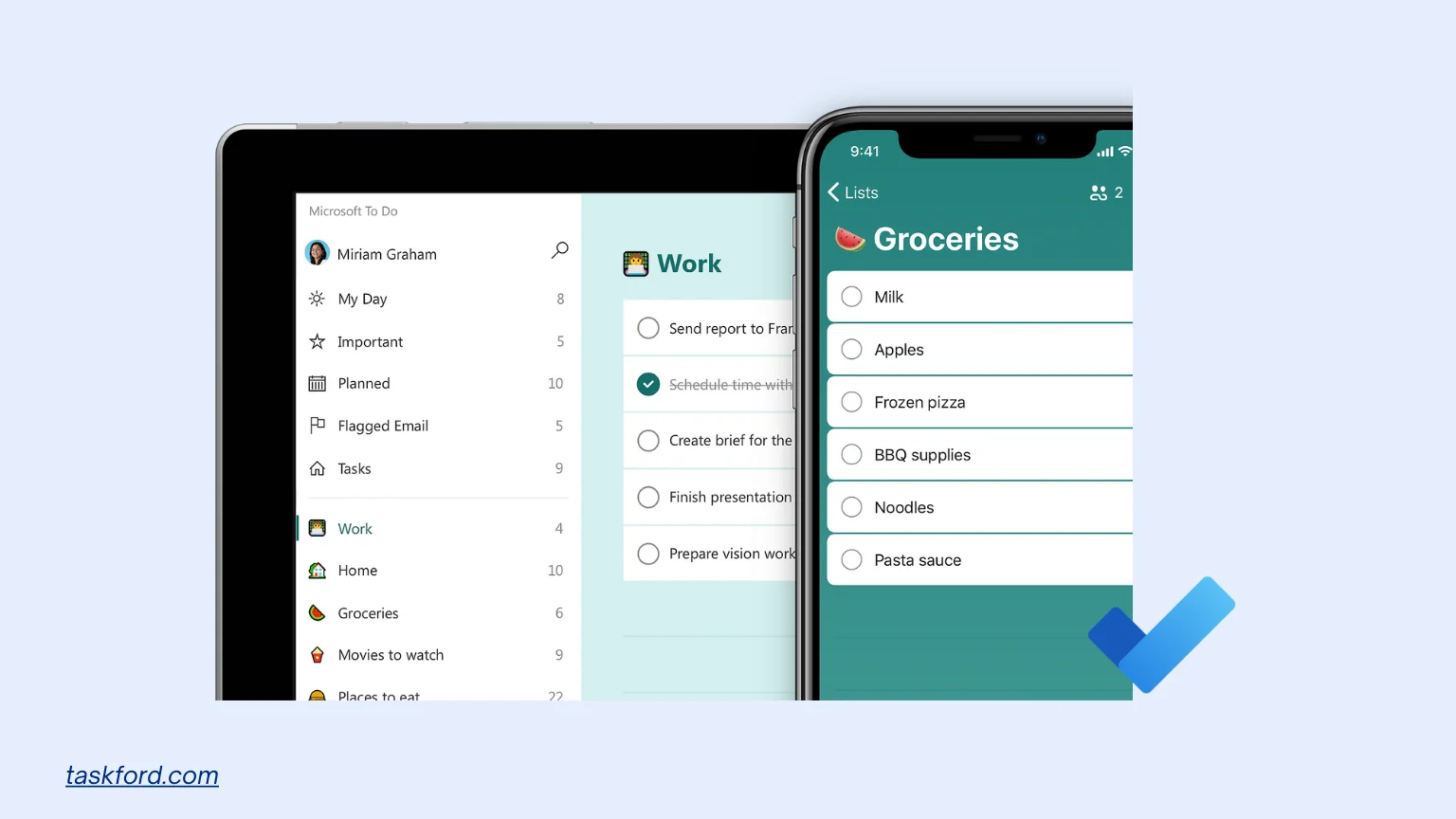
Microsoft To Do is a straightforward task management tool that simplifies daily planning with a clean interface, perfect for Microsoft ecosystem users.
The app integrates closely with Microsoft 365, including Outlook and Microsoft Teams. Tasks can sync with emails and calendars, making it easy to turn messages into action items. However, it remains a basic tool and does not aim to support complex team workflows or project planning.
Why We Picked Microsoft To Do
We included Microsoft To Do because it is a widely used, free task management tool that works well for individuals and small teams with simple needs. Its strength lies in its ease of use and tight integration with the Microsoft ecosystem. For teams that mainly need shared task lists and personal task tracking, it offers a low-effort starting point.
Key Features
1. Simple task creation and lists: Users can quickly create tasks, organize them into lists, and mark them as complete without setup or configuration.
2. My Day for daily task focus: The My Day feature helps users focus on what needs to be done today by pulling selected tasks into a daily view.
3. Due dates, reminders, and recurring tasks: Tasks can include due dates, reminders, and repeat schedules, supporting basic planning and follow-up.
4. Shared task lists: Lists can be shared with others, allowing light collaboration and visibility for small teams or households.
5. Microsoft 365 integration
Tasks sync with Outlook and work smoothly alongside other Microsoft tools, reducing duplicate work.
Pricing Plan
- Free Plan: Full access to core features, including My Day, task lists, and Outlook integration.
- Cheapest Paid Plan: No paid tiers; all features are free.
Pros & Cons
- Pros Microsoft To Do is easy to use and quick to adopt, with no setup required. Its integration with Outlook and Microsoft 365 makes it convenient for users already working in that ecosystem. The app works well for personal task management and simple shared lists.
- Cons Microsoft To Do lacks advanced features needed for team task management, such as workflows, task dependencies, workload visibility, and reporting. It does not scale well for larger teams or more complex projects.
3. Todoist
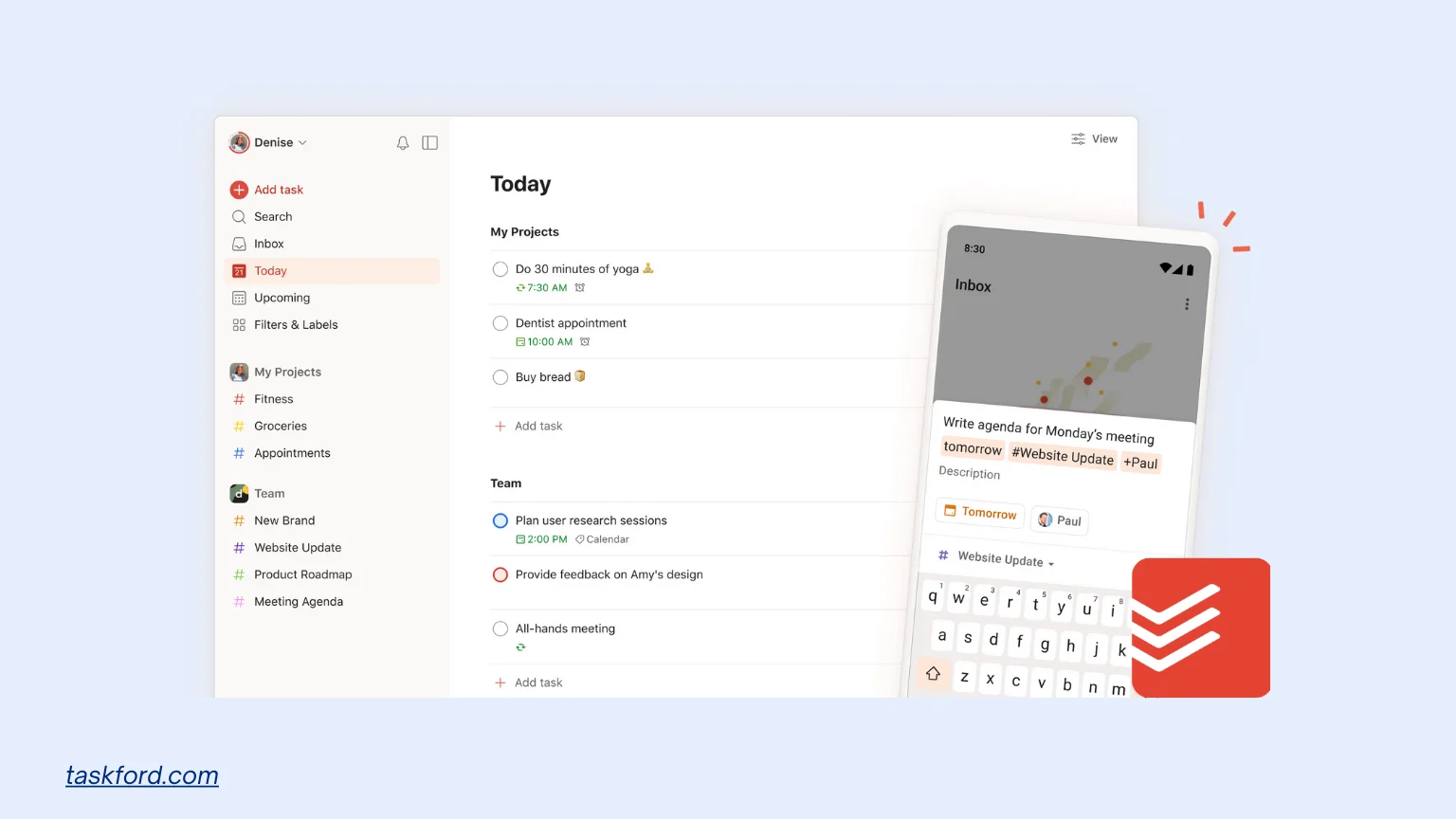
Todoist is a task management app focused on simplicity and speed. It helps individuals and small teams organize tasks, set priorities, and keep track of daily work without much setup. The app is known for its clean interface and quick task entry.
Todoist works well for personal task management and simple team collaboration. It supports projects, sub-tasks, and quick task entry, but it is not designed for complex workflows or team-level planning.
Why We Picked Todoist
We included Todoist because it is easy to use and widely adopted by individuals and small teams. It offers a good balance between simplicity and useful features, making it a practical choice for teams that need task organization without complexity.
Key Features
1. Quick task creation with natural language input: Users can add tasks using simple phrases like “Submit report tomorrow,” making task entry fast and intuitive.
2. Projects, sections, and sub-tasks: Tasks can be grouped into projects and broken down into smaller steps, helping users organize work clearly.
3. Priorities and labels: Tasks can be marked with priority levels and labels to help users focus on what matters most.
4. Shared projects for basic collaboration: Teams can share projects, assign tasks, and track completion together.
5. Cross-platform availability: Todoist works across web, desktop, and mobile apps, keeping tasks synced everywhere.
Pricing Plan
- Free Plan: Basic task management, up to 5 active projects, and 5 collaborators per project.
- Cheapest Paid Plan: Pro plan at $5/month (billed annually), adding calendar view, task reminders, and up to 300 active projects.
Pros & Cons
- Pros: Todoist is easy to learn and quick to use, with a clean interface that works well for daily task management. Natural language input makes task creation fast, and the app works smoothly across devices. It is a good fit for individuals and small teams who want simple task organization.
- Cons: Todoist has limited support for team-level planning, workflows, and workload visibility. As teams grow or projects become more complex, it can feel restrictive compared to more structured task management tools.
4. Google Tasks
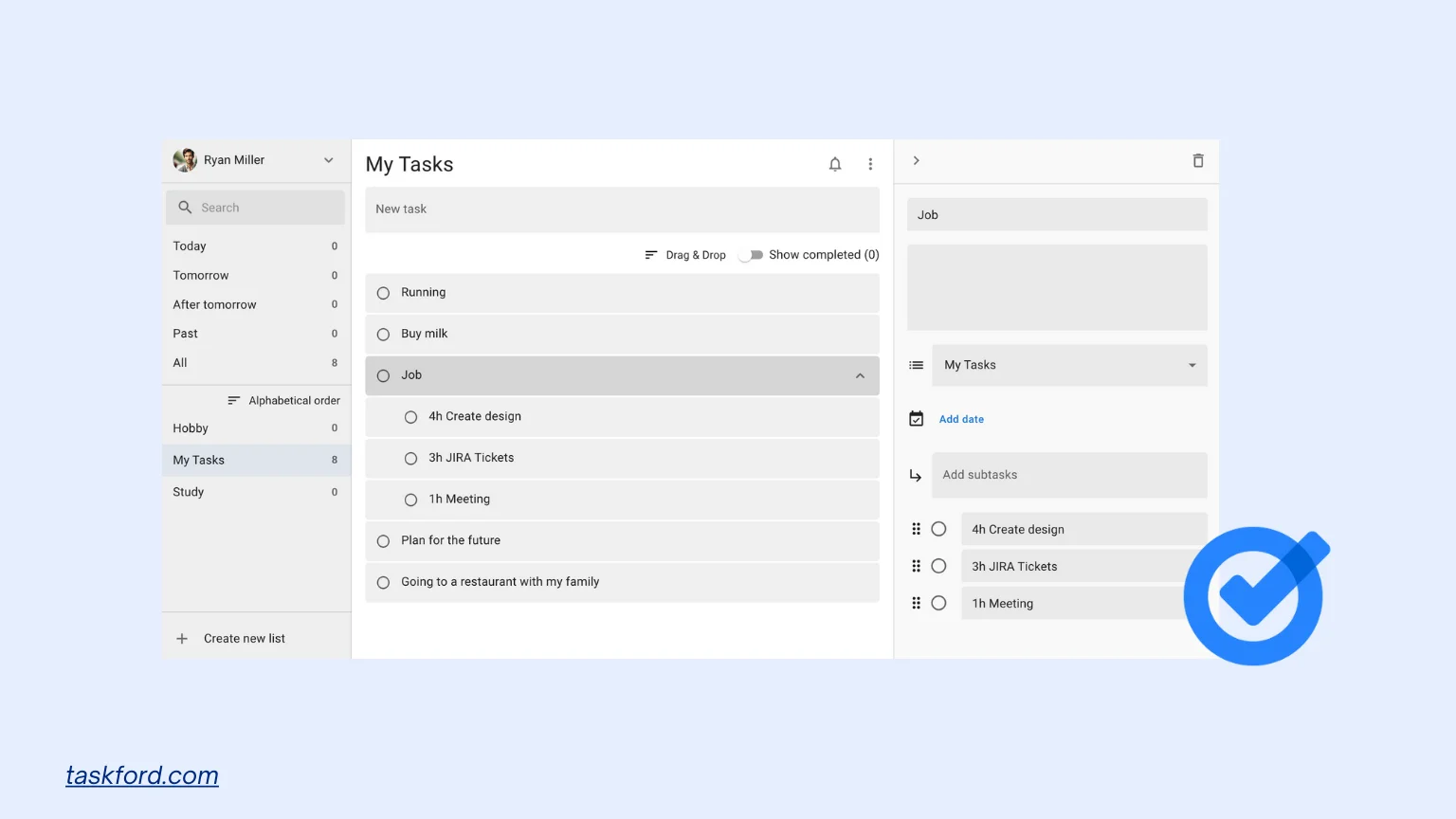
Google Tasks is a basic task management app built into Google Workspace. It is designed for simple task tracking and works best for personal use or very small teams that want minimal setup.
Tasks can be created directly from Gmail or viewed alongside Google Calendar, making it convenient for managing reminders and short task lists. However, the app offers limited organization options and does not support advanced team workflows.
Google Tasks is best used as a lightweight companion to Google tools rather than a full task management solution for teams.
Why We Picked Google Tasks
We included Google Tasks because it is free, easy to access, and widely used by people already working in Google Workspace. It works well for simple task tracking when collaboration and planning needs are minimal.
Key Features:
1. Simple task lists: Create tasks with due dates and basic sub-tasks.
2. Gmail and Google Calendar integration: Tasks can be created from emails and appear on calendars automatically.
3. Quick setup and easy access: Available directly inside Google Workspace with no configuration needed.
Pricing Plan:
- Free Plan: Full access to all features, including Google Calendar sync and sub-tasks.
- Cheapest Paid Plan: No paid tiers; all features are free.
Pros & Cons
- Pros Google Tasks is simple to use and integrates well with Gmail and Google Calendar. It is a convenient option for personal task tracking and quick reminders.
- Cons The app lacks features needed for team task management, such as task ownership, workflows, dependencies, and workload visibility. It does not scale well beyond basic use.
5. ClickUp
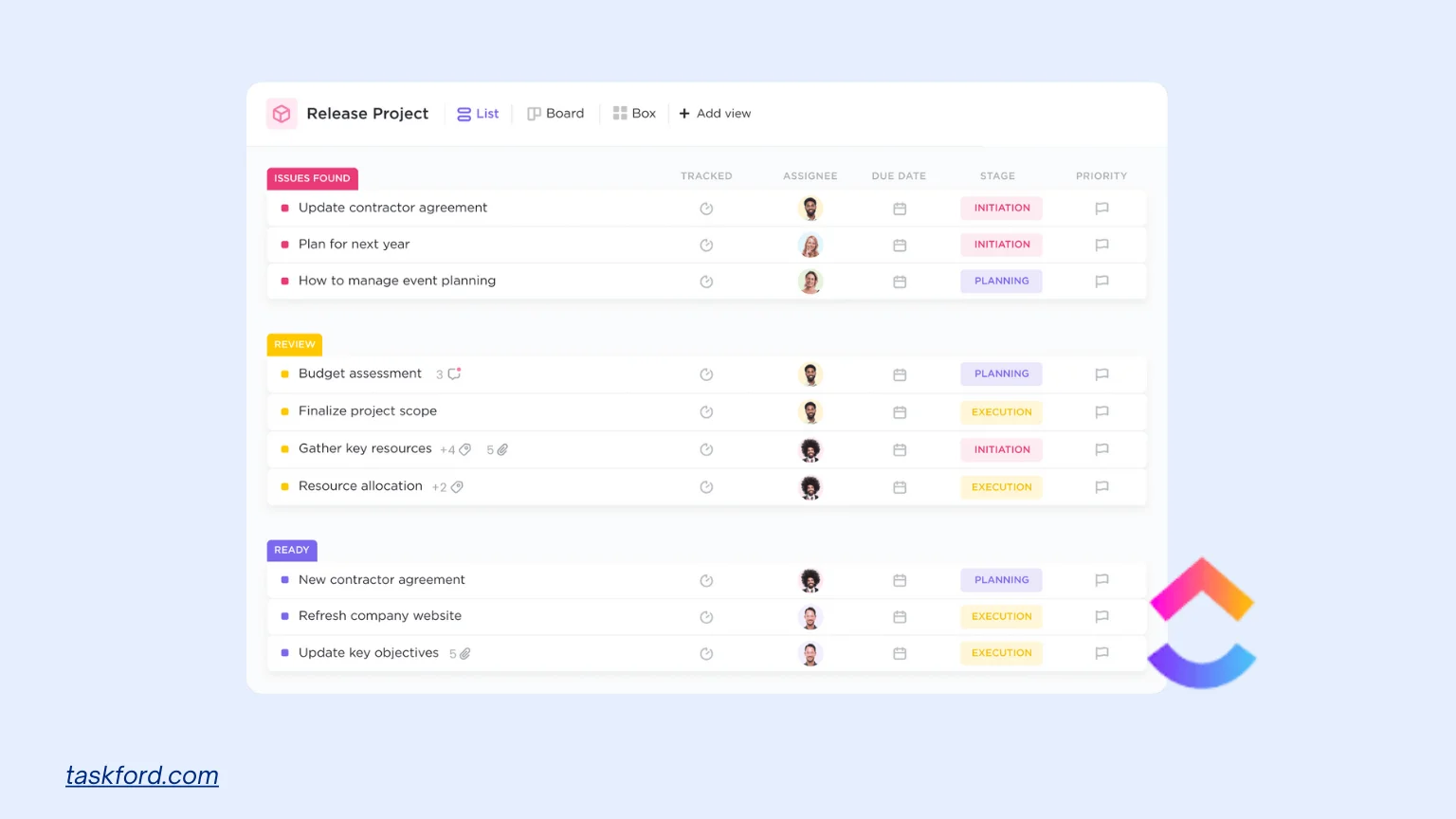
ClickUp is a flexible task management and work management tool designed for teams that want to manage tasks, projects, and collaboration in one place. It offers a wide range of features and customization options, which makes it suitable for teams with more complex needs.
Why We Picked ClickUp
We included ClickUp because it offers strong flexibility and supports a wide range of task management use cases. It is a good option for teams that need customizable workflows and want to manage different types of work in a single tool.
Key Features
1. Multiple task views: Tasks can be viewed as lists, boards, calendars, or timelines, allowing teams to choose how they track work.
2. Custom statuses and fields: Teams can customize task statuses and add custom fields to fit their processes.
3. Task automation: Automations help reduce repetitive work by triggering actions based on task updates.
4. Collaboration tools: Comments, mentions, documents, and chat features support team communication around tasks.
5. Time tracking and reporting: Built-in time tracking and reports help teams monitor effort and progress.
Pricing Plan
- Free Plan: Unlimited tasks, up to 60 MB storage, and basic features like Kanban boards and time tracking.
- Cheapest Paid Plan: Unlimited plan at $7/month per user (billed annually), adding unlimited storage, advanced reporting, and integrations.
Pros & Cons
- Pros ClickUp is highly flexible and supports many different workflows. It offers a wide range of features in one tool and can adapt to complex team needs as work grows.
- Cons The interface and setup can feel complex, especially for new users or small teams. Teams may need time to configure the tool before it fits their workflow.
How to Choose the Right Task Management Tool for Your Team
Choosing a task management tool is less about features and more about how your team works today and how that work will change over time. These factors can help teams narrow down the right option.
Based on Team Size
If your team is small, a simple tool is often enough. As more people get involved, it becomes important to have clear task ownership and shared visibility. Larger teams usually need tools that help coordinate work across many people and projects.
Based on Work Complexity
For simple, independent tasks, basic task lists can work well. When tasks depend on each other or projects overlap, teams need tools that show progress clearly and help manage dependencies. More complex work often needs timelines or structured workflows.
Based on Collaboration Needs
Some teams only need to share tasks occasionally. Others collaborate closely every day. If your team needs frequent updates, feedback, or shared files, choose a tool that keeps discussions and context inside the task so nothing gets lost.
Based on Future Growth
Think about where your team is heading. A tool that works now may not work later as your team grows or takes on more work. Choosing a tool that can scale helps you avoid switching systems and retraining your team in the future.
Trends Shaping Task Management in 2026
Task management tools are evolving to meet new demands. Here’s what’s on the horizon:
- AI and Automation: AI is revolutionizing task management. Tools now predict delays, automate repetitive tasks, and optimize resource allocation, saving time and reducing errors.
- Focus on Well-Being: Burnout is a growing concern. Modern tools monitor workload distribution to prevent overloading team members, balancing productivity with mental health.
- Gamification for Engagement: To keep teams motivated, some tools use gamification. Points for task completion or badges for milestones make task management feel rewarding.
- Enhanced Security: With rising cyber threats, top tools prioritize data protection with encryption and compliance (e.g., GDPR, SOC 2), ensuring sensitive project data stays secure.
Conclusion
In 2026, managing tasks is no longer just about keeping lists. Teams deal with more work, more coordination, and tighter timelines, which makes clear task organization essential.
Free task management tools can be useful at the start, especially for individuals or small teams. As work grows and more people get involved, teams often need better visibility, clearer ownership, and a more realistic way to plan and track tasks.
Choosing the right task management tool comes down to understanding how your team works today and what you will need as things change. A tool that fits your workflow and can grow with your team makes it easier to stay organized, avoid overload, and keep work moving forward.
Learn more
- Google Tasks vs Microsoft To Do in 2026: Which Wins for Small Team Productivity?
- 7 Practical Ways to Use AI for Automating Repetitive Tasks at Work
- Understanding Recurring Tasks and How to Automate Your Work
Subscribe for Expert Tips
Unlock expert insights and stay ahead with TaskFord. Sign up now to receive valuable tips, strategies, and updates directly in your inbox.