Risk of Resources: What to Do When Availability Keeps Changing
Discover what the risk of resources means, common examples, and how to manage changing availability with practical, easy-to-apply steps.
People’s availability changes all the time. Someone takes leave, another person gets pulled into a different project, or a key teammate suddenly becomes unavailable. These situations are normal, but they create a risk of resources — the risk that the right people or enough capacity won’t be available when the work needs to get done.
The real problem isn’t the absence itself. It’s that teams often don’t know about these changes early enough to plan around them. This leads to rushed decisions, shifting deadlines, and increased pressure on the remaining personnel.
This guide explains what resource risk means, shows simple examples of how it appears in everyday work, and shares practical steps to stay in control when availability keeps changing.
What is Resource Risk?
Resource risk is the chance that the people, skills, time, or capacity a team needs won’t be available when the work is due. It happens when something interrupts the plan — someone becomes unavailable, a skill gap appears, or a team ends up with more work than they can handle.
In simple terms:
Resource risk means the team doesn’t have the right resources at the right moment to deliver the work smoothly.
It can show up in many forms, such as:
- A team member taking a sudden leave
- A specialist is becoming a bottleneck
- Multiple projects need the same people at the same time
- A skill that only one person has
- Tasks are piling up faster than capacity
When resource risk grows, it affects timelines, workload balance, and overall delivery. That’s why understanding it and planning for it helps teams stay predictable even when availability shifts.
To reduce uncertainty, teams should build a clear Resource Management Plan that outlines availability, skills, and capacity across projects.
Risk of Resources Examples
Resource risks show up in many everyday situations. Below are common examples that teams often face, each showing how changing availability can disrupt delivery.
1. Lack of Resources
Sometimes the people or tools needed to complete the work simply aren’t available. The team may not have someone with the right skills, or an important piece of equipment might be delayed. When this happens, even well-planned tasks can’t move forward as expected. These situations are often signs of deeper resource constraints, which make it harder for teams to deliver work on time.
2. Unplanned Absence
A team member may take sudden sick leave or face a personal emergency. When their work has no backup coverage, tasks stall, and other team members may need to step in at the last minute, creating pressure and slowing progress.
3. High Dependence on One Person
Some work relies heavily on a single specialist. If that person becomes unavailable—whether for a day or a week—the entire workflow is disrupted. Teams often struggle to continue because no one else has the same level of knowledge.
4. Conflicting Priorities Across Projects
When a person is assigned to multiple projects, scheduling conflicts can easily occur. One project may require them urgently, while another relies on them for critical tasks. This leads to delays, overwork, and unclear ownership.
5. Planned Leave Not Included in the Schedule
A teammate may have approved vacation time that wasn’t added to the project timeline. When their absence is discovered too late, work must be reassigned or postponed, which can affect dependent tasks and disrupt deadlines.
6. Turnover or Role Changes
Someone may leave the team or shift into a new role before completing their part of the work. This creates a gap in skills or responsibilities, and it usually takes time for a new person to get up to speed, causing delays in the project.
Why Resource Availability Keeps Changing
Resource availability shifts for many reasons, and most of them are simply part of normal team life. Here are some of the most common situations that cause availability to change:
1. People Need Time Away – Planned or Not
No matter how well the project is planned, people will always need time off. Illness, family matters, and emergencies can happen without warning, and even planned vacations can slip through the cracks if they’re not added to the schedule. When someone is suddenly unavailable, the team has to react quickly, often without a smooth handover.
2. Priorities Shift Faster Than Plans Do
Teams don’t work in isolation. Leadership changes direction, new work appears, or urgent issues take over. When someone gets pulled into a higher-priority task, their availability for the original project drops instantly. This happens often, and it’s one of the most common reasons timelines drift.
3. People Are Shared Across Too Many Projects
Many organisations rely on a few skilled people to support multiple projects at once. Their availability depends on whichever project needs them the most at that moment. Even a small delay in one project can ripple across everything else they’re assigned to.
4. Workloads Don’t Stay the Same
Some weeks are manageable; others become unexpectedly heavy. New tasks, late requirements, or underestimated workloads force people to shift their focus. When workload spikes happen, availability for planned work shrinks quickly.
Read also: Work Management - 10 Smart Ways to Keep Your Team Burnout-Free
5. Turnover and Role Changes Create Instant Gaps
When someone leaves or moves into a different position, their availability changes overnight. Even if a replacement is hired, they need time to learn the work. During this transition, projects often face slowdowns or skill gaps that were never part of the original plan.
Early Signs That Resource Risk Is Increasing
Before resource issues become serious, there are usually small signals that something isn’t lining up. These early signs help teams spot rising risk before it affects delivery:
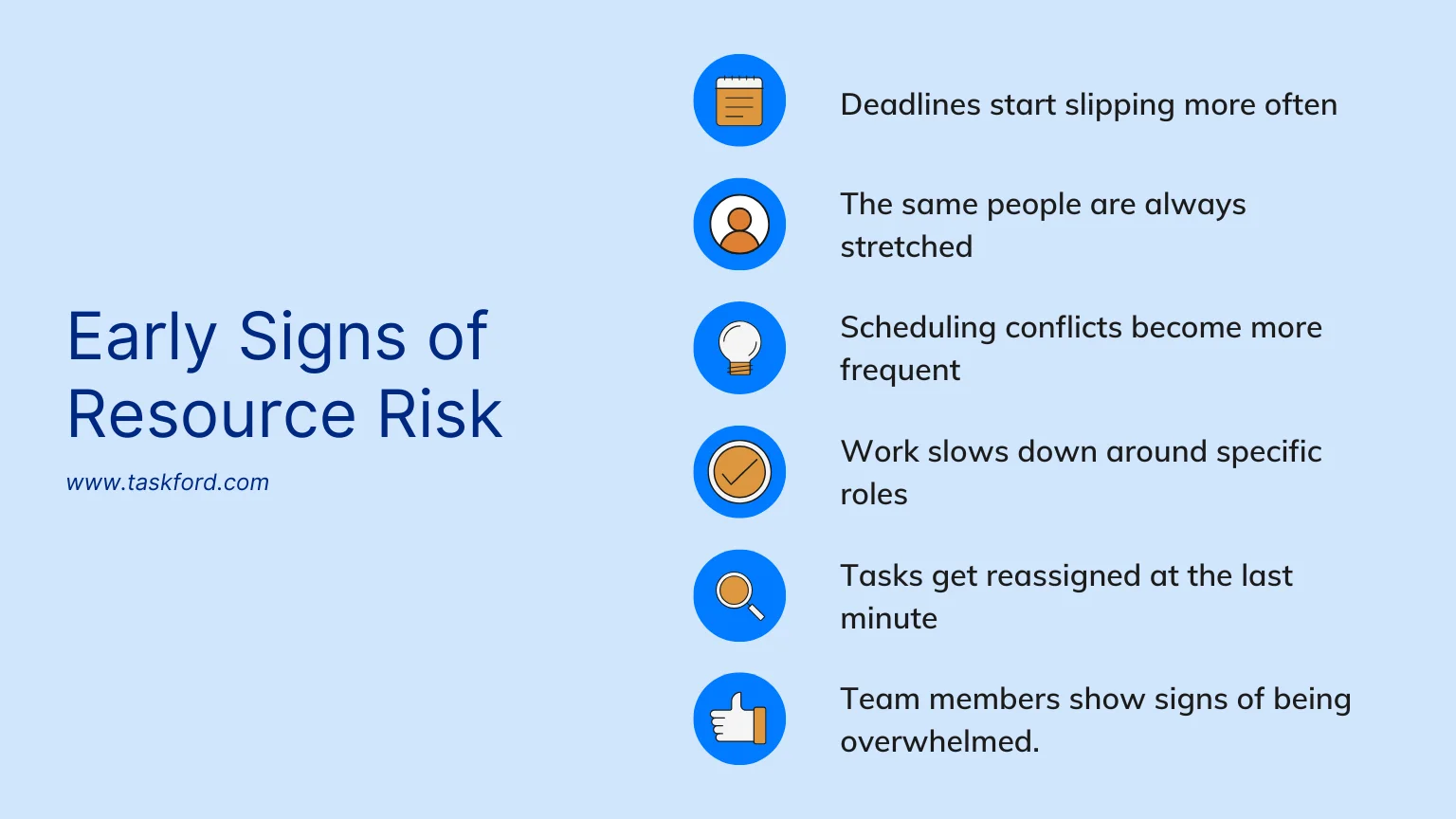
- Deadlines start slipping more often. When tasks keep getting pushed back, it’s a clear sign that the team doesn’t have enough capacity to meet the plan.
- The same people are always stretched. If a few individuals are constantly overloaded or juggling too many priorities, the workload isn’t balanced.
- Scheduling conflicts become more frequent. Double-bookings or competing requests for the same person show that demand is rising faster than availability.
- Work slows down around specific roles. When progress regularly waits for one person, it indicates a bottleneck that will grow as work increases.
- Tasks get reassigned at the last minute. Frequent reshuffling suggests the original plan didn’t match real availability, forcing the team to react instead of executing smoothly.
- Team members show signs of being overwhelmed. Longer hours, rising stress, and difficulty keeping up often mean capacity is stretched too thin.
How to Mitigate Resource Risks
Resource risks are often the result of everyday changes – someone taking leave, shifting priorities, or a sudden workload spike. With a few practical habits, teams can stay ahead of these changes and keep delivery predictable. Here are actionable steps you can apply right away.
Step 1: Review Team Availability at the Start of Every Week
The goal of this step is to ensure your plan reflects the team’s real availability. Many resource issues happen because someone’s leave, limited capacity, or competing commitments weren’t visible early enough.
By checking upcoming PTO, blocked time, and possible conflicts at the start of each week, you can make small adjustments before work begins and avoid last-minute disruptions.
Step 2: Identify Work That Depends on a Single Person
This step aims to prevent progress from stopping when one person isn’t available. Tasks handled by a single individual are more vulnerable to delays, especially when availability shifts.
By identifying these single-person dependencies ahead of time and sharing essential instructions or bringing another teammate into the workflow, the team creates backup support that keeps work moving even if someone has to step away.
Actions to take right now:
- List tasks or workflows that only one person knows how to do
- Ask them to share a quick walkthrough or notes (even a 5-minute Loom is enough)
- Assign a backup person who can cover the basics
- Split upcoming tasks across two people instead of one
Step 3: Rebalance Workload for the Next 2 Weeks
Balancing workload is essential for preventing delays caused by overcommitment. When too much work lands on one person, even minor availability changes can disrupt the timeline.
What you can do:
- View each person’s tasks for the next 10–14 days
- Reduce or redistribute work for anyone over capacity
- Move non-urgent tasks to a later sprint or cycle
- Keep each person’s allocation around 80%, not 100%
Step 4: Add Buffers to High-Risk Tasks in the Schedule
Buffers help keep the schedule stable when availability shifts unexpectedly. High-risk or specialised tasks often run longer than expected or depend on people with unique skills, meaning even a short absence can disrupt progress. Adding a little extra time around these tasks gives the team room to adjust without slowing overall delivery.
How to apply this effectively:
- Add 1–2 extra days around tasks owned by high-demand roles
- Avoid back-to-back deadlines for critical contributors
- Schedule handover time before and after someone’s planned leave
- Space out tasks in weeks with known workload spikes
Step 5: Reconfirm Priorities When Availability Changes
When someone becomes unavailable or capacity shifts, the original plan may no longer be realistic. Resetting priorities helps the team stay focused on the work that matters most, rather than trying to push everything forward with limited resources. A quick reprioritisation ensures progress continues smoothly without unnecessary stress.
What you can do:
- Identify which tasks are essential to complete this week
- Move lower-impact or non-urgent work to later cycles
- Adjust scope where possible (deliver the simpler version first)
- Communicate the updated priorities clearly to everyone involved
Step 6: Keep Availability and Schedule Updates in One Shared Place
Keeping all availability updates in one place helps the team stay organised and avoid misunderstandings. When leave, PTO, or schedule changes are shared across different channels, people often miss important information or rely on outdated plans. By updating a single shared timeline and clearly explaining what changed and what needs to be adjusted, everyone stays on the same page and can react quickly when availability shifts.
Read also: How to customise & use Resource Planning Management Software for Different Teams
How TaskFord Helps Teams Mitigate Resource Risks
When teams don’t know who is available, what work is coming up, or where people are already busy, projects can slow down fast. Work gets delayed, tasks pile up, and small issues turn into bigger problems.
TaskFord - The Work Delivery Platform that brings projects, schedules, and resources into one shared place, so everyone sees the same information. With a clear view of tasks, timelines, and availability, teams can catch issues early and adjust before work gets blocked.
Key Features in TaskFord That Help Teams Reduce Resource Risks
Resource risks are easier to manage when teams have a simple, clear picture of availability and workload. TaskFord brings this information together so teams can make quick, confident decisions when availability changes. Here’s how it helps:
1. Shared Availability View
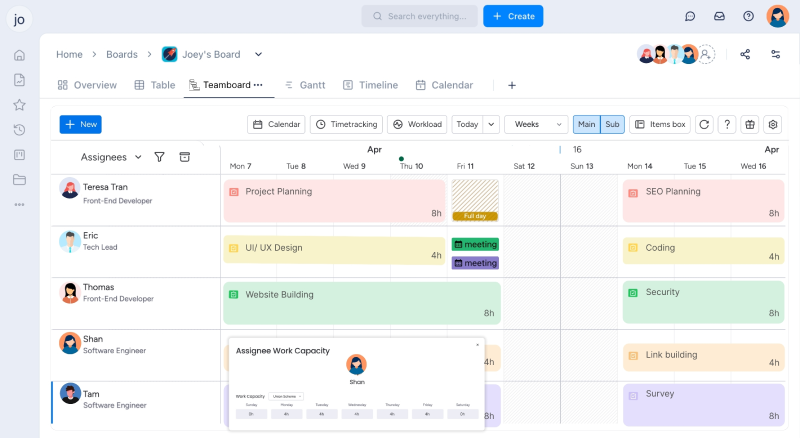
The Schedule Board gives teams a clear view of upcoming leave, individual capacity, and planned time off. With this visibility, it’s easier to avoid assigning work to someone who won’t be available and to reduce the last-minute surprises that often disrupt delivery.
2. Real-Time Workload & Capacity Insights
When someone is overloaded, the whole project slows down. TaskFord shows how much work each person is handling in real time, helping teams spot overload early and rebalance tasks before delays appear.
3. Cross-Project Resource Visibility
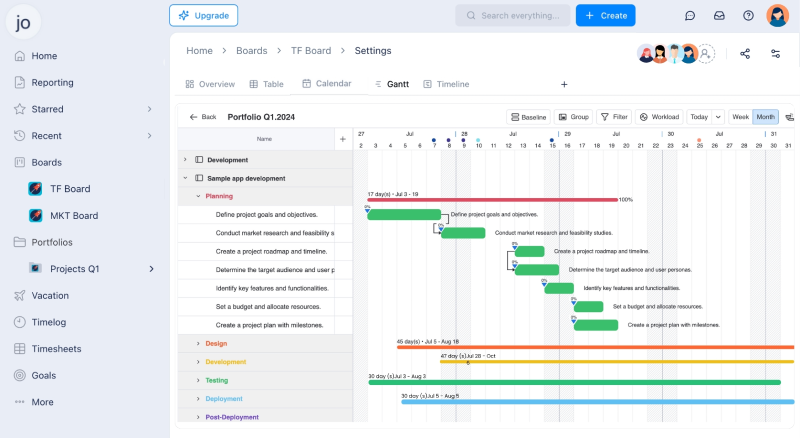
People who work across multiple projects are often stretched without anyone noticing. TaskFord’s Portfolio Board brings every active project into one view, so teams can see exactly where shared contributors are assigned and prevent double-booking or accidental bottlenecks.
Read also: project portfolio management - The Backbone of a Value-Driven PMO
4. Centralised Updates and Changes
When those changes are spread across messages, spreadsheets and meetings, teams lose clarity. TaskFord stores all schedule adjustments, priority changes, and availability updates in one shared workspace, helping everyone stay aligned and react quickly when plans need to change.
5. Simple Documentation & Context Sharing
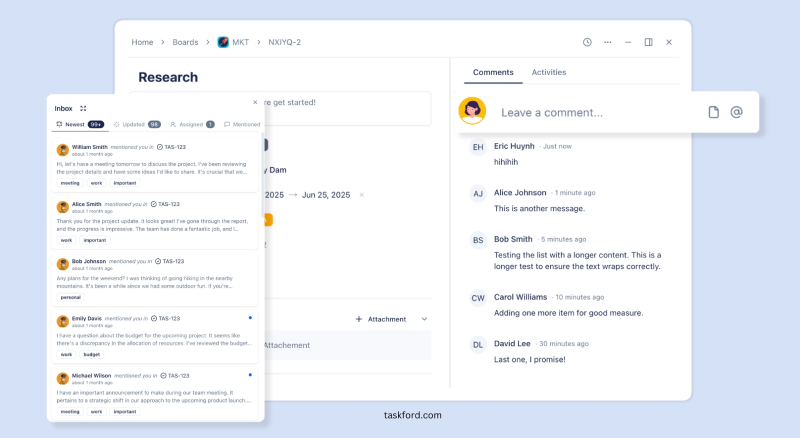
Tasks often stall because the right information isn’t available when someone is away. The app lets teams attach notes, handover details, and instructions directly to the work itself, so anyone can pick up where someone else left off. This keeps progress moving—even when availability changes unexpectedly.
Conclusion
Resource availability will always change, but the risk of resources becomes much easier to manage when teams can see those changes early and adjust their plans. Simple habits—like reviewing availability, sharing knowledge, balancing workloads, adding buffers, and keeping updates in one place – help prevent small shifts from turning into larger delays.
With clearer visibility and steady routines, teams can stay prepared and keep work moving smoothly, even when availability keeps changing.
You May Also Like:
- Explain Resource Management: Key Definition, Must-Know Terms & Proven Techniques.
- Resource Planning Program: 5 Critical Mistakes - How to Overcome Them.
- Resource Planning Template for Project Managers.
Subscribe for Expert Tips
Unlock expert insights and stay ahead with TaskFord. Sign up now to receive valuable tips, strategies, and updates directly in your inbox.