How IT Teams Use Resource Scheduling Software To Balance Technical Debts and New Features
Learn how IT teams use resource scheduling software to manage capacity, control technical debt, and plan new feature development with more confidence.
IT teams work under constant pressure to deliver new features while keeping systems stable. When priorities shift and requests pile up, it becomes difficult to understand who is available, what work is feasible, and how much technical debt is slowing progress. Without visibility, even small planning mistakes ripple across entire projects.
Resource scheduling software gives teams a clear view of capacity, workload distribution, and upcoming commitments. It helps managers allocate work with more accuracy and sets teams up for predictable delivery instead of reactive decision-making.
This article walks through the challenge, explains the hidden impact of technical debt, and shows how resource scheduling software helps IT teams make informed decisions instead of reactive ones.
The Reality IT Teams Face Without Resource Scheduling Software: A Constant Pull Between Fixing and Building
IT teams often work in an environment full of competing priorities. A regular sprint includes:
- New features
- Maintenance tasks
- Production bug fixes
- Support for other departments
- Urgent, unplanned work
Technical debt sits underneath all of this. It slows IT project management’s development, increases the time needed to ship features, and creates long term risks that are not always visible in day to day conversations.
With limited visibility into capacity, managers often rely on estimates that do not reflect real workload. This creates a cycle of overcommitment, rushed releases, and growing frustration among engineers.
The core issue is not lack of effort. It is lack of visibility.
How Technical Debt Becomes the Hidden Villain
Technical debt, a term coined by Ward Cunningham, rarely appears as a single large problem. Instead, it shows up as slow builds, fragile modules, outdated tools, legacy code, or quick fixes that accumulate over time. Each one seems manageable, but together they create a serious drag on progress.
Some common examples include:
- Old frameworks that cannot be upgraded quickly
- Modules that require large amounts of manual work
- Gaps in documentation
- Code that was rushed for a release
- Dependencies that are several versions behind
Technical debt is not always intentional. Under tight deadlines, teams choose speed over structure. The challenge is that this debt remains invisible unless the team can quantify how much time it delays future work.
This is where many teams get stuck. They know the debt is costly. They cannot clearly show the cost or how it affects project timelines. Without clear data, technical debt is usually delayed again and again.
How Resource Scheduling Software Gives IT Teams Clarity

Resource scheduling software becomes the guide that helps IT teams understand their real limits and opportunities. Instead of guessing how much work the team can handle, managers can see the truth in a clean, visual schedule. It’s an essential part in resource management
One of the biggest advantages is how it exposes hidden capacity problems. Some developers may appear underloaded, but the software reveals the time they spend on unplanned support, security requests, or internal tools. Others may look available on the calendar, yet they are already responsible for maintenance tasks that never show up in standard planning tools.
The software also explains why work slows down. For example:
- A senior engineer may be blocked by legacy code that has not been refactored.
- A critical dependency upgrade may require two weeks of focused effort.
- A fragile module may cause recurring bugs that consume hours every sprint.
By placing these tasks inside the schedule, the team gains a clearer view of technical debt and how much capacity it consumes.
Resource scheduling software supports managers by giving them real numbers to work with. They can walk into planning meetings and say, “Here is the actual workload. Here is what we can deliver. Here is how much time technical debt requires.” This clarity builds alignment across engineering, product, and leadership.
A Clear Plan: Using Resource Scheduling Software to Balance Debt and Features
Once the team has visibility, they can create a simple and repeatable planning process.
Step 1: Map the team’s true capacity
Identify how many hours or story points each team member can realistically contribute. Include holidays, meetings, and support tasks. This is when capacity planning comes into play.
Step 2: Categorize all work
Separate development tasks into groups such as technical debt, new features, bug fixes, and research. This helps managers understand how the workload is distributed.
Step 3: Allocate realistic time percentages
Many teams dedicate 20 to 30 percent of their capacity to technical debt each sprint. Resource scheduling software makes this allocation visible.
Step 4: Build scenarios
Managers can test different workload combinations to find the best timeline. For example:
- What if we allocate 30 percent to debt this quarter
- What if we prioritize one large debt item first
- What if we delay a feature to stabilize the platform
Step 5: Present clear visual schedules to stakeholders
Resource scheduling turns difficult conversations into calm discussions based on actual data.
This plan creates predictable roadmaps and healthier engineering rhythms. Instead of reacting to problems, teams can plan repairs and improvements before they become urgent.
What Happens Without Resource Scheduling Software
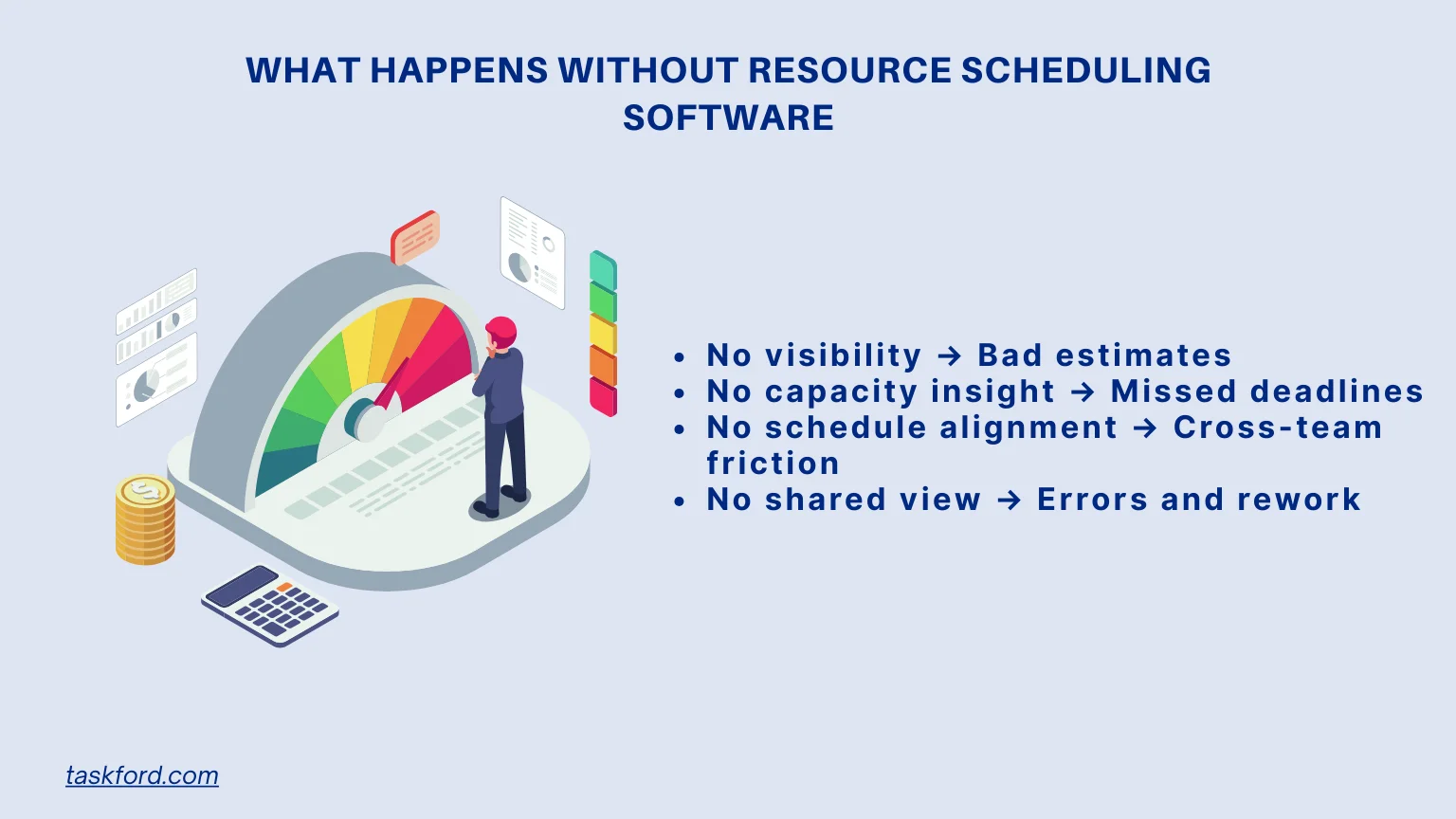
When teams plan without proper visibility, the problems accumulate quietly. Each sprint feels busy, but the results feel inconsistent. Managers often sense problems early, but they cannot pinpoint the cause because the workload is distributed across tools, conversations, and assumptions.
Over time, the team begins to experience predictable issues. Deadlines slip because developers have less capacity than expected. Small bugs take longer to fix because technical debt has created fragile pathways through the code. Roadmaps become unreliable because no one can see how much work the team is already carrying.
These issues appear in subtle ways. A developer spends more time debugging than building. A feature that looked simple takes twice as long. A sprint that seemed reasonable on paper ends with multiple carryover tasks.
The result is a continuous cycle of:
- Rushed delivery, which leads to more technical debt.
- Growing maintenance load, which slows down feature work.
- Unclear priorities, which frustrates both developers and stakeholders.
Without resource scheduling, leaders struggle to diagnose the real cause. What looks like a performance issue is often a visibility issue. What looks like slow delivery is often a capacity issue. And what looks like poor planning is often lack of accurate data.
How Resource Scheduling Software Helps Teams Deliver Confidently

Resource scheduling software doesn’t just organize tasks, it helps teams deliver work with greater confidence and fewer surprises. By making planning predictable and transparent, teams can move from reactive problem-solving to steady, reliable execution.
1. Teams make commitments they can actually meet
Every project begins with knowing what’s realistic. Scheduling software shows the team’s true capacity across days or weeks, allowing managers to set timelines based on actual availability, not optimistic guesswork. This means fewer last-minute scrambles and more predictable delivery.
2. Project leaders can adjust plans as conditions change
Projects often evolve, and IT teams need flexibility. With a clear view of assignments and capacity, managers can:
- reassign work when someone is out,
- shift deadlines when priorities change,
- or redistribute tasks if a project becomes more complex.
These adjustments happen quickly because the entire schedule is accessible and up-to-date.
3. Teams collaborate with shared context
Everyone sees the same information: who’s doing what, upcoming deadlines, and the overall workload. Instead of relying on scattered conversations, the team works with a shared source of truth, reducing misunderstandings and improving coordination.
4. Delivery improves as workload becomes balanced
When tasks are distributed fairly, people stay focused and maintain quality. The software helps prevent overload, highlight idle capacity, and ensure that specialized skills are used wisely—all of which directly improve project outcomes.
The Tool Built for This: How TaskFord Supports IT Teams in Balancing the Workload
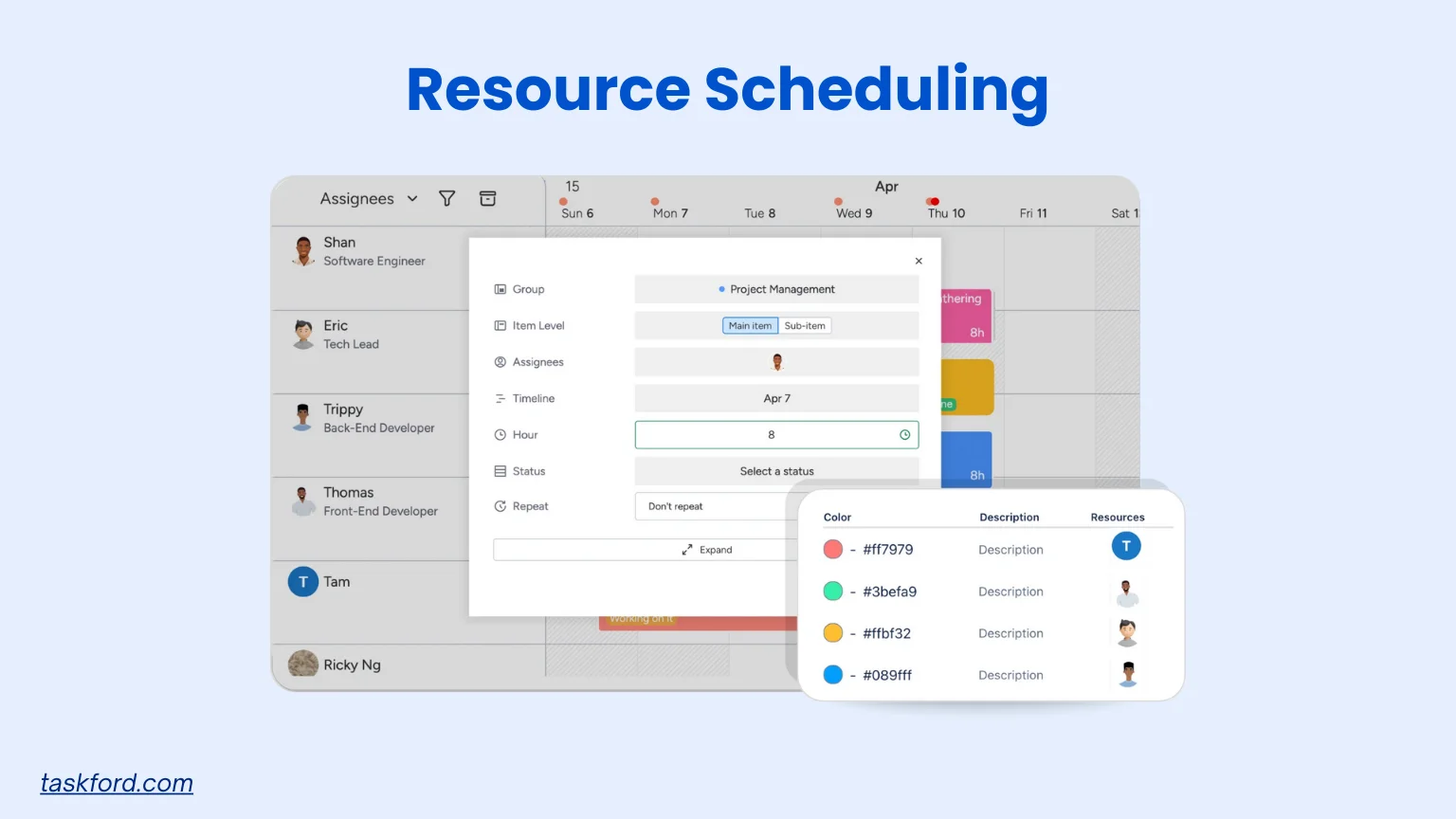
TaskFord, a comprehensive project management and resource planning platform, helps IT teams understand their resource availability and plan work based on real data. It gives managers a complete picture of who is available, what skills each person has, and how time is distributed across projects.
With TaskFord, teams can:
- Visualize workloads in a clear schedule
- Track how much time is spent on technical debt
- Allocate time for both maintenance and features
- Identify resource conflicts early
- Prevent over allocation
- Communicate realistic timelines
- Support long term capacity planning
TaskFord is built for teams of all sizes that want simple and accurate resource planning without unnecessary complexity. It helps create healthier collaboration between departments and supports predictable progress.
Best Practices When Using Resource Scheduling Software
Using resource scheduling software is most effective when teams follow consistent habits that keep information accurate and easy to interpret. These practices help IT teams maintain visibility, allocate work fairly, and make decisions based on real capacity instead of assumptions. These habits support smoother planning and more predictable delivery.
- Keep the schedule updated
- Add changes in availability as soon as they happen
- Update new tasks, shifting priorities, and project timelines
- Prevents confusion about who is available or overloaded
- Organize work by category
- Label tasks as technical debt, maintenance, feature work, or support
- Helps teams see how time is being divided
- Makes it easier to maintain balance between long term and short term work
- Review the schedule together
- Hold short team check-ins to confirm upcoming work
- Surface dependencies and potential delays early
- Improves alignment across engineering and cross functional teams
- Make use of reporting features
- Identify recurring overload patterns
- Spot skills or roles that are consistently stretched
- Improve future capacity planning and reduce burnout risk
Conclusion
Strong resource scheduling practices help IT teams maintain balance, protect capacity, and make better decisions about both urgent tasks and long-term goals. When teams understand availability and workload limits, it becomes easier to set realistic expectations, reduce bottlenecks, and manage technical debt without sacrificing new development.
Resource scheduling software supports this balance by centralizing assignments, highlighting conflicts early, and offering consistent visibility across projects. IT teams that adopt these tools gain more control over planning, clearer communication, and a healthier pace of work—making it easier to deliver quality results even in fast-changing environments
Learn more
- What is Project Management? A Beginner’s Comprehensive Guide 2026
- Crafting a Resource Management Plan: A Project Manager’s Handbook
- Where IT Project Managers Are Heading: Skills That Will Define The Next Decade
Subscribe for Expert Tips
Unlock expert insights and stay ahead with TaskFord. Sign up now to receive valuable tips, strategies, and updates directly in your inbox.