Best Resource Planning Software for Team Capacity (2026 Rankings)
Compare the top resource planning software for team capacity planning in 2026. Tested tools, key features, pricing, and use cases.
Planning work today goes beyond listing tasks—it’s about understanding real team capacity. As teams manage multiple projects and shared roles, spreadsheets and basic project tools often fall short. They track what needs to be done, but fail to show whether the team can realistically deliver.
In this guide, we break down the best resource planning software for planning team capacity in 2026. Drawing from hands-on evaluation and real team scenarios, we compare leading tools, highlight what truly matters in practice, and explain how to choose the right solution without overcomplicating your workflow.
What is Resource Planning Software?
Resource planning software helps teams understand who is available, when, and at what capacity across projects—before work is committed.
Instead of only tracking tasks and deadlines, it focuses on people and time. Teams use it to plan workloads, balance capacity, and see the impact of new work on existing commitments.
For delivery teams, project managers, and operations leads, resource planning software makes it possible to answer practical questions with confidence:
Who is already overloaded? Who has room for more work? And what changes if priorities shift?
Resource Planning Software vs Project Management Software
The difference matters, especially as teams take on more work across multiple projects.
- Project management software is designed to organize and track tasks. It shows what needs to be done, when it’s due, and how work is progressing.
- Resource planning software focuses on people, time, and capacity. It helps teams see who is available, how much work they’re already committed to, and whether new work can be taken on without overloading the team.
Most effective teams use both. Project tools support execution, while resource planning software guides realistic delivery decisions before work is committed.
Key Benefits of Resource Planning Software for Teams
1. Clear capacity visibility
Teams can see who is underutilized, fully booked, or overloaded across projects. This makes workload limits visible and helps prevent overallocation before it becomes a problem.
2. More predictable delivery
When capacity is planned upfront, timelines are based on reality rather than assumptions. Fewer surprises surface mid-project, and delivery becomes more reliable.
3. Better workload and cost control
Resource planning software connects staffing decisions to actual time spent. Teams can spot inefficiencies, balance effort more fairly, and understand the cost impact of work as plans change.
Key Features to Look for in Resource Planning Software
Not all resource planning tools are built for real-world team planning. The features below make the difference between software that looks good in a demo and software that actually supports day-to-day delivery.
Capacity and Workload Planning
The tool should clearly show who is underutilized, fully booked, or overloaded across projects and time periods. Visual workload views help teams catch capacity issues early and avoid overcommitting key people.
Forecasting and Scenario Planning
Strong resource planning software allows teams to model future demand and test different scenarios. This makes it easier to understand how new projects, delays, or priority changes will affect existing workloads before decisions are locked in.
Time and Cost Tracking
Planned capacity needs to be checked against actual effort. Time and cost tracking help teams compare estimates to reality, improve future planning, and understand the cost impact of workload decisions.
Reporting and Integrations
Flexible reports and reliable integrations make capacity data usable across the organization. When resource planning connects to project, finance, and communication tools, it’s more likely to guide real decisions rather than sit unused.
The Contenders: Top Resource Planning Software Options for 2026 Teams
To narrow this list down, the blog focused on tools that are actively used by teams planning capacity across multiple projects—not just tools that look good in a demo.
Each option below was evaluated on how well it handles real-world planning scenarios, including shared resources, shifting priorities, and the need to see future capacity before work is approved. The goal isn’t to crown a single “best” tool, but to highlight where each resource planning software fits depending on team size, complexity, and planning needs.
1. TaskFord
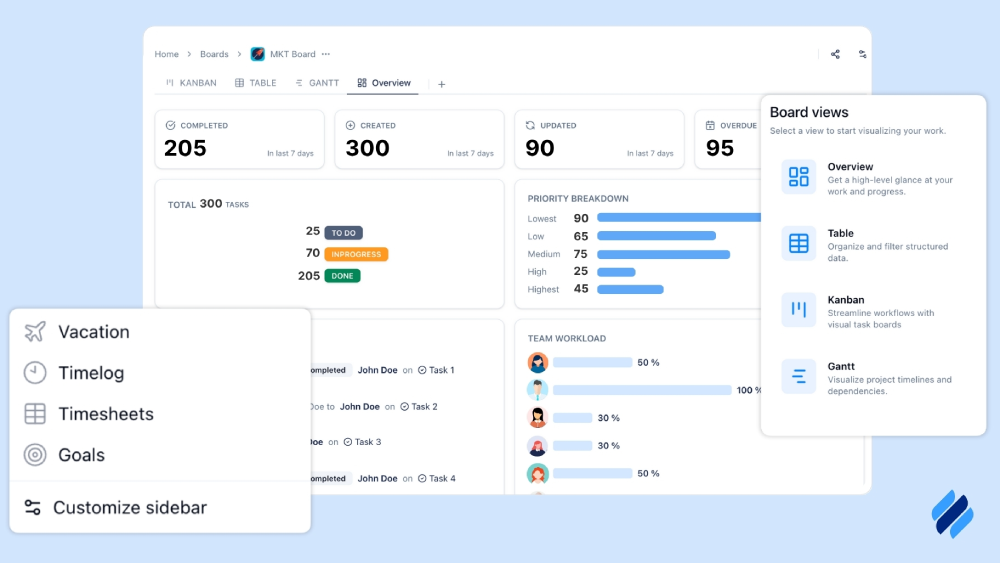
TaskFord is an Integrated Work Delivery Platform that helps teams plan work, manage resources, and deliver projects predictably.
What sets TaskFord apart is how naturally resource planning fits into everyday work. Capacity isn’t managed in isolation—it’s directly connected to tasks, projects, and actual time spent. This makes it easier for teams to see not just planned workloads, but how work is really unfolding.
Beyond task tracking, TaskFord brings resource planning into everyday execution. Teams can see who is available, how capacity is distributed, and how work aligns with skills and schedules before committing to projects. This makes it easier to allocate resources realistically and avoid overload.
Features Summary:
TaskFord combines project planning, resource allocation, and time tracking in a single platform built around capacity. With its resource scheduler, teams can see workloads across people, projects, and time, assign capacity intentionally, and spot potential overload early using clear schedule and workload views.
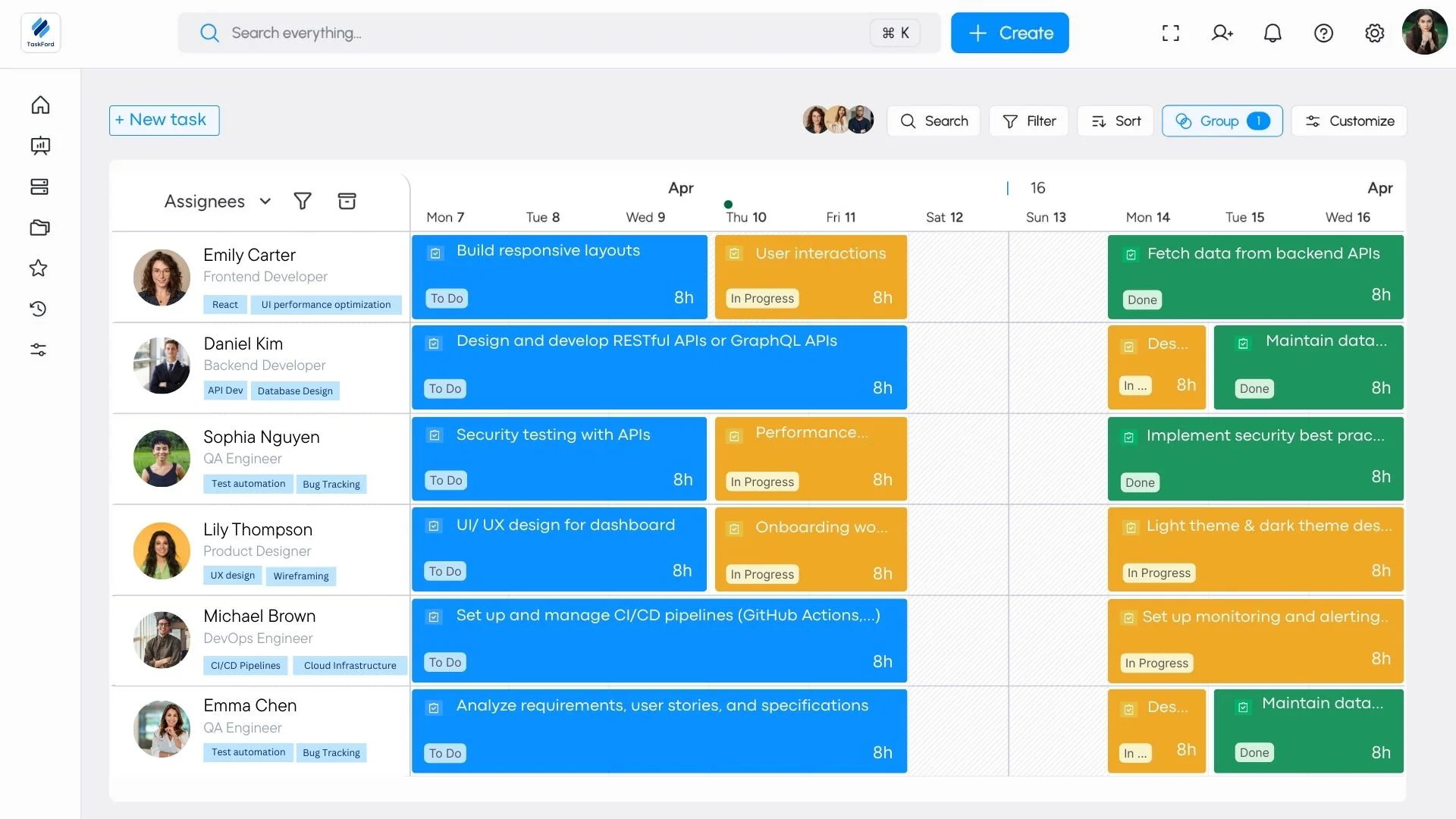
Teams can group members by level or role, manage access through a structured permission schema, and plan work based on real availability rather than assumptions. Detailed employee profiles provide visibility into skills, schedules, current assignments, and tracked time, helping teams allocate resources more accurately and adjust plans as priorities change.
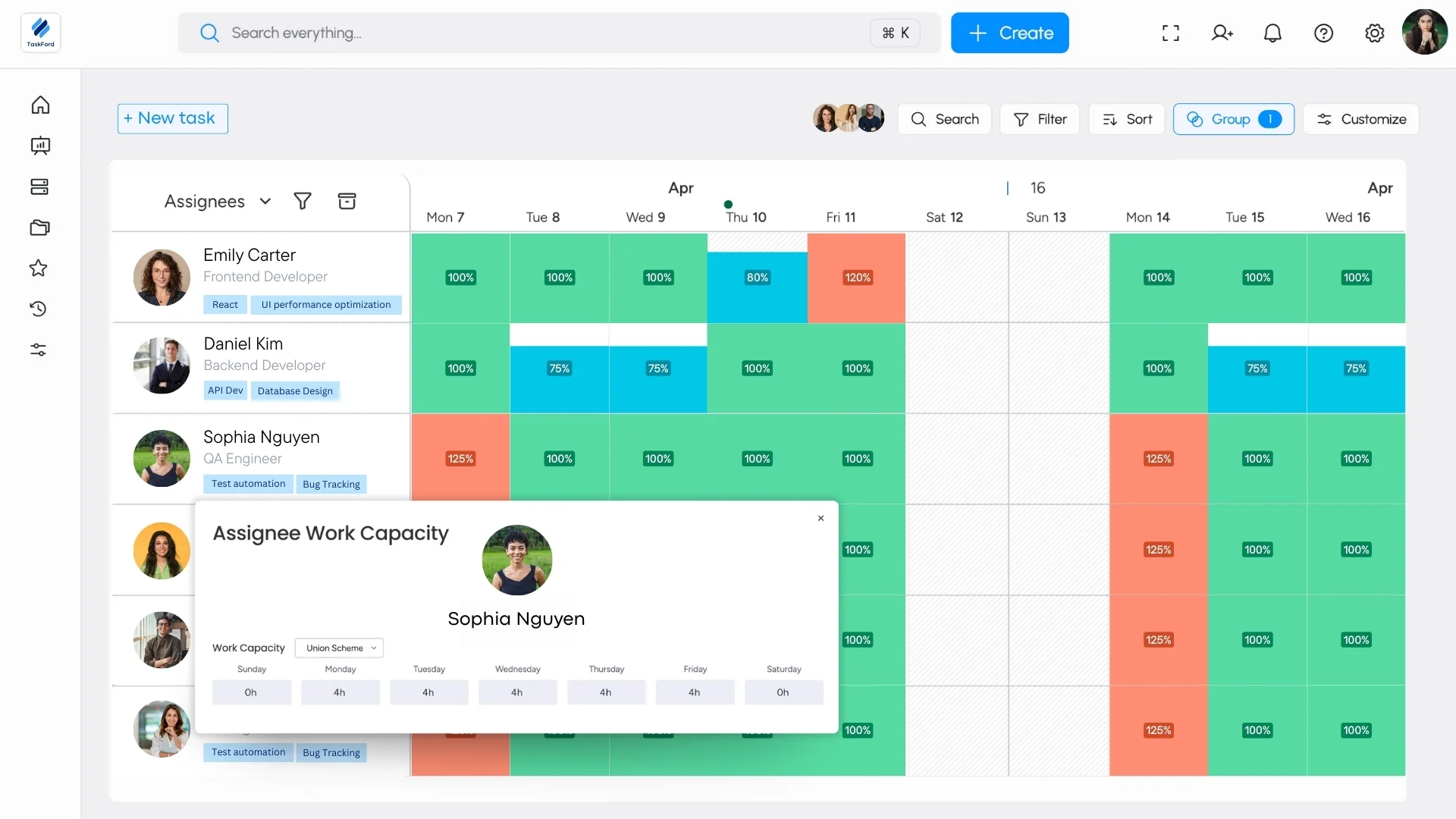
Best For: Project managers, and operations leads who manage multiple projects and shared resources, and need clear visibility into team capacity, workloads, and schedules to plan work realistically and avoid overload.
Pro:
- Integrated planning and execution: Tasks, resources, time tracking, and financial data in one system.
- Clear workload and capacity visibility: Easy to see availability and overload across projects.
- Practical resource scheduling: Capacity planning is directly connected to real project timelines.
- Structured team management: Role-based grouping and a clear permission schema support growing teams.
- Detailed employee profiles: Skills, schedules, assignments, and tracked time in one place.
- Clean, approachable interface: Easy for teams to adopt and use consistently.
Cons:
The app currently supports a limited number of third-party integrations, and some advanced features are still in development.
Pricing Plans:
TaskFord offers three plans:
- Free trial: Available (no credit card required) – For small teams getting started, with core project planning features and limited users, boards, and storage.
- Standard ($3/user/month) – For growing teams, with higher limits and improved collaboration.
- Advanced ($5/user/month) – For larger teams, adding time tracking, docs, forms, and increased capacity. (Contact us for full plan details)
Paid plans include a free trial, with workspaces reverting to the Free plan if no upgrade is selected.
2. Float
Features Summary:
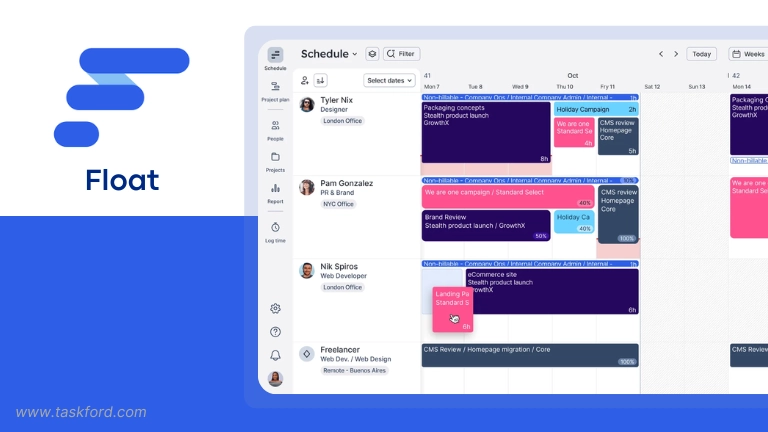
Float delivers a clear, visual scheduling experience that helps managers plan team workloads with confidence. You can assign tasks, track availability, and manage leave while syncing changes across integrated tools like Slack, Asana, and Google Calendar.
Best For: Team that need a visual, flexible way to manage schedules.
Pros:
- Highly visual scheduling board: Managers can instantly see who’s available and where conflicts may occur, reducing overall planning time.
- Perfect for hybrid flexibility: Handles part-time schedules, time zones, and holidays smoothly, keeping distributed teams aligned.
- Reliable integrations: Calendar and project tool syncs keep everything consistent without manual updates.
Cons:
- No built-in budgeting tools: Float doesn’t offer financial tracking, which can limit its value for agencies managing costs.
- Limited reporting depth: Utilization data is basic, lacking long-term forecasting and profitability insights.
- Separate communication tools needed: It doesn’t include built-in chat or comments for collaboration.
Pricing Plan:
- Starter plan: starts at $6 per user per month when billed annually
- Monthly billing is available at a slightly higher rate
- Free trial: available (no credit card required)
3. ResourceGuru
Features Summary:
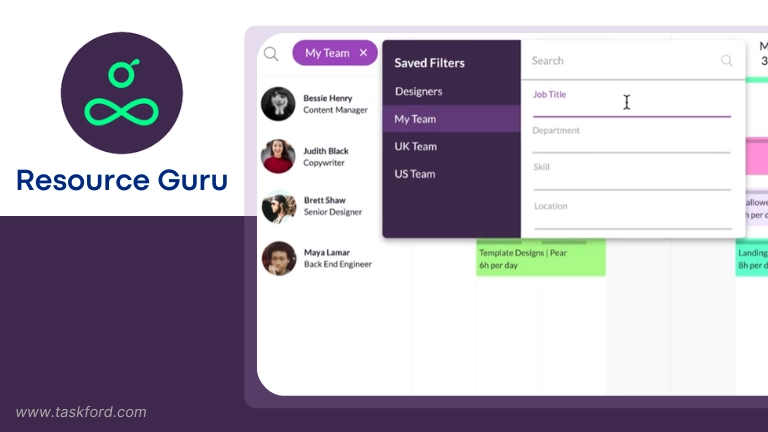
ResourceGuru simplifies scheduling by letting managers book people, equipment, and meeting rooms in one place. It prevents double-booking, handles flexible working hours, and includes time-off tracking, making it reliable for hybrid and part-time setups.
Best For: Companies that want a simple, conflict-free scheduling tool.
Pros:
- Effective booking management: Prevents overlaps and ensures resources are always properly allocated.
- Centralized visibility: A single dashboard shows all team members and assets, so managers can adjust plans instantly.
- Built-in leave tracking: Makes it easy to plan around vacations and time off without extra spreadsheets.
Cons:
- Interface feels dated: While functional, the design looks older compared to newer tools like Float.
- Limited analytics: Reports focus mostly on scheduling data rather than performance or financial insights.
- Few project management features: Doesn’t handle project timelines or dependencies beyond scheduling.
Pricing Plan:
- Grasshopper plan: starts at $4.16 per user per month when billed annually
- Monthly billing is available at a higher rate
- Free trial: 30 days, no credit card required
4. Bonsai
Features Summary:
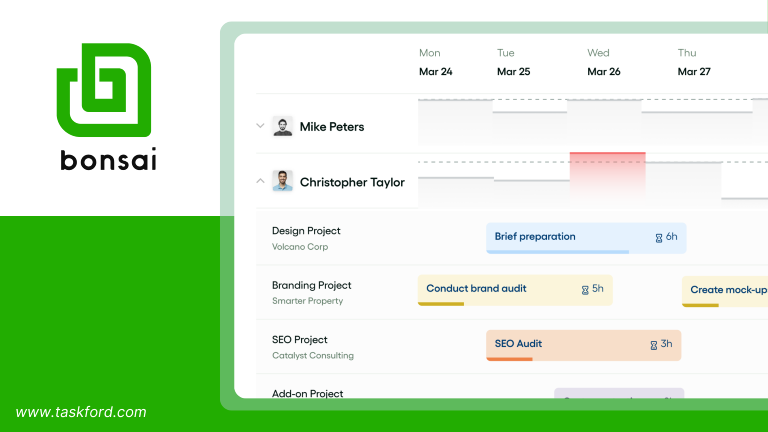
Bonsai is a resource planning solution built for agencies and consultancies that need a clear, visual way to schedule people, balance workloads, and track capacity in real time. Its drag-and-drop planner displays live availability across time zones, automatically accounts for custom hours, vacations, and public holidays, and integrates time tracking to show utilization and profitability—all without relying on spreadsheets.
Best For: Agencies and professional service teams that want live visibility into team capacity, profitability, and scheduling across multiple time zones.
Pros:
- Live Capacity & Profitability Reporting: Bonsai merges planned and actual hours to reveal how busy each team member is and how their time impacts profitability, giving managers real-time insight into resource health.
- Automatic Leave and Schedule Handling: Custom work hours, holidays, and vacations are factored in automatically, helping distributed teams stay coordinated without endless manual adjustments.
- Integrated Time Tracking & Financial Tools: Because time tracking and invoicing are built in, Bonsai connects staffing decisions directly to financial outcomes and project budgets.
Cons:
- Advanced Features Locked Behind Higher Tier: The most powerful resource-planning options, including detailed utilization analytics, are only available on the Premium plan.
- Limited for Large Enterprises: While excellent for midsize agencies, Bonsai may not have the scalability or depth of enterprise-level PSA tools.
- Less Customization for Complex Setups: The system’s simplicity can limit flexibility for teams that require complex approval chains or layered project hierarchies.
Pricing Plan:
Plans start at around $15 per user per month, with discounted annual rates. A free trial is available.
5. Runn
Features Summary:
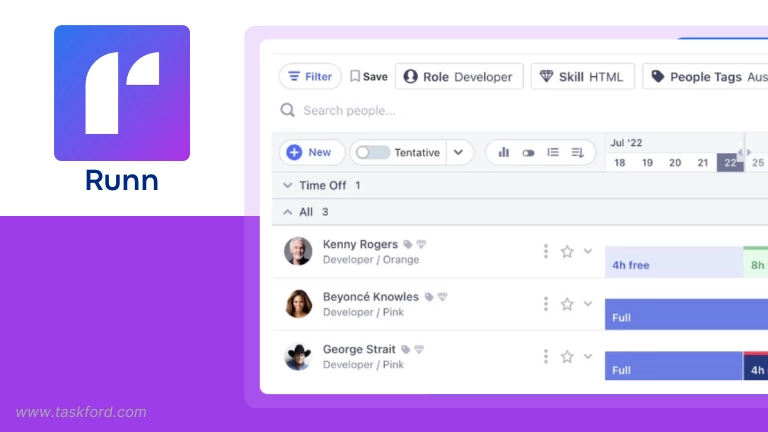
Runn blends capacity planning, time tracking, and forecasting for teams that need both visibility and forward-looking insights. It helps predict staffing needs, track actual hours, and measure profitability across multiple projects.
Best For: Project-based teams needing financial forecasting and utilization insights.
Pros:
- Comprehensive forecasting tools: Lets managers predict future workload, staffing requirements, and project margins.
- Real-time utilization charts: Helps balance workloads before burnout or idle time becomes an issue.
- Scenario planning: Test different staffing or project combinations to find the most efficient approach.
Cons:
- Complex setup process: Getting the most from Runn requires time to learn its data structure.
- Overkill for small teams: Some forecasting features may not be necessary for simple operations.
- Limited integrations: Fewer connections than larger platforms like Monday.com or Float.
Pricing Plan:
- Free plan: available for small teams, with basic capacity planning and reporting
- Paid plans: start at around $8 per user per month when billed annually
- Monthly billing is available at a higher rate
- Free trial: available for paid plans
6. Teamdeck
Features Summary:
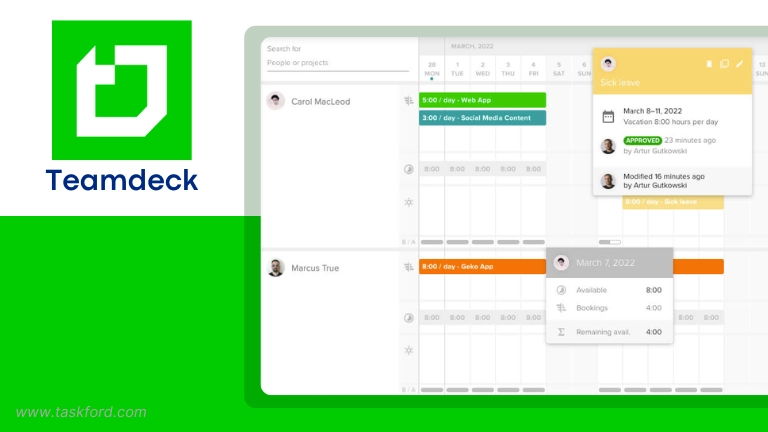
Teamdeck merges scheduling, time tracking, and leave management into one platform. It shows which team members are booked, underutilized, or overbooked, giving managers precise control over workloads.
Best For: Service-based teams balancing billable hours and capacity.
Pros:
- Resource scheduling and time tracking: Keeps all availability and utilization data in one place.
- Supports flexible and remote teams: Manages part-time hours, vacations, and varying time zones effectively.
- Good reporting options: Offers insights into team performance and billable utilization.
Cons:
- Interface takes practice: The design feels slightly cluttered, especially for new users.
- Integration options are limited: Works best as a standalone tool.
- Occasional lag with large data sets: Performance can slow with heavy usage.
Pricing Plan:
- Resource Scheduling: starts at around $3.99 per user per month (billed annually)
- Time Tracking: additional cost per user if enabled
- Leave Management: available as a separate add-on
- Free trial: 7 days, no credit card required
7. Forecast (often part of Accelo or other platforms)
Features Summary:
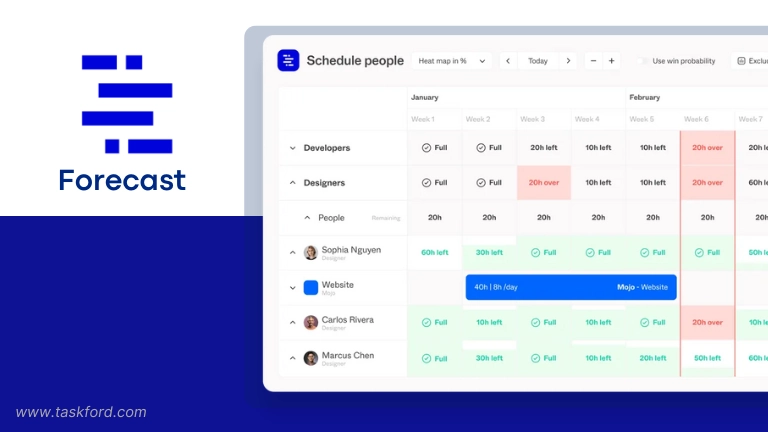
Forecast uses AI to automate resource allocation, time tracking, and financial planning. It’s especially helpful for large teams managing multiple projects at once. Managers can get instant suggestions for optimal task assignments and cost forecasting.
Best For: Large organizations seeking AI-assisted resource planning.
Pros:
- AI-driven allocation suggestions: Automatically matches people to tasks based on skills and availability.
- Comprehensive financial tracking: Connects resources with budget, cost, and revenue data for full visibility.
- Strong portfolio view: Helps monitor multiple projects simultaneously from one dashboard.
Cons:
- Complex onboarding: The range of features can be overwhelming initially.
- High learning curve: Requires training to use advanced automation effectively.
- Higher cost than mid-range tools: Pricing suits mid-to-large businesses rather than small teams.
Pricing Plan:
- Pricing typically starts at around $29 per user per month, depending on team size and features
- Costs increase for advanced capabilities such as AI-assisted planning, financial management, and portfolio-level reporting
- Free demo or trial: available upon request
- Enterprise pricing: custom quotes for larger or more complex teams
8. Mavenlink (now Kantata)
Features Summary:
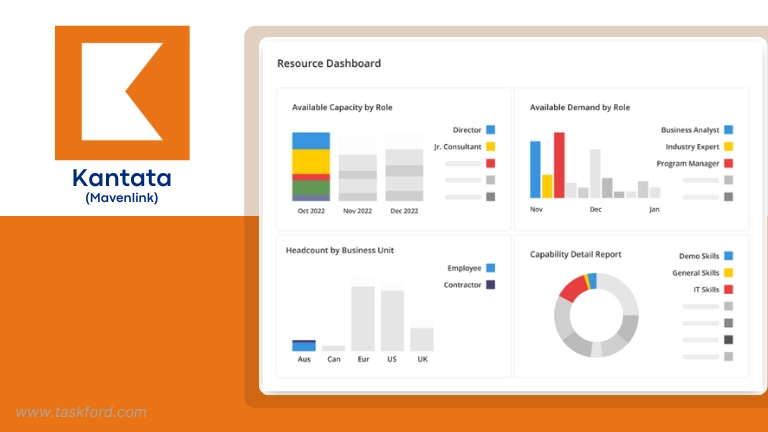
Mavenlink combines project execution, resource planning, and financial tracking into a unified professional services platform. It’s designed for enterprises needing deep visibility into utilization, forecasting, and profitability.
Best For: Enterprises managing complex projects and billable resources.
Pros:
- End-to-end PSA capabilities: Integrates resource, financial, and project management in one robust system.
- Detailed forecasting and utilization tools: Offers precise insights into capacity, performance, and revenue.
- Powerful reporting and analytics: Helps executives make data-driven staffing and budgeting decisions.
Cons:
- High cost of entry: Suited primarily for large enterprises with the budget and time to implement it.
- Long setup process: Implementation requires support and configuration.
- Overly complex for smaller teams: The depth of features exceeds most small-team needs.
Pricing Plan:
- Pricing: not publicly listed; provided through sales quotes
- Cost depends on team size, feature set, and implementation scope
- Typically positioned at the higher end of the market compared to standalone resource planning tools
- Demo: required to receive pricing details
9. Monday.com (as a broader platform example)
Features Summary:
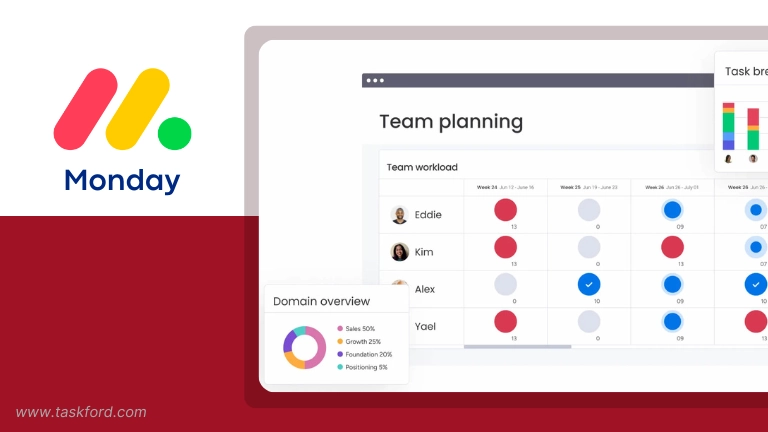
Monday.com is a flexible platform for managing projects, resources, and workloads through customizable boards and dashboards. It’s ideal for teams that want visual overviews and integrations with existing systems.
Best For: Teams seeking flexible, customizable resource and project views.
Pros:
- Highly customizable boards: Lets teams design their own layouts for tracking people, tasks, and time.
- Strong integration ecosystem: Works seamlessly with tools like Slack, Google Drive, and Outlook.
- Engaging visual dashboards: Makes workload and timeline tracking simple for everyone.
Cons:
- Resource management is basic: Advanced allocation and forecasting tools are limited.
- Setup requires time: Customization options mean initial configuration can be lengthy.
- Pricing scales quickly: Costs rise as you add more users and features.
Pricing Plan:
- Free: limited features for up to 2 seats
- Basic: starts at $9 per user per month (billed annually)
- Standard: starts at $12 per user per month (billed annually)
- Pro: starts at $19 per user per month (billed annually)
- Enterprise: custom pricing
How to Pick the Right Resource Planning Software
Feeling overwhelmed by the options? That’s normal. Choosing the right resource planning software comes down to your specific situation. Ask yourself:
- How large is the team, and how is work structured? (Single team vs multiple teams, shared resources, specialists across projects)
- How complex is the project workload? (Few long projects vs many overlapping initiatives with changing priorities)
- What level of capacity visibility is required? (High-level workload balance or detailed, time-based capacity planning)
- How important are forecasting and scenario planning? (Do future staffing decisions need to be modeled in advance?)
- Does time and cost tracking need to be built in? (Especially relevant for billable work or fixed budgets)
- What tools must it integrate with? (Project management, finance, communication, or HR systems)
- How easy does the tool need to be for teams to adopt? (Lightweight planning vs advanced configuration and reporting)
The absolute best way? Shortlist 2-3 contenders that seem like a good fit and use their free trials. Set up a mini-test project with realistic scenarios. See how each resource planning software feels to use day-to-day. Get feedback from your team. This hands-on experience is way more valuable than just reading feature lists. Finding the resource planning software that fits your flow makes all the difference in managing distributed work effectively and keeping your overall project planning on track.
Conclusion
As teams manage more work across projects, roles, and timelines, capacity planning becomes just as important as task planning. Without a clear view of availability and workload, even well-defined plans can break down once execution begins.
Resource planning software helps teams move from reactive scheduling to more intentional planning. By making capacity visible and linking it to real work, these tools support more realistic commitments and steadier delivery.
The best solution depends on how your team operates, the complexity of your projects, and the level of visibility you need. Evaluating tools in real planning scenarios—and choosing one that fits your workflow—can make a meaningful difference in how work gets planned and delivered over time.
You May Also Like
- Best Free Project Management Tools: for Teams in 2026 - Expert Reviews & Comparison
- Best Free Gantt Chart Software for 2026
- Best Task Management Tools: What Works for Teams in 2026
- 5 Free Resource Capacity Planning Templates o Download For Smarter Resource Management
Subscribe for Expert Tips
Unlock expert insights and stay ahead with TaskFord. Sign up now to receive valuable tips, strategies, and updates directly in your inbox.