5 Common Mistakes Teams Make When Setting a Project Schedule Baseline
Learn what a project schedule baseline is, why it matters for work delivery, and the mistakes teams make when setting it, with clear steps to fix each one.
Many teams set a project schedule baseline only to find out later that it is not useful. Dates drift, milestones stop lining up, and progress reports become confusing. This usually happens because the schedule was not fully ready before the baseline was locked.
A weak baseline affects everything. It distorts project monitoring, hides early warning signs, and makes work delivery harder to manage. This article breaks down what a project schedule baseline is and the common mistakes teams make when setting it so you can create a baseline that actually supports execution.
What Is a Project Schedule Baseline
A project schedule baseline is the approved snapshot of your project timeline at the end of planning. It records planned start and finish dates for all tasks, milestones, and the overall delivery date. During execution, teams compare actual progress with this baseline to understand what changed, how much it changed, and why.
The schedule baseline is one part of the overall project baseline, which is the full set of fixed reference points the team uses to measure performance, including schedule, scope, and cost. Together, these baselines act as the project’s original blueprint. They help teams track progress, understand deviations, and maintain control over delivery throughout the entire lifecycle.
Why the Project Schedule Baseline Matters for Work Delivery
A project schedule baseline gives structure to project monitoring, progress reviews, and delivery decisions. It also shapes integrated work delivery, which is the connected process of planning, scheduling, assigning work, executing tasks, and reviewing progress as one unified flow. Without a reliable baseline, this flow breaks. Teams cannot see whether work is ahead, on time, or falling behind.
A clear baseline supports stronger work delivery by helping the team:
- Track changes in real time: When actual dates shift, the baseline highlights what moved, how much it moved, and which tasks are affected.
- Identify delays early: Even small slips become visible when compared with the original plan. This early insight helps teams correct issues before they grow
- Plan resources with confidence: The baseline clarifies when work should happen, making it easier to balance capacity and avoid conflicts or overload.
- Coordinate work delivery across teams: A shared, approved timeline keeps handoffs, dependencies, and reviews aligned throughout the project.
- Report impacts to stakeholders: The baseline offers objective data when explaining schedule changes and evaluating delivery risks.
It becomes the reference point that keeps commitments realistic and keeps the whole project aligned.
5 Common Errors When Creating a Project Schedule Baseline
Below are the practical mistakes teams often make when capturing the baseline inside a work delivery platform.
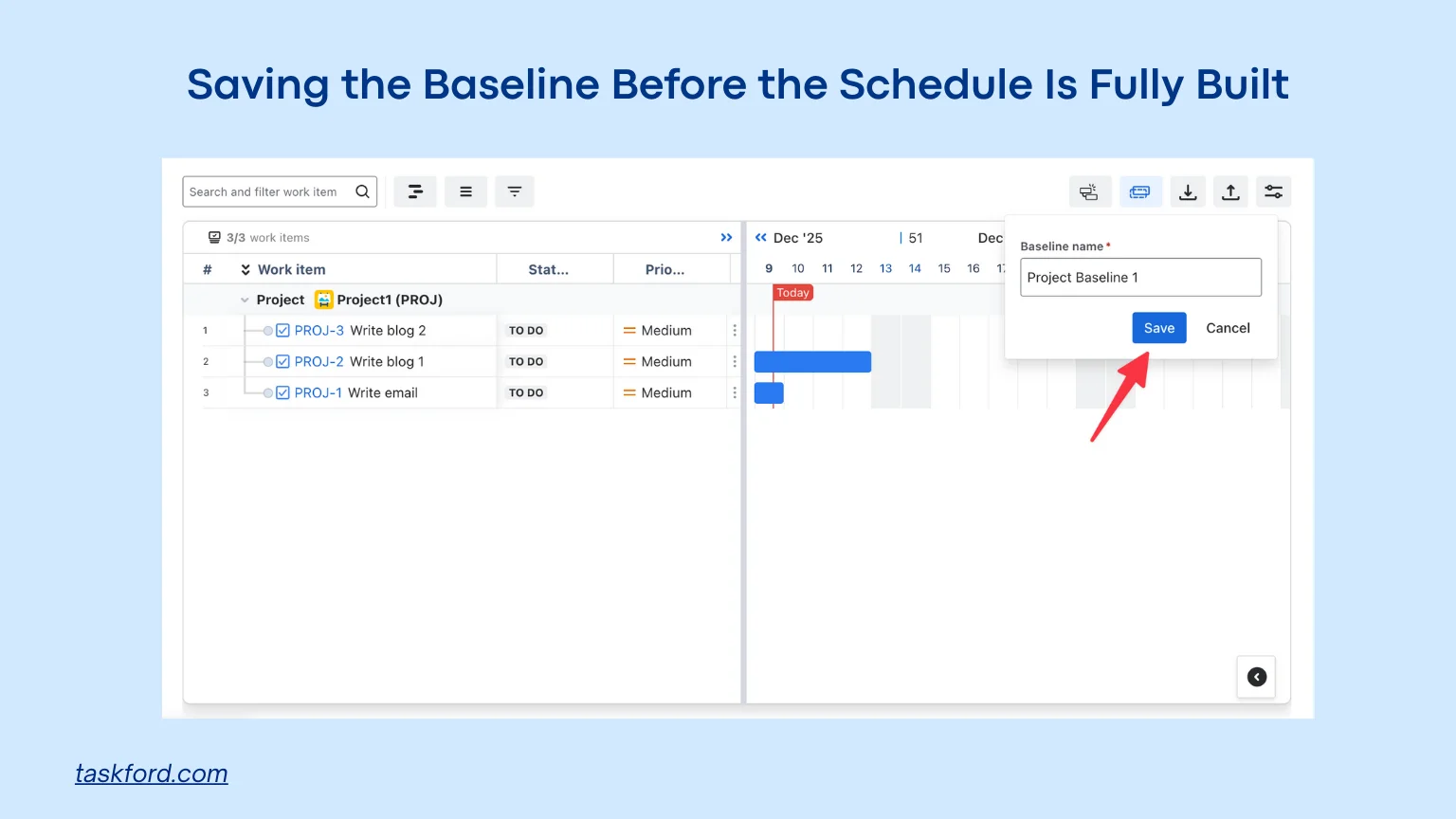
1. Saving the Baseline Before the Schedule Is Fully Built
How This Mistake Happens
This mistake happens when the team freezes the project schedule baseline before the timeline is complete. Tasks may still be drafts, Gantt chart dependencies may be missing, and milestones may not be finalized. It often occurs because teams feel rushed or assume the schedule is already close enough.
Why It Causes Problems
An incomplete baseline creates an inaccurate reference point. When execution starts, every difference looks like a delay even if the original plan was unfinished. Reports become confusing because the baseline does not reflect the true agreed timeline. This weakens project monitoring and makes it harder to understand what is actually going wrong.
How to Fix It
- Confirm that all tasks, dates, and durations are finalized.
- Review the sequence of work and correct missing dependencies.
- Add all important milestones before capturing the baseline.
- Check resource availability to avoid unrealistic dates.
- Save the baseline only after team leads or stakeholders agree the plan is complete.
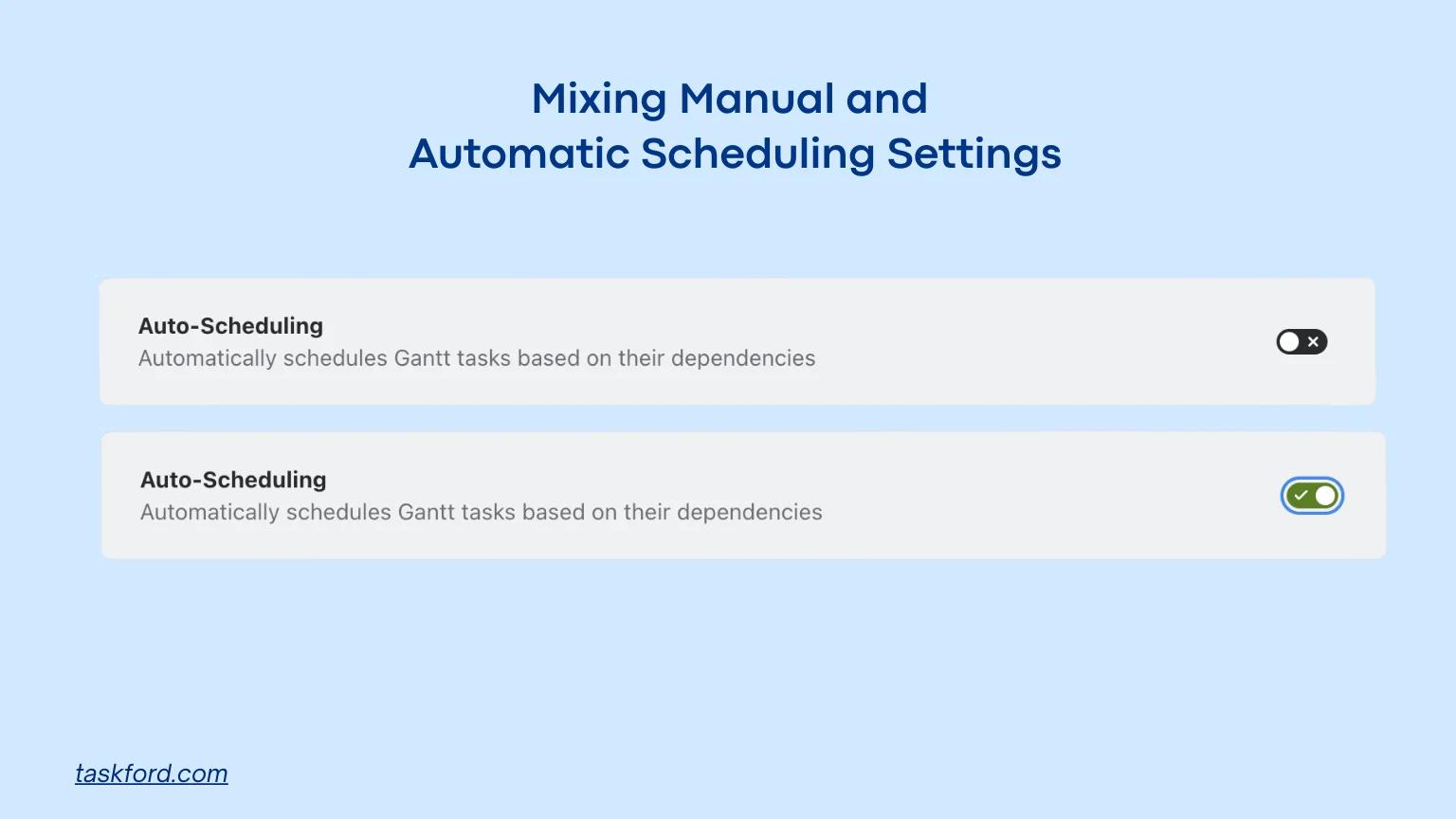
2. Mixing Manual and Automatic Scheduling Settings
How This Mistake Happens
This happens when some tasks update automatically based on dependencies, while others stay locked because someone set their dates manually. It often comes from different team members using different habits or from copying tasks that already had manual dates.
Why It Causes Problems
The schedule becomes confusing to work with. Automatic tasks move when something earlier changes, but manual tasks stay stuck in place. This makes tasks stack on top of each other, leaves empty gaps, and breaks the flow of the timeline. If this mixed setup is saved into the project schedule baseline, the baseline will not match how the schedule behaves during execution. As a result, progress tracking and project monitoring become harder and less accurate.
How to Fix It
- Decide on one main scheduling rule for the project.
- Review all tasks to see which ones are manual.
- Switch unnecessary manual tasks back to automatic mode.
- Leave manual dates only when there is a clear reason and documentation.
- Test a few updates to confirm the schedule behaves consistently.
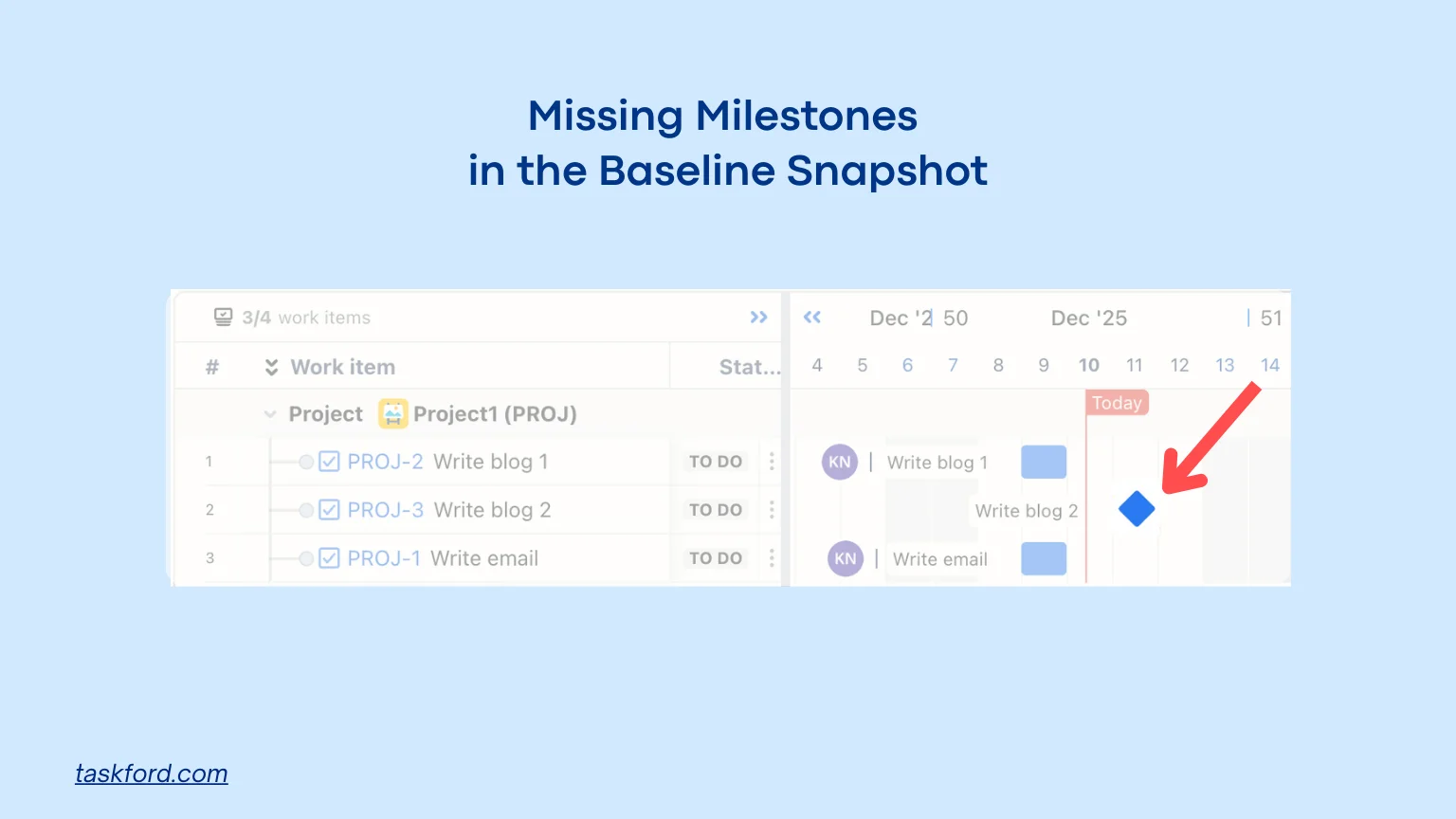
3. Missing Milestones in the Baseline Snapshot
How This Mistake Happens
This happens when milestones are not correctly added, tagged, or positioned in the schedule before the baseline is saved. It often occurs because the team focuses on tasks and forgets to confirm that key dates, checkpoints, or approvals are included in the final timeline.
Why It Causes Problems
Missing milestones weaken the usefulness of the baseline because the team loses clear reference points for tracking progress. Without them, it becomes harder to update stakeholders or show how major events are shifting over time. This creates reporting gaps and makes work delivery harder to coordinate since the team cannot easily see when important checkpoints slip.
How to Fix It
- List all required milestones during planning.
- Confirm each milestone has the correct date in the schedule.
- Check that the platform recognizes them as milestones.
- Place milestones in the correct order within the timeline.
- Validate that all milestones appear in the baseline preview before saving it.
4. Creating Multiple Baselines Without Labels or Notes

How This Mistake Happens
This happens when the team creates several baselines but does not name them or record when and why each version was created. It often occurs because team members overwrite older baselines or save new ones without tracking their purpose.
Why It Causes Problems
Without clear labels, it becomes difficult to identify which baseline represents the approved project plan. Reports may compare actual progress to the wrong version, which leads to incorrect conclusions. Project stakeholders may become confused because different reports show different reference points. This reduces the value of the entire project baseline and makes project monitoring unclear.
How to Fix It
- Name every baseline with a clear date and purpose.
- Add short notes explaining why a new version was created.
- Keep the original baseline separate from later rebaselines.
- Limit who has permission to create or overwrite baselines.
- Store baselines in a location where the team can easily review them.
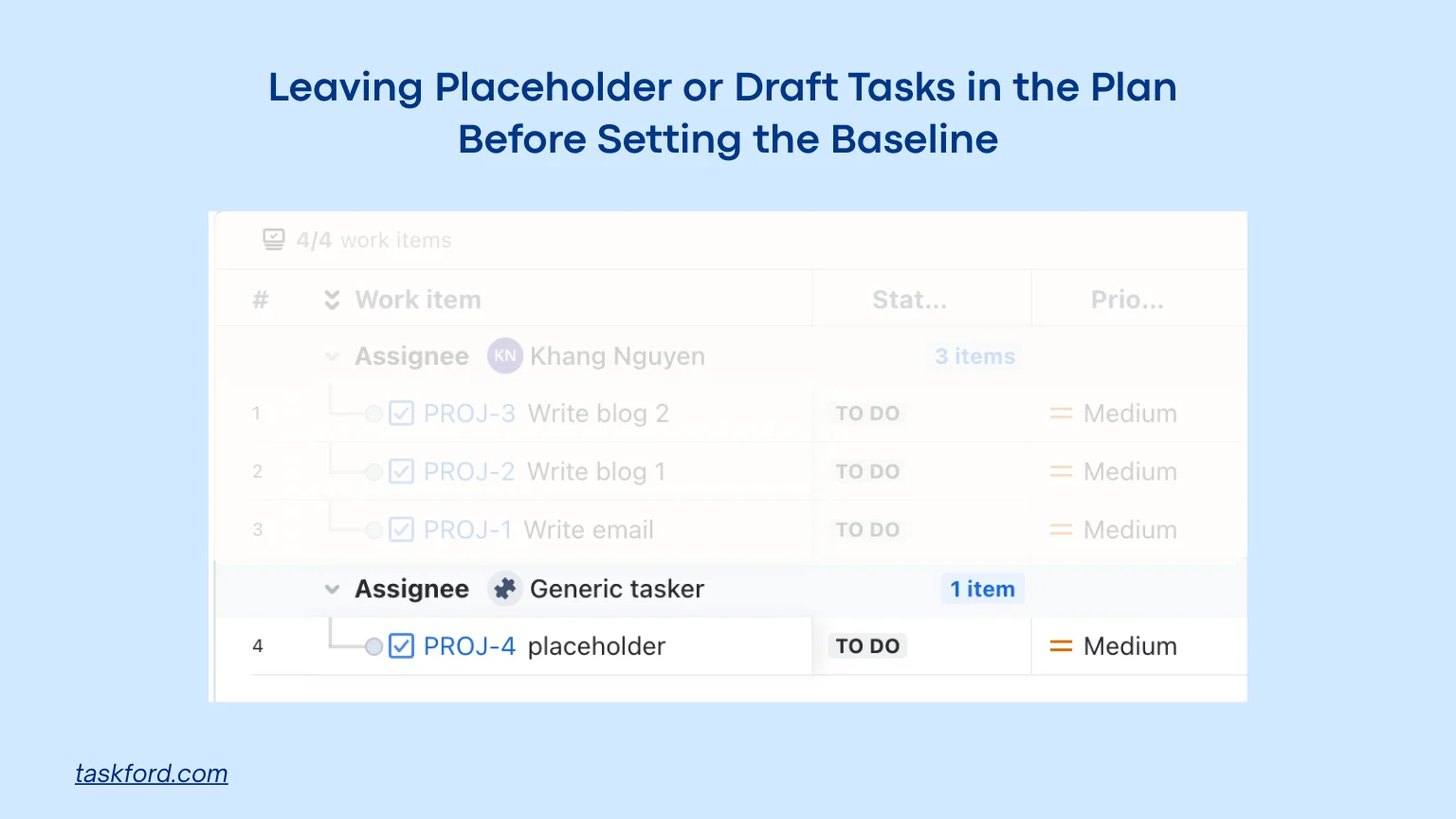
5. Leaving Placeholder or Draft Tasks in the Plan Before Setting the Baseline
How This Mistake Happens
This happens when placeholder tasks, notes, or temporary items remain in the schedule when the baseline is saved. It often occurs because the team forgets to clean up drafts used during planning discussions.
Why It Causes Problems
When draft tasks are included in the baseline, the reference plan becomes inaccurate. Removing or editing these tasks later creates artificial variances that make the project seem off track. This reduces confidence in the baseline and complicates project monitoring because reports show deviations that do not reflect actual work delivery.
How to Fix It
- Review the schedule for placeholder tasks or notes.
- Remove any items that are not part of the real plan.
- Convert draft ideas into official tasks only after details are confirmed.
- Ask team leads to validate that the schedule contains only approved work.
- Save the baseline only after the schedule is fully cleaned.
How to Prepare the Schedule Before Setting a Baseline
Before you create a project schedule baseline, the plan must be complete, realistic, and free of temporary items that distort the snapshot. The steps below help teams prepare a clean schedule that is ready for approval.
- Confirm all tasks and milestones: Make sure every required activity is included. Add key milestones that mark important moments such as approvals, handoffs, or major deliverables.
- Check task durations and sequencing: Review estimated durations and make sure dependencies are correct. Tasks should follow a logical order without gaps or contradictions.
- Finalize resource assignments: Assign the right people or teams to each task. Confirm workloads, availability, and capacity to avoid unrealistic expectations.
- Remove draft, placeholder, or unused tasks: Delete anything that was created temporarily during planning. Leaving these in the schedule leads to an inaccurate baseline.
- Review the critical path: Confirm that the critical path is accurate because it shapes the final delivery date. If timing feels tight, adjust before the baseline is created.
- Validate team and stakeholder agreement: Ensure everyone has reviewed the timeline and approved the plan. A baseline only works when all parties agree the schedule is ready. Then, work delivery or project management can be done smoothly.
How Often Should You Redo Your Project Schedule Baseline
Rebaselining should only happen when there is a significant approved change in scope, strategy, or timelines. It should not be used as a quick fix to hide delays or reset the plan every time something slips. A rebaseline is only useful when the new version becomes the new official reference for the rest of the project. When used correctly, rebaselining helps maintain clarity without losing the history of earlier plans.
Tips for Maintaining a Clean Project Schedule Baseline
Maintaining a clean baseline requires ongoing attention. The team should monitor progress regularly to see how far actual dates have drifted. When the schedule starts shifting, managers should investigate the cause early instead of letting problems grow. It is helpful to record any changes in a simple log so the history of decisions is clear. Teams should also conduct a milestone review because milestones show how major phases are moving.
Another important practice is team training. When people understand how the scheduling logic works, they are less likely to make accidental changes that distort the timeline. Regular reviews with stakeholders help ensure that everyone stays aligned on what the baseline represents and how it is being used. By combining these habits, the team keeps the baseline meaningful and supports strong project monitoring throughout execution.
How TaskFord Supports a Reliable Project Schedule Baseline
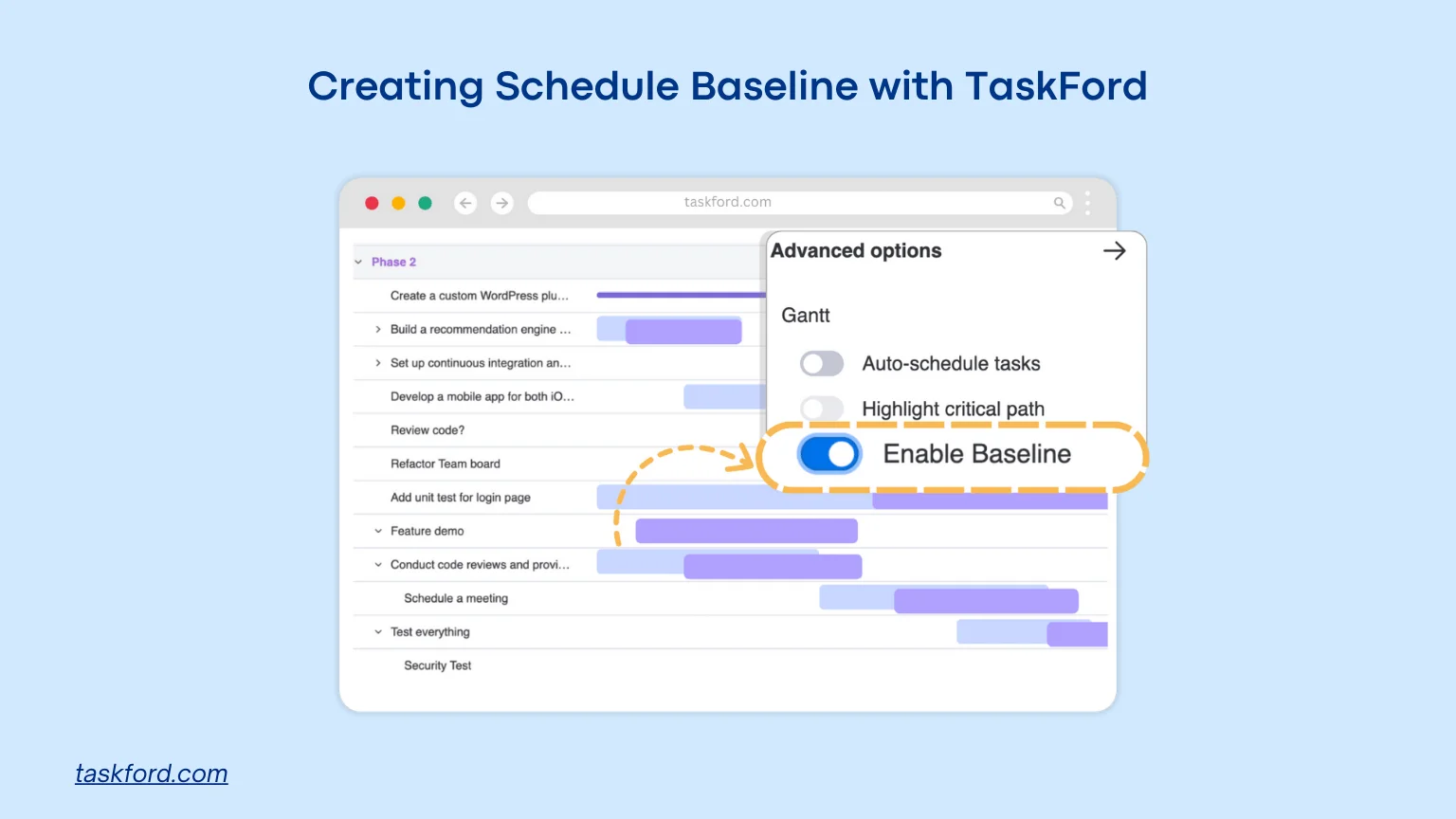
A project schedule baseline only works when the team can maintain accurate data, record changes clearly, and monitor progress without confusion. TaskFord, an integrated work delivery platform, helps project managers keep their baseline meaningful by offering:
- Clear scheduling views that make it easy to confirm task dates, durations, and dependencies before committing to a baseline.
- Clean task organization so draft items, placeholders, and duplicate tasks can be removed quickly.
- Ability to create multiple baselines that highlight the difference between planned and actual dates for better project monitoring.
- Resource visibility that helps teams assign work realistically and prevent overload.
This gives managers a reliable way to maintain the project baseline and protect work delivery throughout execution.
Conclusion
A project schedule baseline is a powerful tool when it is prepared correctly. Teams often underestimate how much impact early setup mistakes can have on tracking, reporting, and decision making. By avoiding the common errors in this article and following clear preparation steps, teams can build a baseline that provides accurate insights and supports better work delivery. A strong baseline makes progress easier to measure, risks easier to predict, and communication easier for everyone involved.
Learn more
- What Is Project Management? A Beginner’s Comprehensive Guide 2026
- What Does A Project Manager Do? A Guide to Advancing Your Career
- How An Agile Gantt Chart Helps Scrum Teams Manage Projects
Subscribe for Expert Tips
Unlock expert insights and stay ahead with TaskFord. Sign up now to receive valuable tips, strategies, and updates directly in your inbox.