How to Calculate Capacity in Operations Management (Step-by-Step Guide)
Learn how to calculate capacity in operations management with this step-by-step guide covering key formulas, analysis methods, and capacity planning essentials.
Capacity is the backbone of every efficient operation. Whether you’re running a production line or managing service delivery, your organization’s ability to meet demand depends on how well you measure, analyze, and optimize capacity. Yet, many managers struggle to calculate capacity accurately. The result is either wasted resources from excess capacity or bottlenecks caused by insufficient capacity.
This guide breaks down how to calculate capacity in operations management step by step. It explains the key formulas, methods, and advanced analytical techniques used in professional operations and project management environments.
What Is Capacity Planning?
Before learning how to calculate capacity, it’s important to understand capacity planning, a closely related concept in operations management.
Capacity planning is the process of understanding how much work your team can realistically handle within a specific period. It helps you match people, time, and skills to the amount of work that needs to be done—without overloading anyone or slowing down projects.
In other words, capacity planning connects long-term business goals with day-to-day operational capabilities. For example:
- In manufacturing, it helps determine how many machines or shifts are needed to meet next quarter’s production goals.
- In service industries, it guides staffing levels to maintain service quality during peak periods.
Effective capacity planning ensures that organizations maintain the right balance between resource utilization and customer satisfaction. It also helps prevent bottlenecks, reduce lead times, and support better resource management decisions across teams.
Why Capacity Calculation Is the Core of Operational Efficiency
At its core, capacity refers to the maximum output an operation can produce in a given period under specific conditions. It defines the organization’s production limits and provides the baseline for planning, scheduling, and decision-making.
Accurate capacity calculation is crucial because it affects:
- Production efficiency: Matching resources to workload reduces downtime.
- Cost management: Avoiding overcapacity cuts fixed costs.
- Customer satisfaction: Meeting demand consistently improves reliability.
- Strategic alignment: Helps forecast investment needs and workforce planning.
Underestimating capacity can lead to missed deadlines and unsatisfied customers. Overestimating it can inflate costs and idle assets. To manage this balance, you need a clear understanding of what type of capacity you are measuring and how to calculate it effectively.
Understanding the Different Types of Capacity
Before diving into calculations, it’s important to distinguish between three main types of capacity:
| Type | Definition | Example |
|---|---|---|
| Design Capacity | The maximum theoretical output under ideal conditions. | A factory line rated at 1,000 units per day. |
| Effective Capacity | The realistic output after accounting for downtime, maintenance, and operational constraints. | The same line averaging 850 units per day due to breaks and maintenance. |
| Actual Output | The achieved performance during regular operations. | Producing 820 units on a typical day. |
In practice, managers rarely operate at design capacity. Effective capacity provides a more realistic measure of how well an organization uses its resources.
How to Calculate Capacity in Operations Management
In operations management, capacity refers to the maximum output or production that a system, process, or operation can handle within a given time frame. Calculating capacity helps businesses ensure that resources are effectively utilized, meet demand, and minimize downtime.
Step 1: Define the System Boundary and Measurement Unit
The first step in calculating capacity is to define what system or resource you’re measuring. Capacity can refer to a single workstation, an entire production line, a service team, or even a facility.
Next, determine the unit of measurement.
- In manufacturing, capacity is often expressed as units per hour or units per shift.
- In service operations, it might be customers per day, transactions per hour, or billable hours per week.
Your measurement should align with your strategic performance indicators, such as:
- Throughput: Total output per time period.
- Utilization: Percentage of capacity used.
- Lead time: How quickly a process delivers results.
For instance, a customer support team might measure capacity in calls handled per agent per shift, while a packaging facility measures it in cartons produced per hour.
Step 2: Collect Input Data
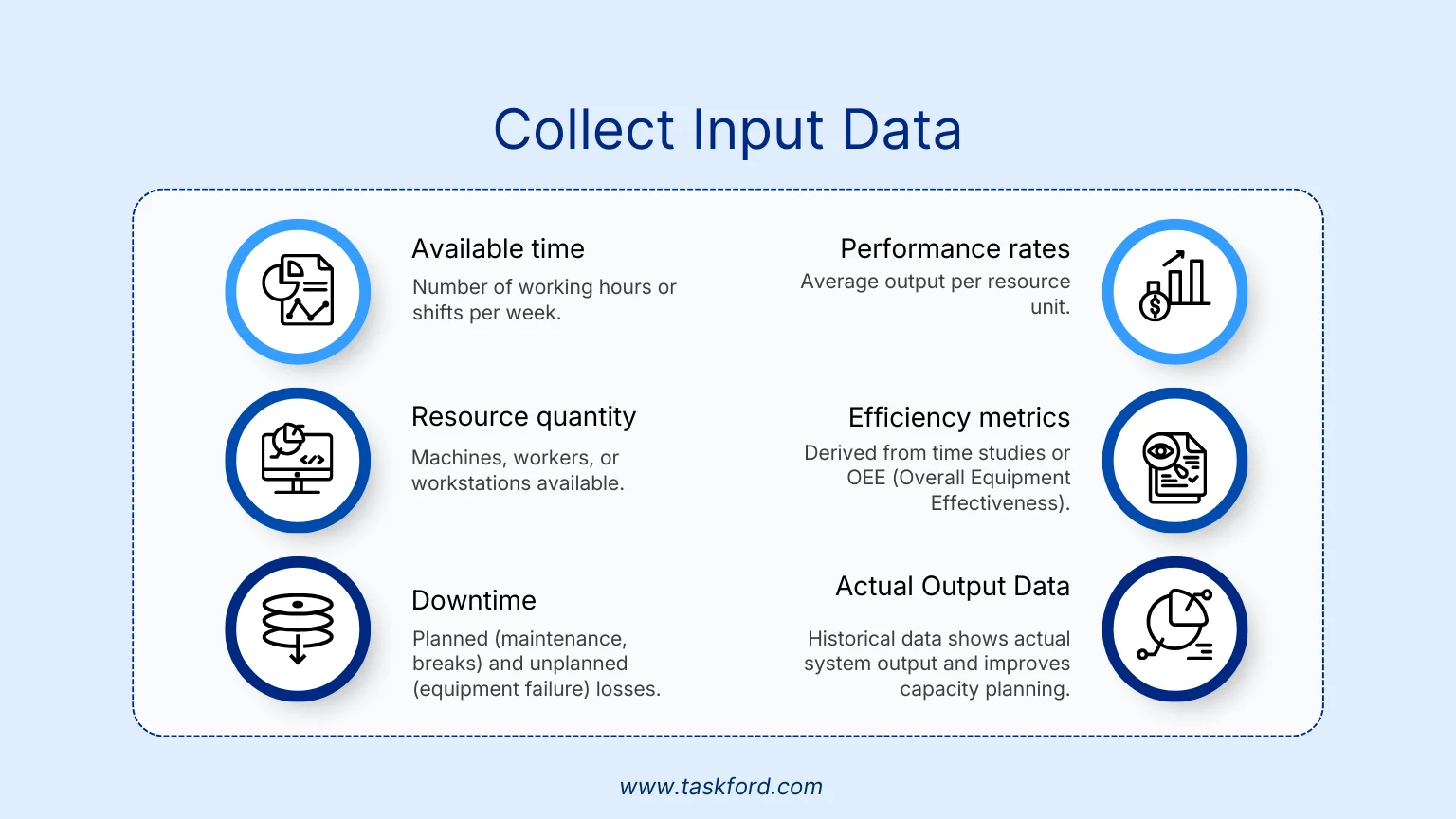
Accurate input data is essential for meaningful capacity analysis. Common data points include:
- Available time: Number of working hours or shifts per week.
- Resource quantity: Machines, workers, or workstations available.
- Downtime: Planned (maintenance, breaks) and unplanned (equipment failure) losses.
- Performance rates: Average output per resource unit.
- Efficiency metrics: Derived from time studies or OEE (Overall Equipment Effectiveness).
- Actual Output Data: Historical data shows actual system output and improves capacity planning.
For example, if your production line runs two 8-hour shifts, five days a week, you have 80 available hours. But after accounting for 10% maintenance downtime, your effective availability becomes 72 hours.
In service industries, input data often includes employee schedules, service duration, and expected demand patterns. This helps identify peak periods and staffing needs.
Step 3: Apply Core Capacity Formulas
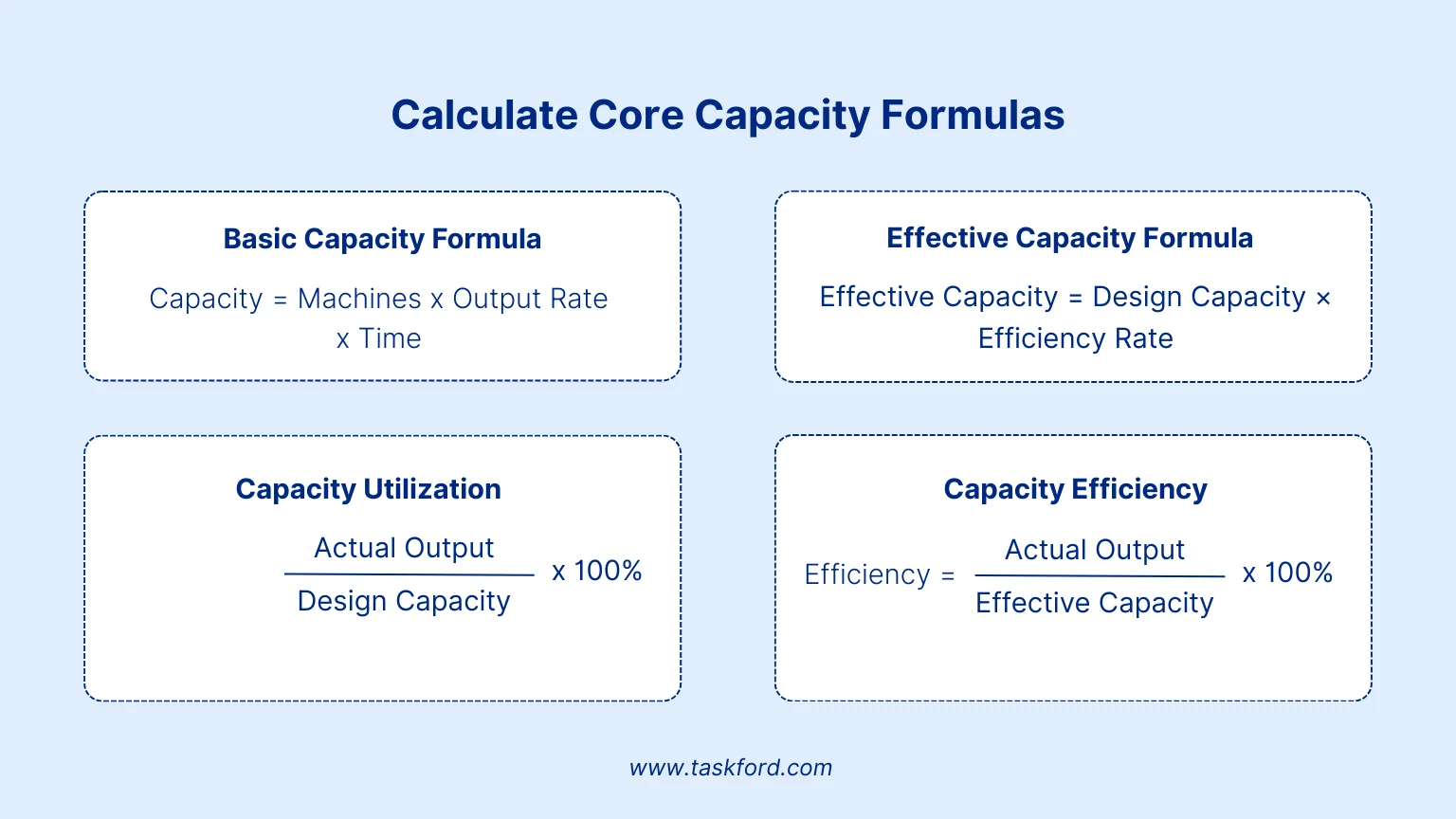
Now that the inputs are defined, you can start calculating. The following are the essential formulas used across industries.
1. Basic Capacity Formula
The basic capacity formula calculates the maximum output a system can produce under ideal conditions, without any inefficiencies, downtime, or other limiting factors
Formula:
Capacity = Number of Machines or Workers × Output per Unit Time × Available Time
Example: If you have 5 machines, each producing 20 units per hour, operating for 8 hours per day:
5 × 20 × 8 = 800 units/day
So, under ideal conditions (no downtime or inefficiencies), your design capacity is 800 units per day.
2. Effective Capacity Formula
Operations rarely run under perfect conditions. To account for these inefficiencies, we use the effective capacity formula, which adjusts for factors like downtime or slower speeds:
Formula:
Effective Capacity = Design Capacity × Efficiency Rate
If your design capacity is 1,000 units per day and your efficiency rate is 85%, then:
1,000 × 0.85 = 850 units/day
The efficiency rate can come from historical performance data or time studies.
3. Capacity Utilization and Efficiency
To assess how well you’re using your resources, two important metrics come into play: Capacity Utilization and Efficiency.
Utilization = (Actual Output / Design Capacity) × 100%
Efficiency = (Actual Output / Effective Capacity) × 100%
Example: If actual output is 820 units, with design capacity of 1,000 and effective capacity of 850:
- Utilization = 82%
- Efficiency = 96%
Low utilization indicates unused potential. High utilization may signal overstretched resources or bottlenecks.
Step 4: Incorporate Variability and Bottlenecks
Real operations face fluctuations in demand, performance, and availability. A realistic capacity model must account for these variations.
Start by identifying the bottleneck — the stage in your process that limits overall throughput. According to the Theory of Constraints (TOC), the capacity of the entire system is constrained by its slowest operation.
Example: If three machines each produce 300, 250, and 200 units per hour, the system’s effective capacity is capped at 200 units per hour.
Use process mapping or value stream mapping to locate these constraints. Once identified, improve flow through methods like:
- Line balancing: Redistribute tasks to reduce idle time.
- Buffering: Add small time or material buffers before the bottleneck.
- Parallel processing: Duplicate high-demand steps.
In service contexts, the bottleneck may be staff availability or customer handling time rather than physical equipment.
Step 5: Analyze Capacity Gaps
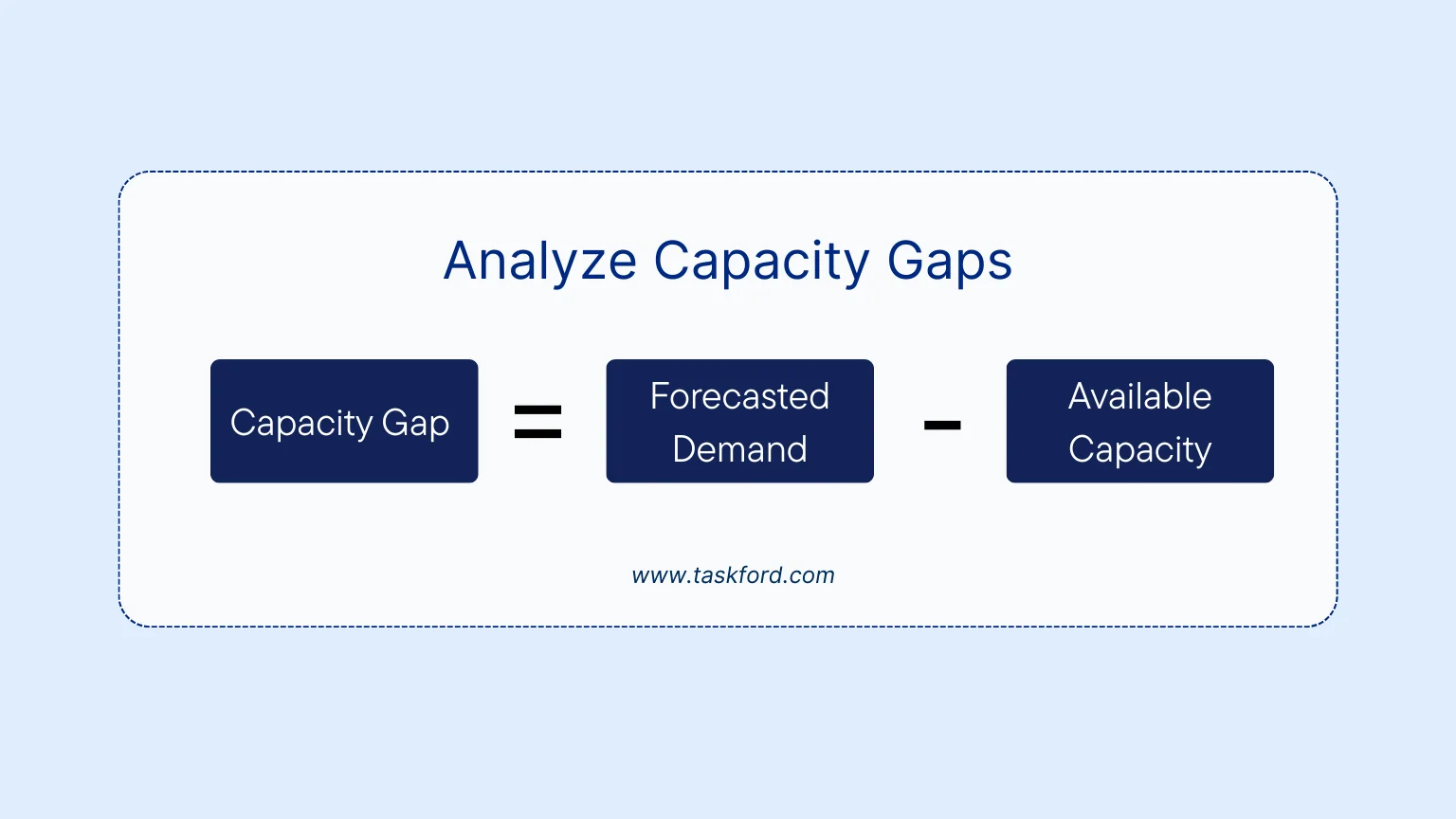
Once you know your available capacity, compare it with your forecasted demand to determine the capacity gap:
Capacity Gap = Forecasted Demand − Available Capacity
If demand is 900 units per day but your effective capacity is 850, the gap is 50 units.
Addressing this gap requires either capacity expansion (increasing production) or demand management (smoothing demand patterns).
Analytical tools for capacity gap analysis include:
- Regression analysis: Links capacity usage to demand variables.
- Moving averages: Tracks performance trends.
- Simulation models: Test different production scenarios under variable conditions.
This analysis connects directly to capacity planning, the process of aligning long-term resources with anticipated workload.
Step 6: Evaluate Capacity Expansion or Flexibility Options
After identifying a capacity gap, you need to decide how to respond strategically. Options typically fall into two categories: expansion or flexibility.
Capacity Expansion Options
- Add new machines, staff, or shifts.
- Increase automation to boost throughput.
- Outsource part of the process to a third party.
Capacity Flexibility Options
- Cross-train employees to handle multiple tasks.
- Adopt modular production setups that can scale up or down quickly.
- Use flexible contracts or just-in-time resources.
Each option should be assessed through cost-benefit analysis. Compare the cost of capacity expansion with the cost of lost sales or missed deadlines due to insufficient capacity.
Example: Hiring temporary staff might be more economical for seasonal spikes than investing in permanent infrastructure.
Integrating Capacity with Project Management Tools
Integrating capacity management with project management tools can greatly improve your ability to monitor and optimize resource utilization across projects.
For example, TaskFord, the integrated work delivery platform, goes beyond simply tracking and delivering projects, it also enables you to efficiently manage resources, align team capacity with project demands, and make data-driven decisions to ensure timely and successful project completion. provides real-time visibility into workloads. Teams can track utilization across departments, identify idle resources, and allocate tasks more effectively.
How TaskFord Optimizes Capacity Management:
- Real-Time Resource Allocation: TaskFord offers a centralized platform where you can monitor the availability and workload of each team member in real-time. By integrating capacity management with project tasks, TaskFord helps project managers allocate resources based on individual capacity, ensuring no one is overburdened or underutilized.
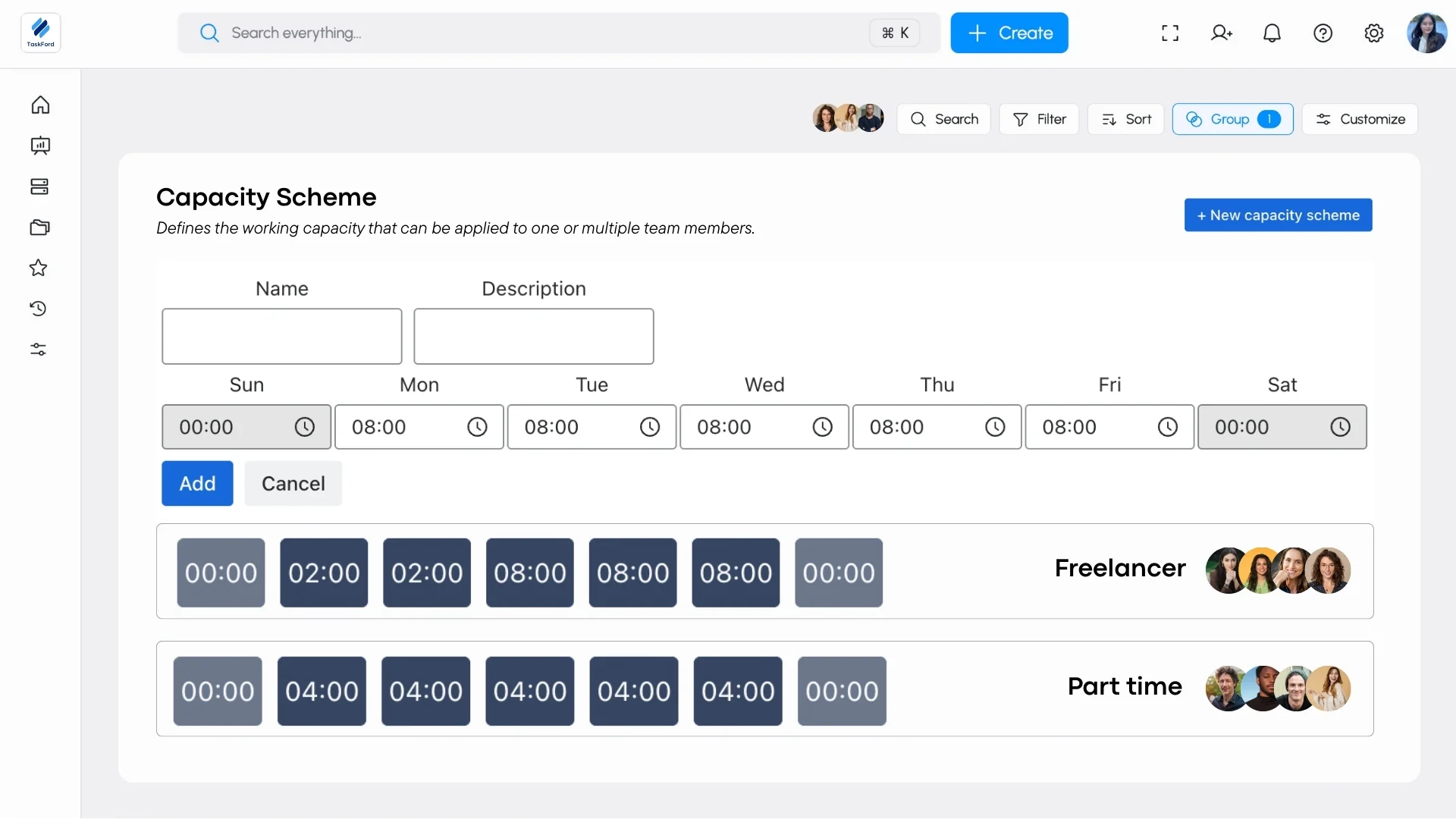
- Capacity and Utilization Insights: TaskFord provides detailed reports and dashboards that highlight capacity utilization across your team. You can easily track how much of your team’s design capacity is being used, allowing you to identify underutilized resources or potential bottlenecks.
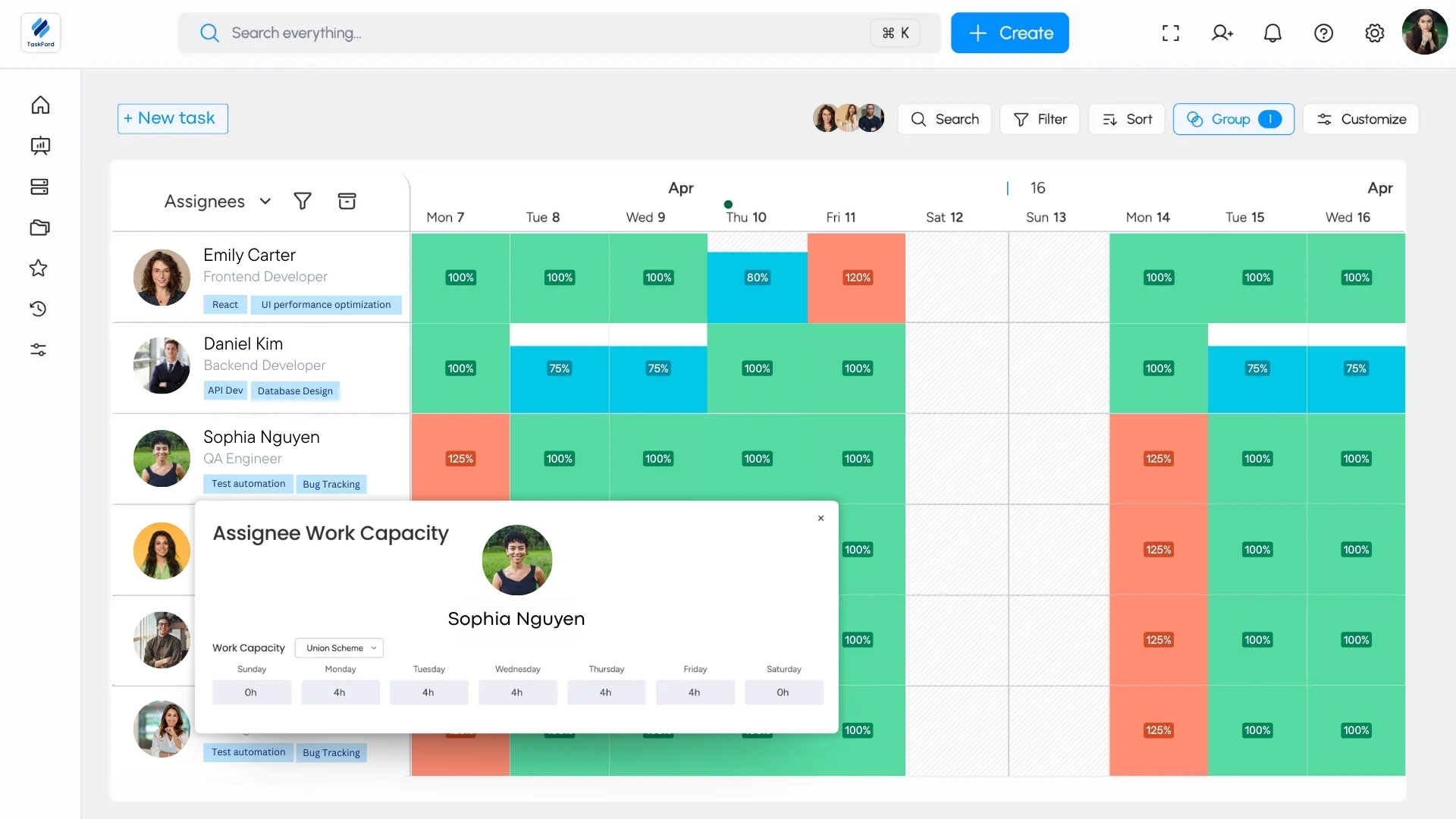
- Cross-Project Resource Management: For teams working on multiple projects, TaskFord allows you to manage and track resources across all projects simultaneously. By providing a holistic view of team capacity across various tasks and projects, TaskFord ensures that resources are allocated efficiently, priorities are clear, and no team member is overwhelmed with conflicting demands.
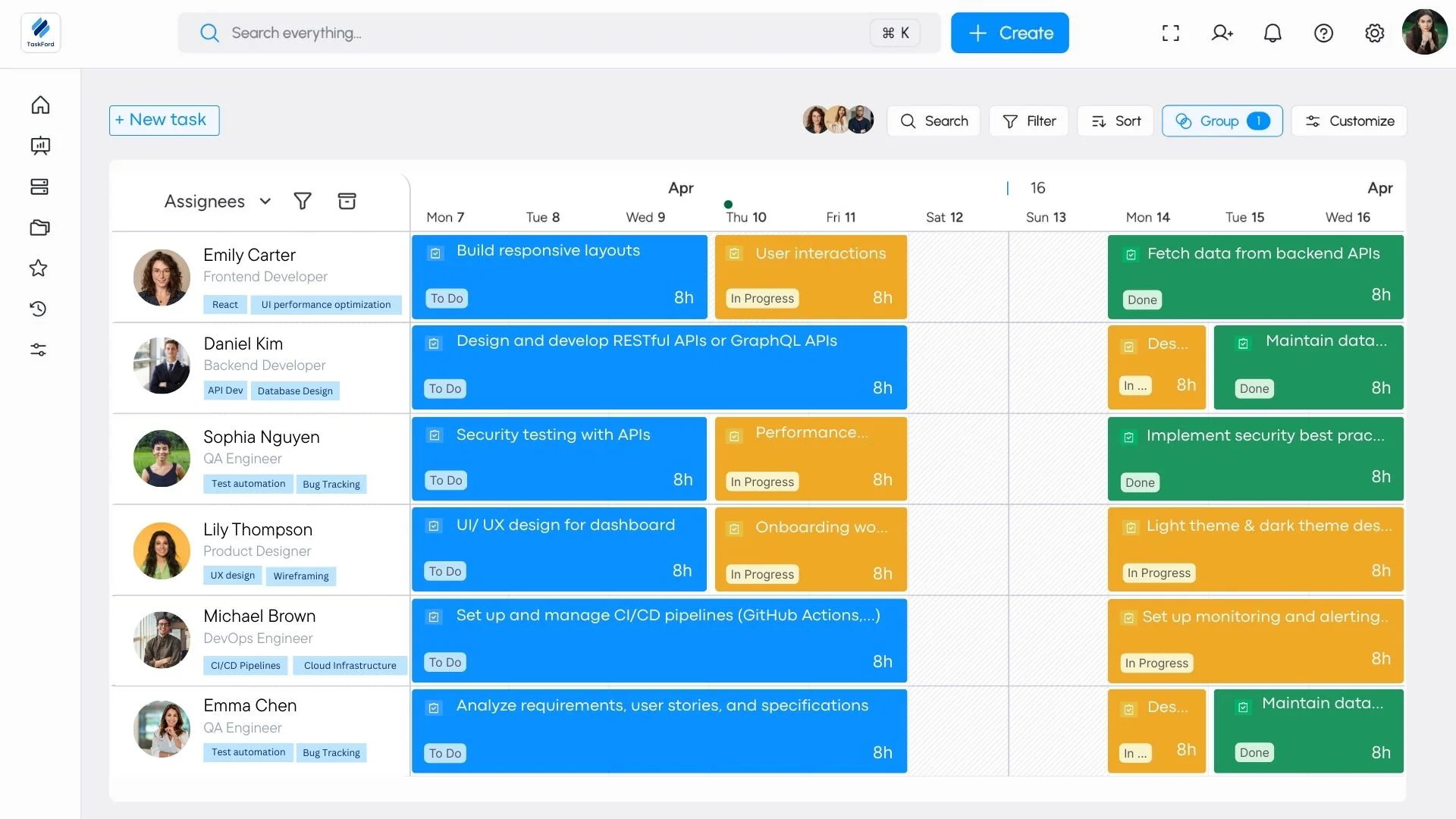
By integrating capacity management directly into the project management workflow, TaskFord allows teams to seamlessly manage resources, adjust schedules based on real-time data, and plan for future projects with greater accuracy.
Common Mistakes in Capacity Calculation
Even experienced professionals can make errors in capacity analysis. Some frequent issues include:
- Ignoring downtime: Overlooking maintenance or setup time inflates capacity estimates.
- Using static averages: Relying on fixed assumptions instead of real-time data reduces accuracy.
- Neglecting demand variability: Failing to adjust for fluctuating customer needs leads to mismatched capacity.
- Overfocusing on output: Capacity should also consider quality and defect rates, not just quantity.
- Not updating models: As processes improve, historical capacity assumptions can quickly become outdated.
Avoiding these pitfalls ensures that your capacity figures reflect operational reality, not theoretical potential.
Conclusion
Learning how to calculate capacity in operations management helps organizations see the difference between potential and performance. By following a structured six-step process, from defining your system to evaluating expansion and flexibility options, you can convert raw data into actionable insight.
Capacity analysis doesn’t just quantify what’s possible; it exposes where improvements should be made and how far your system can go before hitting a limit. When combined with capacity planning and project management, it becomes one of the most powerful tools for achieving operational excellence.
Learn more
- What is Resource Management: Key Definition, Must-Know Terms & Proven Techniques
- Workforce Capacity Planning How It Helps You Say “Yes” to the Right Work
- Top Resource Planning Software for Teams in 2026: A Feature-by-Feature Comparison
Subscribe for Expert Tips
Unlock expert insights and stay ahead with TaskFord. Sign up now to receive valuable tips, strategies, and updates directly in your inbox.