When Excel Makes Time Tracking a Nightmare — The Solutions That Work
Excel time tracking feels simple at first but soon creates errors and delays. This guide shows why it fails and the solutions that make time tracking reliable.
Most teams begin their time tracking journey the same way. You open a blank Excel sheet, set up a few columns, add some color coding, and feel a quiet sense of victory. It looks organized. It feels manageable. It gives you the comforting illusion that everything about your team’s hours, workload, and productivity is finally under control.
But over time, that simple spreadsheet starts behaving less like a tool and more like an unpredictable creature. Hours disappear, formulas break, versions multiply, and suddenly you are spending more time managing the time tracking system than tracking time itself. This is the turning point where you realize the problem isn’t your team. It’s the fact that Excel was never built for the demands of real, modern, fast-moving work.
Reasons Why Teams Choose Excel Time Tracking
In the beginning, Excel time tracking looks like everything a team needs. The simplicity gives everyone confidence, and the flexibility feels empowering. The tool is already part of the workflow, which makes the decision feel even more justified.
Teams often choose Microsoft Excel because it offers several surface-level advantages:
- Free and already included in the workflow: There are no additional subscriptions, approvals, or onboarding barriers. You simply open the file and begin tracking time.
- Familiar to everyone: There is no training curve, no learning period, and no hesitation. Even new hires feel comfortable with the interface from day one.
- Flexible and fully customizable: You can rename fields, add columns, build formulas, or design your own layout. Everything is adjustable without requiring any technical expertise.
- Fast to set up: A usable time tracking structure can be created within minutes. There is no need for configuration guides or setup workshops.
- Easy to share: Whether through email, a shared drive, or a quick upload, the file is easy to distribute among team members at the start.
These benefits make Excel feel like the perfect solution for small teams. The confidence is genuine. The decision is logical. And on the surface, it looks like time tracking does not require anything more advanced than a simple spreadsheet. But this early calm sets up the dramatic contrast for what eventually happens as the team grows, projects multiply, and the volume of time data expands beyond what a static file can handle.
When Excel Time Tracking Turns Into a Daily Struggle
The shift from “this works” to “this is breaking” never happens in one moment. It begins slowly and quietly, disguised as minor inconveniences. Over time, these small issues accumulate until they eventually transform into daily frustrations that interrupt productivity and create unnecessary stress.
Signs that Excel Time Tracking is Failing
- File version conflicts multiply: When several people update the same sheet at the same time, you end up with duplicates and conflicting versions. Nobody is certain which file contains the correct data.
- Formulas break and sheets become corrupted: A simple accidental edit, drag, or deletion can disrupt critical formulas. Fixing these issues becomes a recurring task that drains time and energy.
- Manual entries increase the risk of human error: Typos, skipped rows, and inconsistent formatting begin to pile up, creating unreliable data that can no longer be trusted for decision making.
- People forget to update their hours: When work gets busy, team members skip entries or update them late, which leads to incomplete or inaccurate timesheets.
- Time is wasted managing the spreadsheet instead of doing meaningful work: The spreadsheet becomes a tool that requires maintenance, oversight, and troubleshooting. Instead of helping the team, it becomes something they must babysit.
These frustrations are only the surface of the issue. The deeper problems show up in the form of hidden costs that quietly build over time.
Serious Financial and Operational Consequences
- Billing mistakes that lead to lost revenue: When hours are duplicated, missing, or misreported, invoices become inaccurate and clients are either underbilled or overbilled.
- Inaccurate timelogs that misallocate resources: Managers cannot clearly see how effort is being distributed, which makes planning unreliable and creates blind spots in workload management.
- Burnout caused by unclear distribution of work: Without clear visibility, some team members unintentionally carry more weight while others remain underutilized, leading to frustration and exhaustion.
- No reliable audit trail for financial reviews: Excel does not track edit history in a structured way, creating compliance risks and making financial reviews more difficult.
- Project delays triggered by poor visibility into actual effort: When time data is unreliable, forecasting and planning become guesswork. This leads to delays, rushed work, and unnecessary stress.
This is the moment in the narrative when everything becomes clear. The problem is not that Excel is malfunctioning. The problem is that the team has outgrown it. What once worked well is now creating barriers to progress.
Why Excel Time Tracking Fails Modern Teams
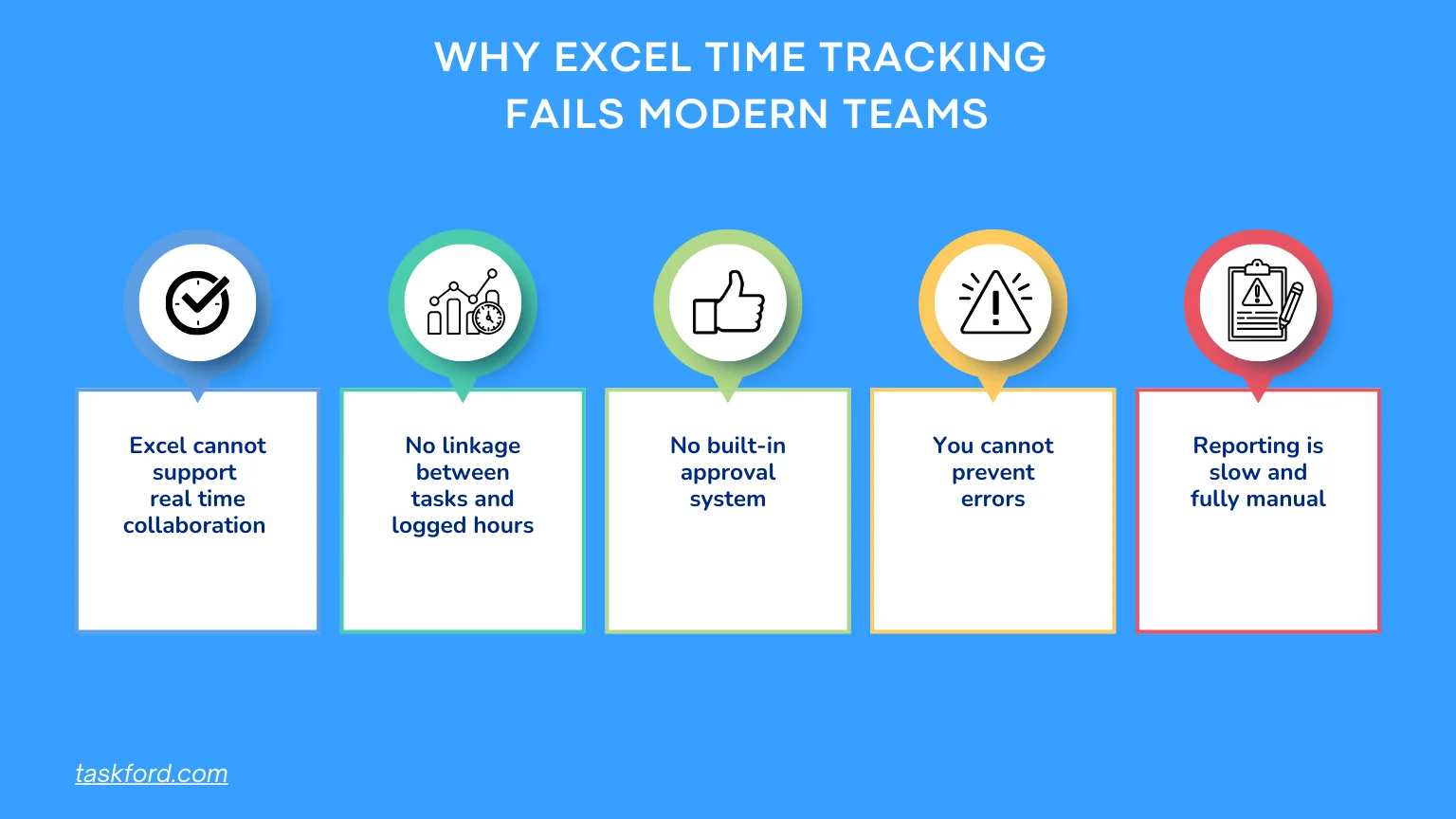
By this stage of the story, the true issue reveals itself. The friction is not caused by poor organization, laziness, or lack of discipline. The real problem is rooted in Excel’s limitations. Excel is a static file attempting to support dynamic, collaborative, and fast-moving work.
The limitations are fundamental:
- Excel cannot support real time collaboration for time tracking: Multiple people working at once cause conflicts, lost entries, and data inconsistencies.
- There is no linkage between tasks and the hours people log: Time entries float independently from the work they represent, making analysis and reporting harder.
- No built-in approval system or structured workflow: Managers cannot easily verify, review, or approve hours without creating additional manual steps.
- You cannot prevent errors or enforce consistent data: Without validation rules, mistakes become frequent and cleanup becomes part of the weekly routine.
- Reporting is slow and fully manual: Every summary requires formulas, pivot tables, or custom dashboards that must be built and maintained manually.
The message here is empathetic and honest: this is not your fault. Excel was simply never meant to handle this level of complexity, collaboration, or operational responsibility.
What Teams Actually Need Instead of Excel Time Tracking
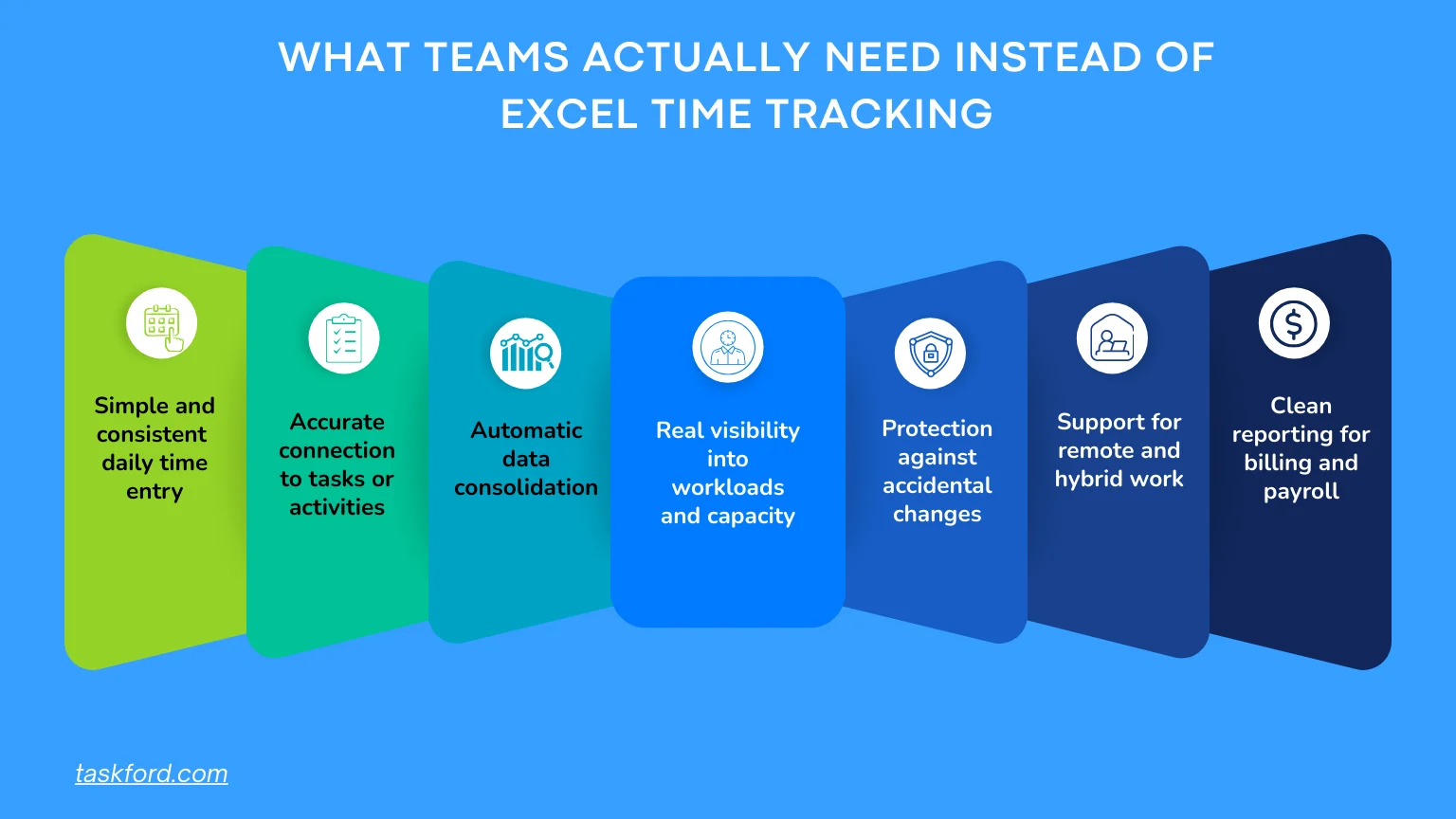
Once the limitations are understood, the path forward becomes clearer. Effective time tracking requires more than a spreadsheet. It requires a system built around accuracy, accessibility, and context.
Here is what modern teams truly need:
- Simple and consistent daily time entry: The process should be quick enough that people maintain it regularly.
- Accurate connection to tasks or activities: Every time entry needs to reflect real work, not vague guesses or retroactive estimates.
- Automatic data consolidation: Hours should roll up into daily, weekly, and monthly summaries without requiring formulas or manual checks.
- Real visibility into workloads and capacity: Managers need insight into who is busy, who has room, and which projects demand more attention.
- Protection against accidental changes: Teams need audit logs, edit history, and restricted permissions to ensure accuracy.
- Support for remote and hybrid work: People should be able to log their time whether they are at home, in the office, or on the go.
- Clean reporting for billing and payroll: The system should produce ready to use timesheet reports that reduce administrative work.
These requirements set the stage for modern approaches that eliminate the inefficiencies that Excel time tracking creates.
The Tools That Actually Replace Excel Time Tracking
Without mentioning specific brands, here are the categories of tools that commonly guide teams toward better time management and more reliable data.
- A simple time tracking app focused on daily logging: Useful for individuals or small teams who want a cleaner experience without manual entries or constant monitoring.
- A task-based time tracker that ties hours to real work: Helps teams understand how time connects to tasks, project phases, and deliverables.
- A project-centered time tracker with billing support: Ensures that hours translate directly into accurate invoices and financial records.
- A resource-focused tracker with workload visibility: Helps managers distribute work evenly and prevent burnout by understanding actual capacity.
Each category offers features that Excel cannot provide, helping teams imagine what a more modern solution looks like.
Why Many Teams Switch to TaskFord After Leaving Excel Time Tracking Behind
When teams finally decide that Excel time tracking is slowing them down, TaskFord, an integrated work delivery platform, becomes the natural progression. Instead of acting as a replacement for a spreadsheet, TaskFord becomes the engine that powers accurate time tracking, predictable planning, and clear resource management.
TaskFord solves the exact pain points that make Excel an unsustainable long term solution:
- Transparency between tasks and work hours: Every hour is logged with real work, providing context and eliminating guesswork.
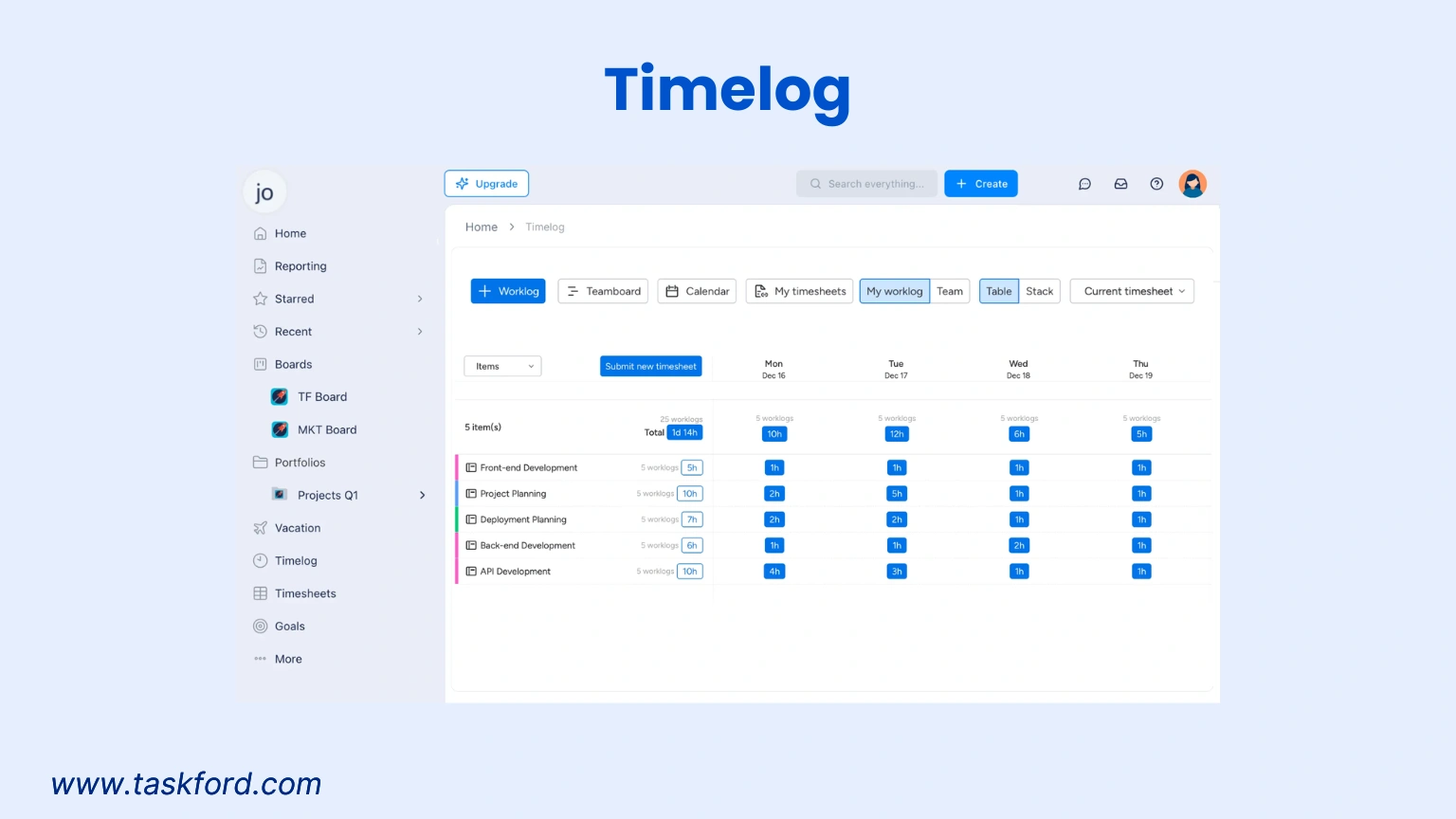
- Hours roll up seamlessly into projects and summaries: Managers gain clear visibility into workloads, progress, and performance without building manual spreadsheets.
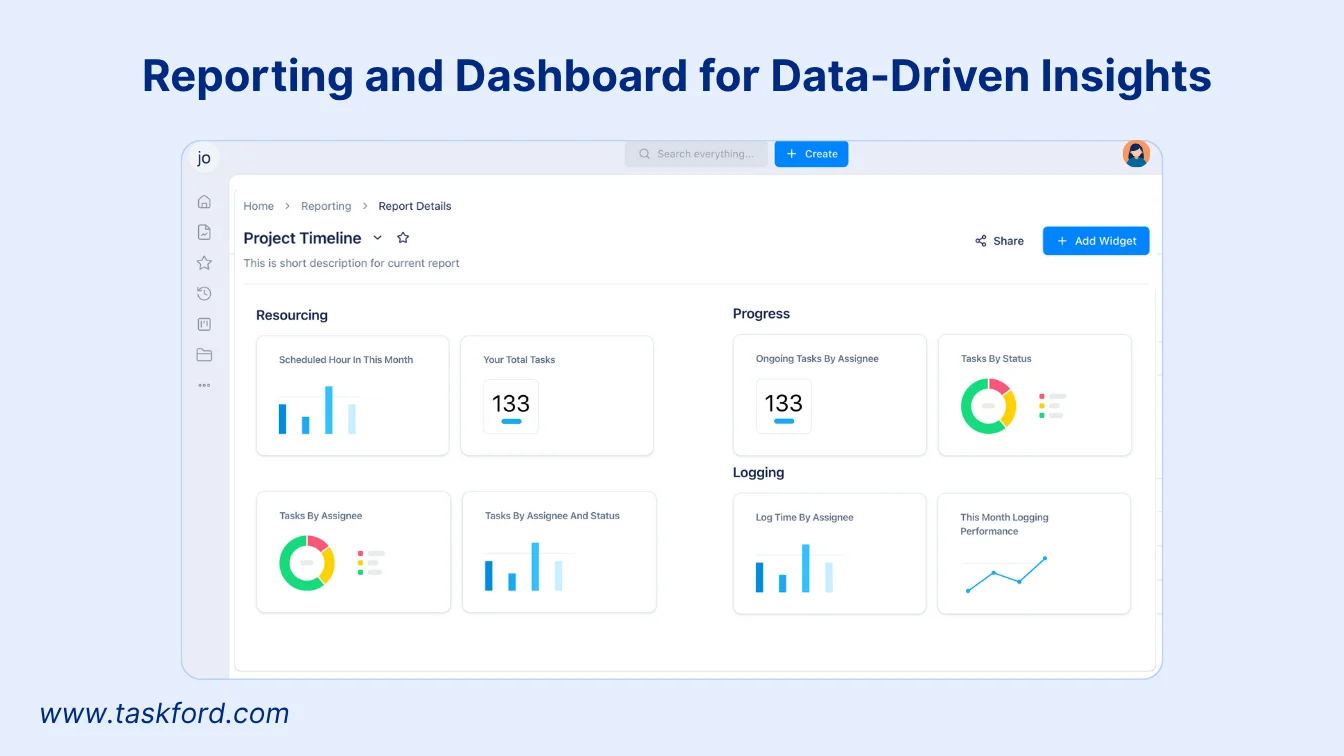
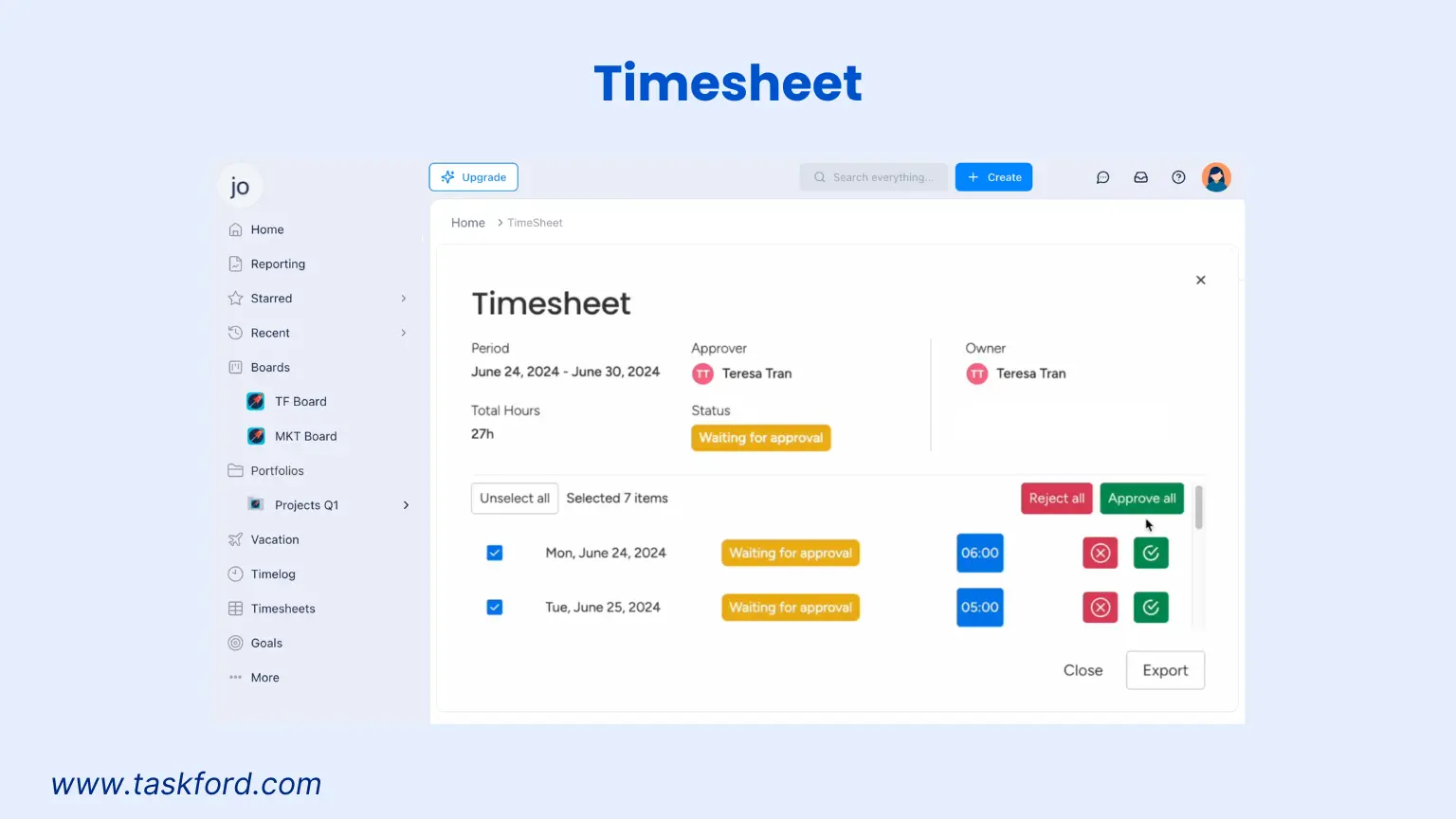
- Timesheet submission for accurate data: Structured time data can be submitted directly for financial processes, reducing errors and saving time.
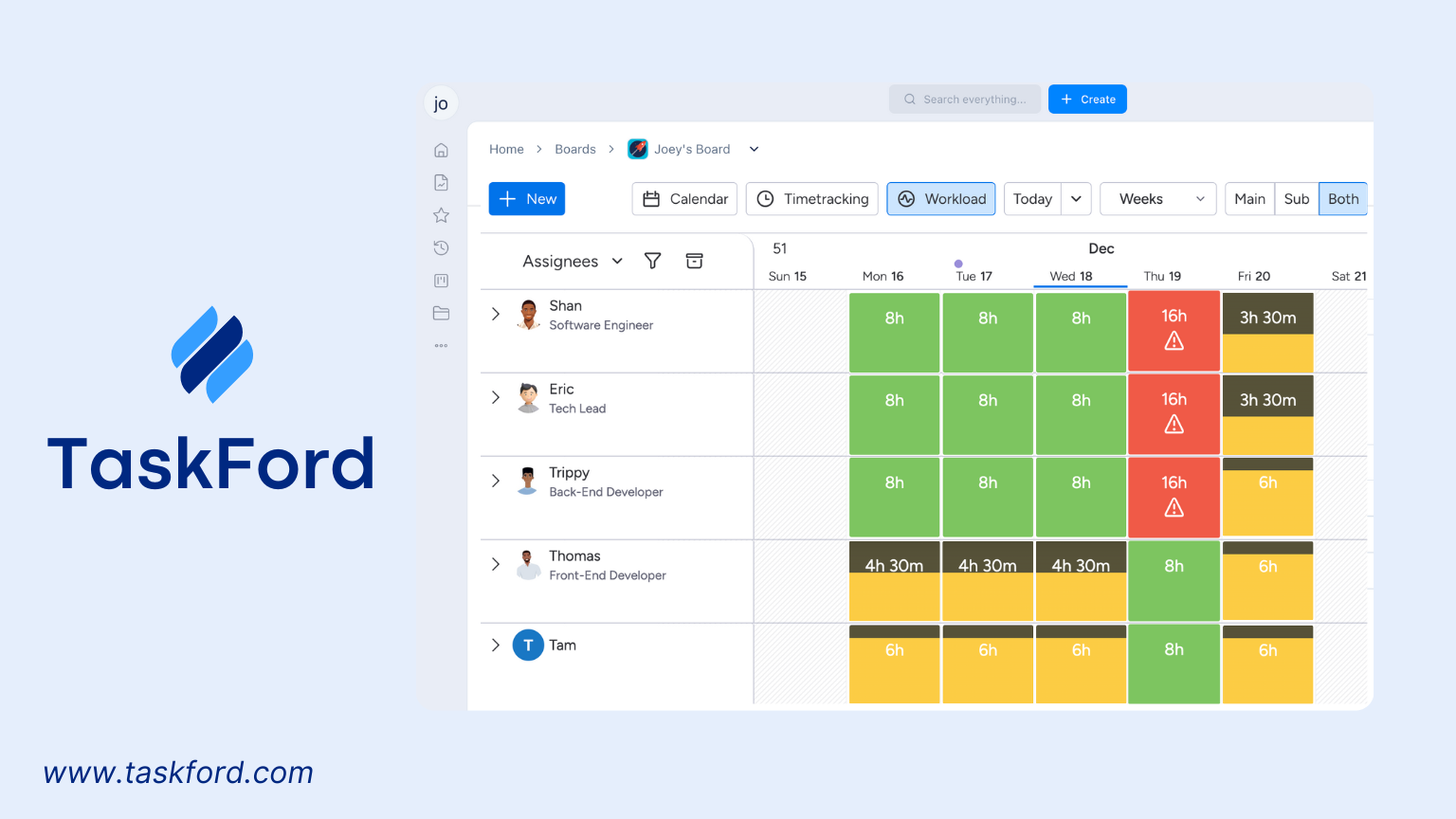
- Clear visibility into real workloads and resource distribution: Teams can spot overloads, adjust assignments, and maintain balanced capacity.
TaskFord is built for teams who squeezed every last drop of usefulness out of Excel before realizing they needed a tool that supports the speed and complexity of modern work.
The Transformation: What Life Looks Like After Ditching Excel Time Tracking
Leaving Excel behind brings immediate relief. The shift feels like removing a weight that everyone had been silently carrying.
- No more chasing people for updates: Time entries are completed within the system itself, reducing friction and eliminating reminders.
- No more broken or versioned files: Collaboration becomes clean and consistent through a shared, centralized platform.
- Accurate billing every cycle: Reliable data ensures that invoices match actual work and revenue is properly captured.
- Better resource planning and capacity management: Managers can finally see who needs help, who has available capacity, and how projects are trending.
- A calmer, more predictable work environment: Teams gain clarity and confidence, replacing spreadsheet chaos with dependable workflows.
This “after picture” shows the simplicity and stability that become possible once the spreadsheet is no longer the bottleneck.
Conclusion: Your Time Tracking Story Deserves a Better Chapter
Excel was a smart starting point. It gave your team a familiar, accessible way to begin tracking time. But it was never designed for the speed, complexity, or collaboration required in modern work environments. Today’s teams need tools that support accuracy, transparency, and real time visibility.
If Excel time tracking is beginning to create more problems than it solves, this is the moment to step into a better way of working. Your next chapter does not have to be defined by broken formulas, incomplete hours, or constant frustration. Better tools unlock better results, and the turning point begins the moment you leave the spreadsheet behind.
Learn more
- Why Timesheet Software for Small Businesses Is A Must
- The Ultimate Review: Top 10 Time Tracking Tools for Freelancers in 2026
- How to Fill Out a Weekly Timesheet [+ Free Template Download]
Subscribe for Expert Tips
Unlock expert insights and stay ahead with TaskFord. Sign up now to receive valuable tips, strategies, and updates directly in your inbox.