How to Do a Cost-Benefit Analysis in 6 Simple Steps
Master cost-benefit analysis in six simple steps to make smarter, data-driven project decisions, reduce risks, and increase the overall success of your projects
Deciding whether to launch a new project, buy equipment, or invest in software can feel overwhelming. A cost-benefit analysis (CBA) simplifies the process by helping you compare costs against benefits to make smart, data-driven choices. When paired with strong cost management practices, a CBA ensures you get the most value while keeping expenses in check.
This guide breaks down how to perform a cost-benefit analysis in six clear steps. We’ll also show how tools like cost management software can make the process easier and more accurate.
Understanding Cost-Benefit Analysis (CBA)
A cost-benefit analysis evaluates the financial and non-financial costs of a decision against its expected benefits. The goal? Figure out if the benefits justify the costs. This tool is a staple in project cost management, whether you’re assessing a new marketing campaign or investing in cost tracking software.
For example, if you’re considering new cost management software, a CBA helps weigh the purchase price and training costs against time savings and improved cost control. It’s a versatile method that works for small decisions, like buying office supplies, or big ones, like building a new facility. Let’s explore the six steps to do it right.
How To Do A Cost-Benefit Analysis
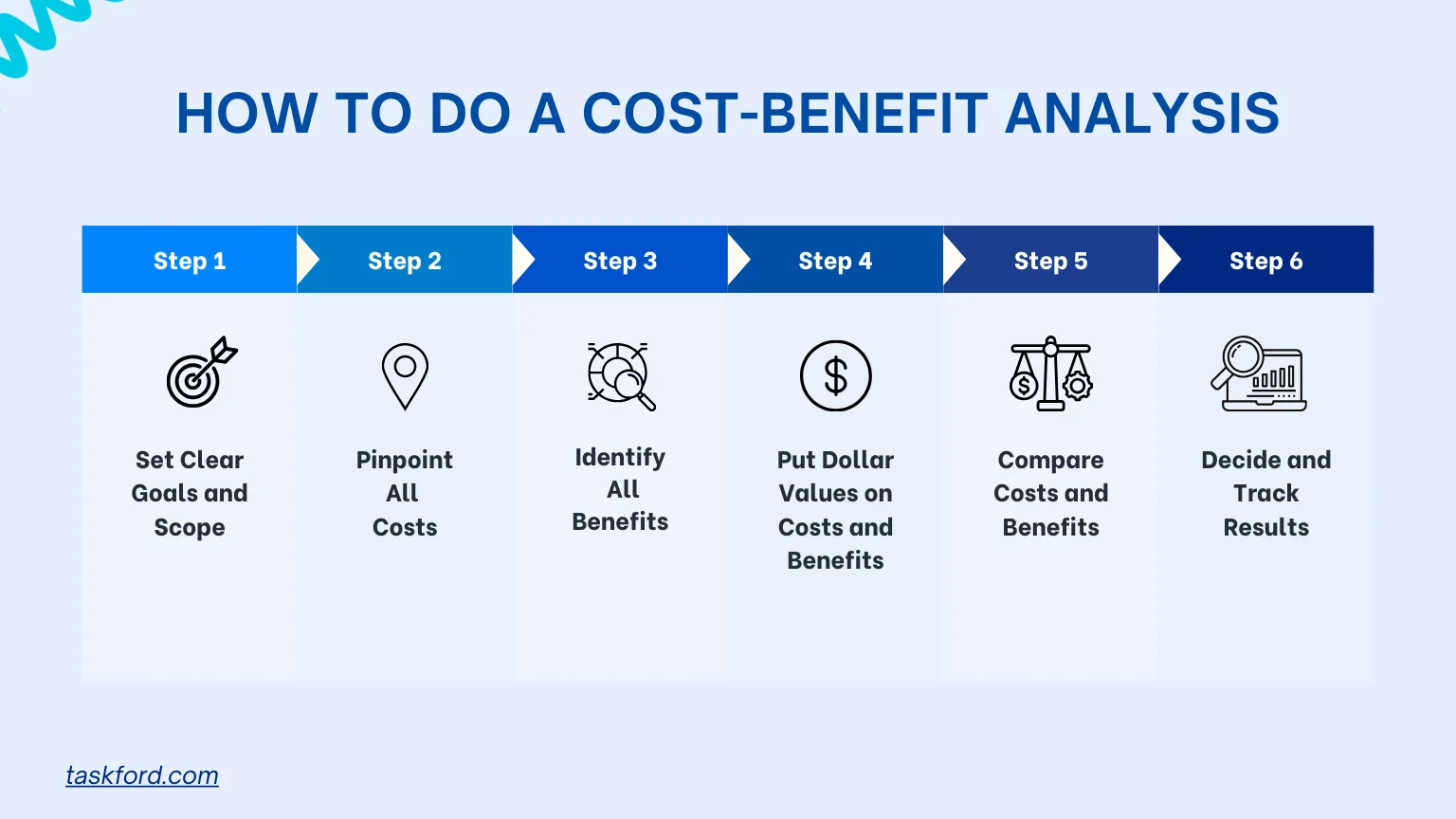
Step 1: Set Clear Goals and Scope
Define Your Objective
Start by clarifying what you want to achieve. Ask:
- What problem are you solving?
- What are your goals?
- Who’s involved (e.g., stakeholders, team members)?
For instance, if you’re eyeing cost tracking software, your goal might be to boost project cost tracking accuracy by 20% in six months. Be specific about timelines and outcomes.
List Alternatives
Rarely is there just one option. Compare all possibilities, like sticking with manual cost tracking, outsourcing, or choosing between different cost management software options. This ensures you’re evaluating every path.
Pro Tip: Use a cost tracker to jot down your goals and alternatives. It keeps your analysis organized and helps you stay focused.
Step 2: Pinpoint All Costs
Types of Costs
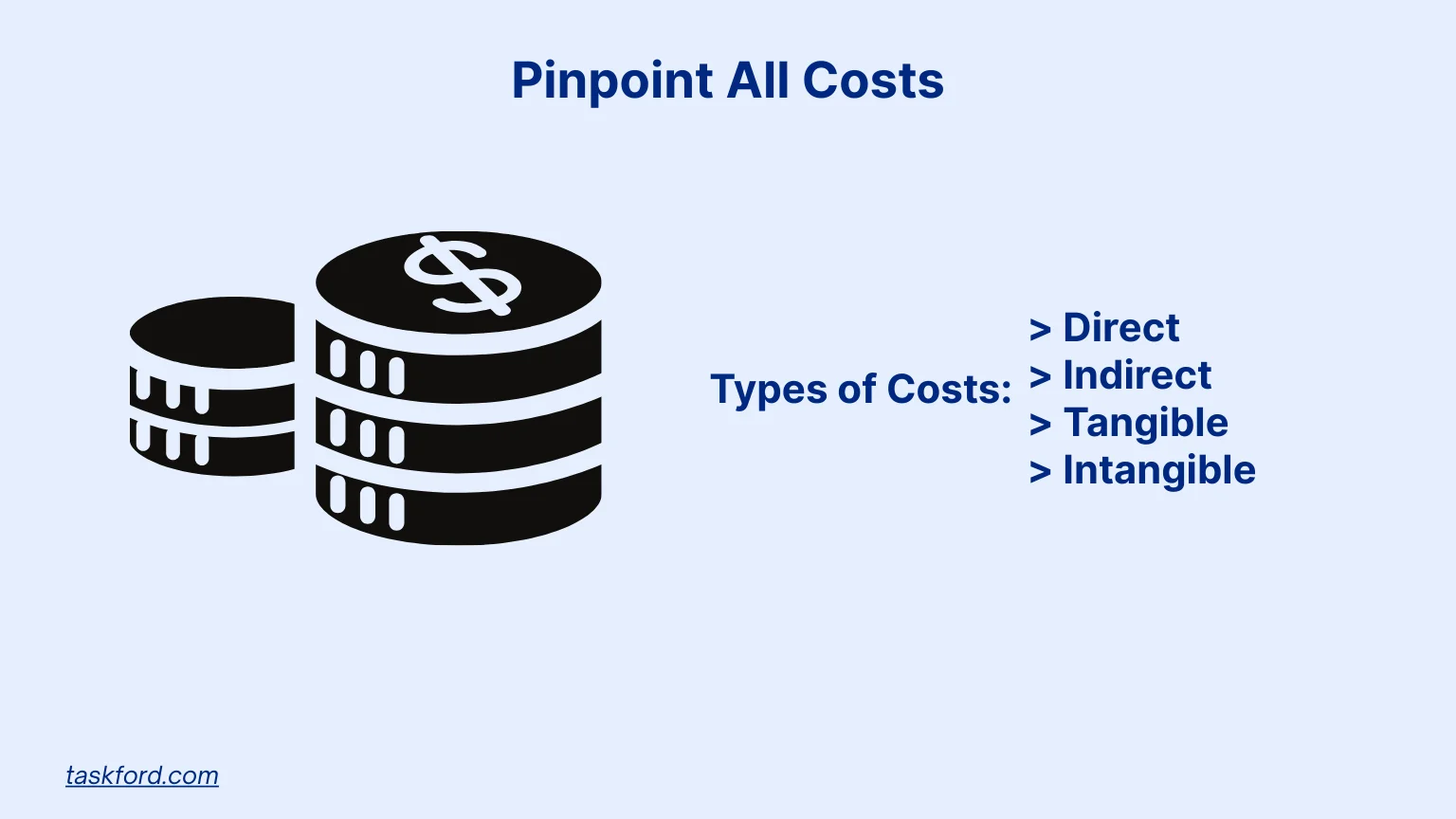
List every cost tied to your decision. Break them into:
- Direct Costs: Expenses like software licenses or equipment purchases. For example, cost management software might cost $500/month plus $2,000 for setup.
- Indirect Costs: Overhead, like utilities or admin time, that supports the project.
- Tangible Costs: Measurable costs, like labor or maintenance fees.
- Intangible Costs: Less obvious costs, like time spent learning a new system or dips in team morale.
You can also consider opportunity cost, the value of the next best alternative you give up. For example, investing in new software might mean delaying other upgrades that could have generated returns sooner.
Example in Action
Imagine you’re planning a marketing campaign. Direct costs include ad spend and design fees. Indirect costs might be the hours your team spends managing it. Intangible costs could include customer frustration if the campaign flops.
Stay on Top of Costs
Use project cost tracking tools to monitor expenses in real time. These tools catch cost variance early, helping you avoid budget surprises.
Example: For cost tracking software, factor in the subscription ($500/month), training ($2,000), and downtime (10 hours at $50/hour = $500). This gives a clear cost picture.
Step 3: Identify All Benefits
Types of Benefits

Next, list the benefits your decision will bring. Categorize them as:
- Direct Benefits: Measurable gains, like cost savings or revenue boosts. For example, cost management software might save 5 hours weekly at $50/hour ($250/week).
- Indirect Benefits: Side perks, like happier employees using better tools.
- Tangible Benefits: Quantifiable wins, like a 10% faster project delivery.
- Intangible Benefits: Harder-to-measure gains, like a stronger brand or better decision-making from accurate cost tracking.
Think Long-Term
Consider benefits over time. New equipment might cost a lot upfront but save thousands in repairs over five years. Cost tracking software could cut budget overruns by 15%.
Pro Tip: Quantify benefits when possible. If software reduces errors, estimate past error costs (e.g., $10,000 in overbilling) to show savings.
Step 4: Put Dollar Values on Costs and Benefits
Valuing Costs
Assign dollar amounts to all costs. Use quotes or invoices for tangible costs. For intangible costs, estimate based on assumptions. For example, calculate training costs by multiplying hours spent by hourly wages.
Valuing Benefits
Quantify benefits in dollars too. Tangible benefits, like revenue gains, are easy to assign. For intangible benefits, use proxies. If better cost control improves customer satisfaction, estimate the value of retaining a customer based on their spending.
Handling Uncertainty
If values are unclear, use a range (e.g., $5,000 to $7,000 in savings) or test scenarios later with a sensitivity analysis.
Example: Cost tracking software costs $6,000/year but saves 10 hours/month at $50/hour ($6,000/year) and prevents $5,000 in errors. Total benefits: $11,000/year versus $6,000 in costs.
Tool Tip: Cost management software often has calculators to assign values quickly and accurately.
Step 5: Compare Costs and Benefits
Comparison Methods
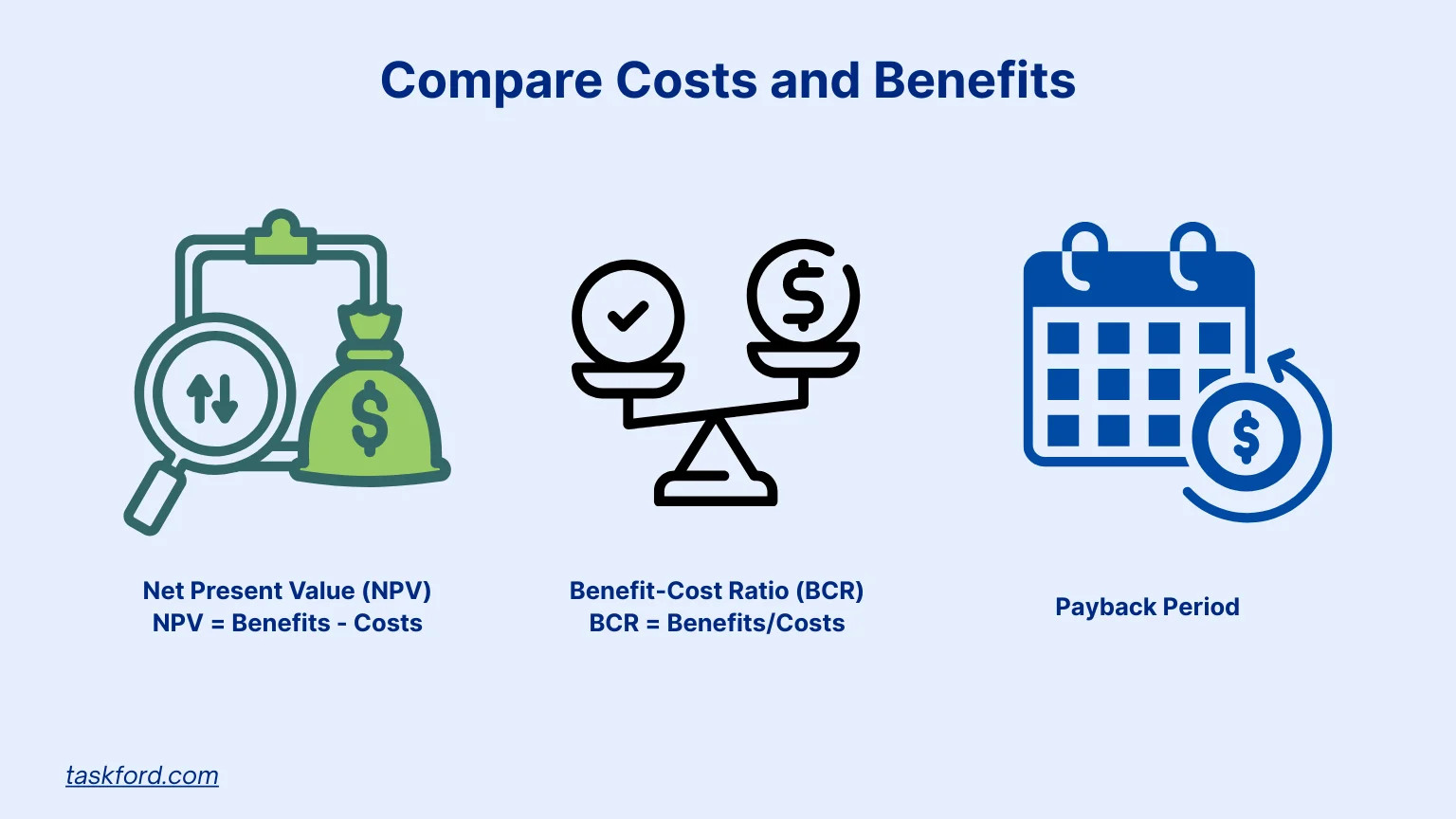
Use these metrics to weigh costs against benefits:
- Net Present Value (NPV): Subtract costs from benefits, adjusting for time value if the project spans years. A positive NPV means it’s a good investment.
- Benefit-Cost Ratio (BCR): Divide benefits by costs. A BCR above 1 shows benefits outweigh costs.
- Payback Period: Calculate how long it takes to recover costs. Shorter periods are better.
Example Breakdown
If cost tracking software costs $6,000 but brings $11,000 in yearly benefits, the payback period is under a year, and the BCR is 1.83 ($11,000 ÷ $6,000). Both suggest a solid investment.
Look Beyond Numbers
Consider non-financial factors, like alignment with company goals or stakeholder impact. A cost tracker can visualize these comparisons, highlighting cost variance and risks.
Pro Tip: Test assumptions with a sensitivity analysis. If savings are lower than expected, will the decision still make sense?
Step 6: Decide and Track Results
Make the Call
If benefits clearly outweigh costs (e.g., high BCR or positive NPV), go for it. If it’s close, weigh qualitative factors like risk or strategic fit.
Monitor Performance
After deciding, track actual costs and benefits against projections using project cost tracking tools. This helps spot cost variance early. For example, if cost management software saves only 8 hours/month instead of 10, adjust processes or training to close the gap.
Example: After adopting software, check monthly if it’s delivering promised savings. If not, tweak your approach to maximize benefits.
Why Monitoring Matters: Ongoing cost control keeps your CBA accurate. If benefits fall short, you can act before losses grow.
Boost Your Cost-Benefit Analysis with Technology
Technology can transform your cost-benefit analysis from a tedious task into a precise, efficient process. By leveraging modern tools, you can eliminate manual errors, save time, and gain deeper insights into your project’s financial viability. Here’s how technology enhances your CBA:
- Real-Time Data: Tools that track costs and benefits as they occur provide up-to-date figures, ensuring your analysis reflects current realities rather than outdated estimates. For example, instantly logging a $500 equipment expense keeps your cost projections accurate.
- Automated Calculations: Software with built-in calculators simplifies assigning dollar values to costs and benefits, reducing math errors. This is especially helpful when quantifying intangibles, like estimating the value of customer retention.
- Visual Dashboards: Interactive charts and graphs make it easy to compare costs and benefits, spot trends, and share insights with stakeholders. A clear visual showing a $11,000 benefit versus a $6,000 cost can sway decisions fast.
- Error Detection: Technology flags cost variances or budget overruns early, allowing you to adjust before small issues become costly mistakes. For instance, catching a 10% overspend on a campaign can refine your CBA’s projections.
- Centralized Data: Storing all cost and benefit data in one platform ensures nothing slips through the cracks, making it easier to monitor long-term outcomes and validate your analysis.
These tech-driven advantages make your CBA more accurate and actionable, helping you make decisions with confidence and keep projects on budget.
TaskFord’s Tools for a Better Cost-Benefit Analysis
TaskFord is a comprehensive project management and resource planning platform design for all teams and sizes. Its cost management and budget management features enhance your cost-benefit analysis by providing accurate, real-time data and simplifying financial tracking. Here are the features that separate TaskFord from other tools:
- Real-Time Cost Tracking: Monitor expenses as they occur to ensure accurate cost data, preventing budget overruns and supporting reliable cost estimates for your analysis.
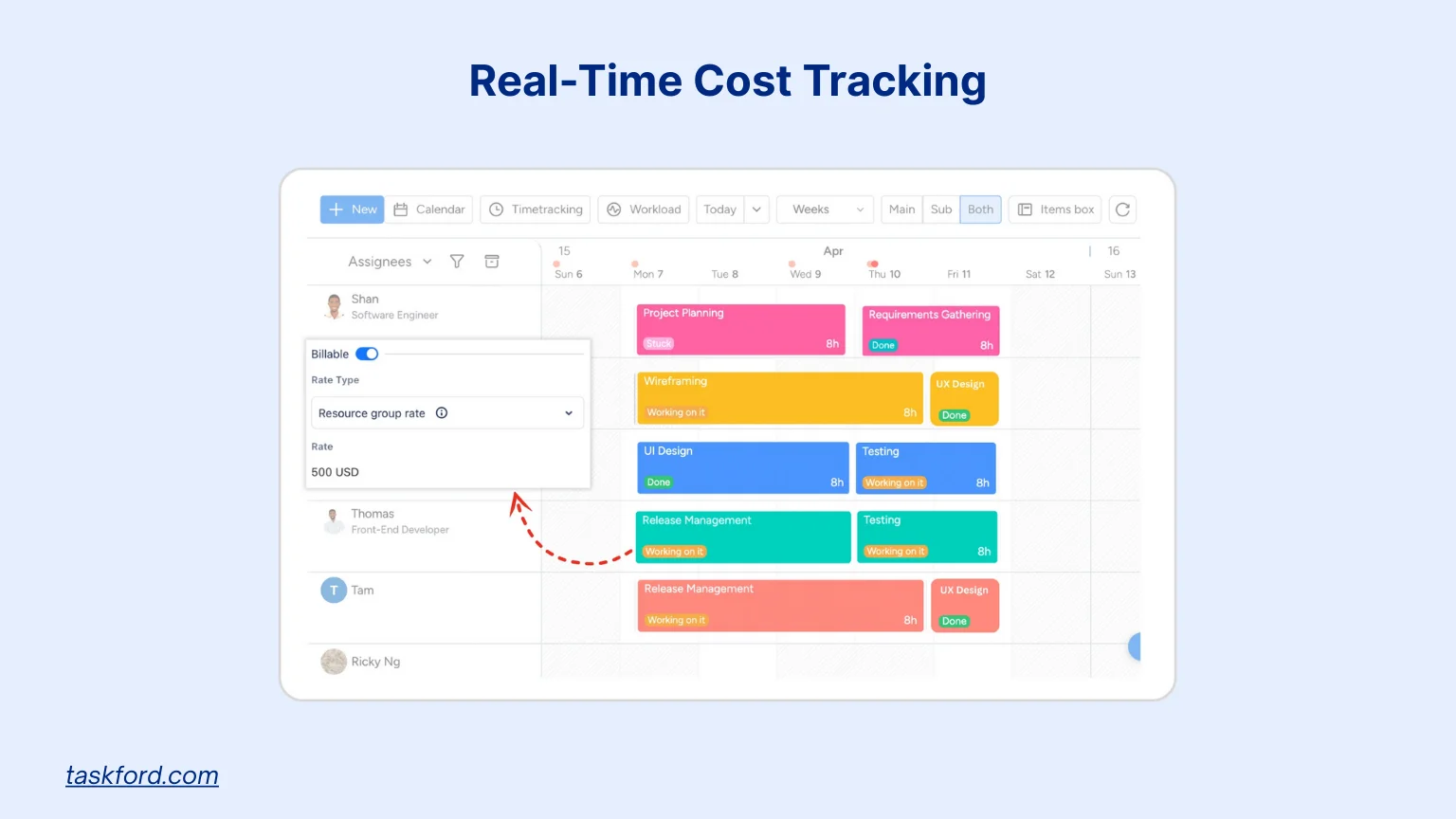
- Budget Management: Set and track budgets for tasks or projects, comparing planned versus actual spending to maintain financial clarity and validate CBA projections.
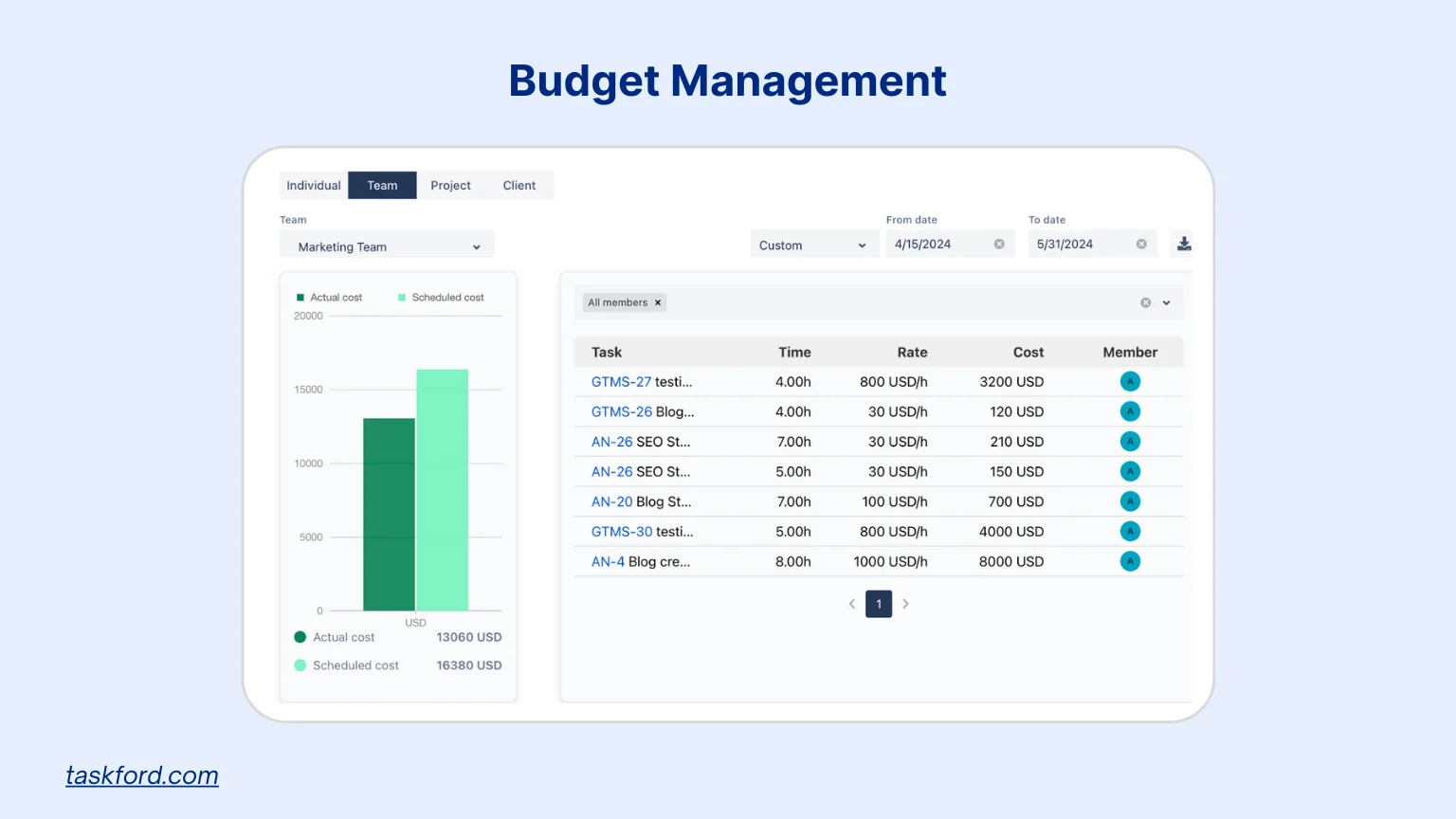
- Cost Reports: Generate detailed reports to visualize scheduled and actual costs, enabling clear comparisons and stakeholder communication for informed decision-making.
- Time Tracking: Log hours spent on tasks to quantify labor costs and savings, providing precise data for calculating benefits like time saved or billable hours gained.

TaskFord’s user-friendly interface makes these features easy to use, and its real-time updates keep your CBA data current. With planned enhancements like improved Gantt charts, TaskFord is a powerful tool for project cost management.
Avoid These Cost-Benefit Analysis Mistakes
Even a solid CBA can fail if you miss these pitfalls:
- Skipping Intangibles: Ignoring morale or customer satisfaction can skew results.
- Overoptimistic Benefits: Be realistic. If software saves 5 hours/week, not 20, your analysis will be off.
- Forgetting Long-Term Costs: Include maintenance or upgrades in your calculations.
- Not Monitoring: Without tracking, you won’t know if your projections hold.
Using cost management tools and checking assumptions helps you dodge these issues.
Why Cost-Benefit Analysis Is Key for Cost Management
A CBA is a cornerstone of effective cost management. It provides a clear framework to evaluate decisions, ensuring you invest in high-value projects. Tools like cost trackers and cost management software improve accuracy, enhance cost control, and reduce cost variance.
For businesses, this means smarter resource use, fewer budget overruns, and better financial results. For project managers, it ensures projects stay on budget with clear reasoning behind every choice.
Conclusion
A cost-benefit analysis empowers you to make confident, value-driven decisions that keep your projects on track and your budget in check. By leveraging technology like TaskFord’s real-time tracking and insightful reports, you can ensure every choice maximizes returns. Whether tackling a small task or a multimillion-dollar investment, a CBA equips you to achieve financial clarity and project success.
Start applying these principles today and explore TaskFord’s solutions to elevate your cost management game.
Learn more
- Project Management 101: A Beginner’s Comprehensive Guide 2025.
- Project Cost Management: A Beginner’s Guide to Budgeting and Control.
- How Can Budget Planning Help Manage Resources - Best Tactics 2025.
Subscribe for Expert Tips
Unlock expert insights and stay ahead with TaskFord. Sign up now to receive valuable tips, strategies, and updates directly in your inbox.